
Video meetings that feel like your own room.
GoinLabs iConnect is a video meeting app that runs in any browser on any device: with an AI lesson book for teachers, an AI assistant that attends meetings for you, and a funny AI recap movie after every meeting. Nobody has to install anything.
Teacher guide (PDF) Talk to us
- Chrome
- Edge
- Safari
- Firefox
- Windows
- Mac
- Android
- iPhone

Meetings without friction
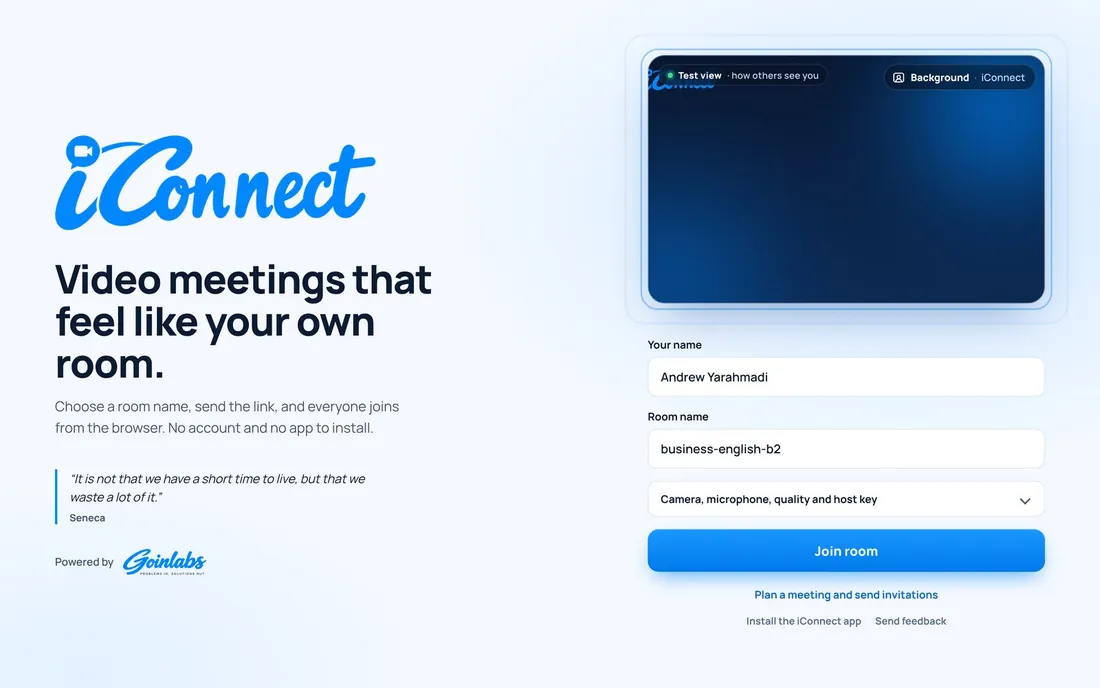
iConnect works in Chrome, Edge, Safari and Firefox on Windows, Mac, Android and iPhone. Guests open the link, check their camera in a live test view and join. Nothing to install, nothing to sign up for.
Open the link
One link is all a guest needs, on phone, tablet or laptop.
Check your camera
A live test view shows camera, light and background before you join.
Join
No app and no account. You are in the room in seconds.
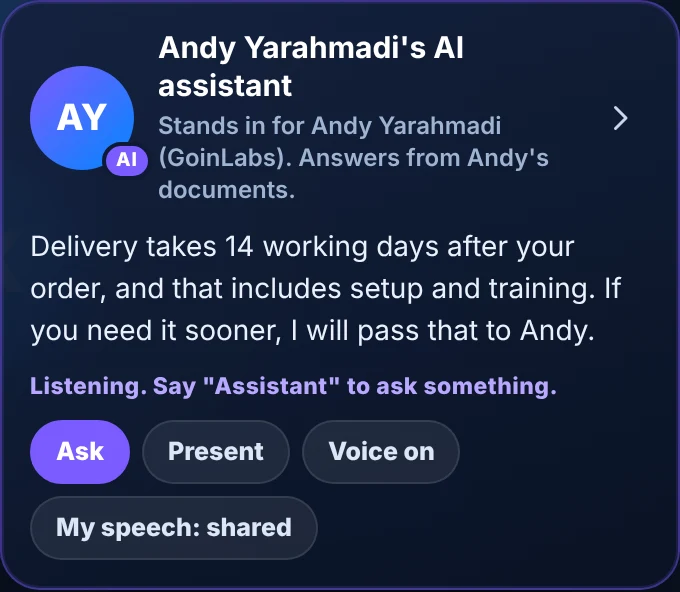
Can't make it? Send your AI assistant
Give your AI assistant your documents and your position once. It joins the meeting for you as “your name’s AI assistant”, clearly marked as AI, answers questions out loud with your facts and sends you a report afterwards. Your laptop can stay closed.
- Answers from your own documents (PDF, Word, text) and never invents facts
- Keeps to your limits and passes everything else back to you
- Can present your topic and then take questions
- A report after every meeting: questions, answers and what you need to follow up
- Everyone sees a notice, and each participant can keep their own speech private
- Works in every browser, with one clear voice that everyone hears
- No magic words: it notices by itself when a question is meant for you
Every meeting gets its own little movie
After the meeting, iConnect turns it into a short, funny recap movie with AI pictures, music and special effects: who was there, who talked most, the best chat lines, the group photo, the whiteboard and the poll results. Anyone who was in the room can watch it later and save it as a video.
- One click on the start screen or under More, nothing in the way during the meeting
- AI writes the script and paints the pictures, always kind and safe for work and school
- Take a group photo with a countdown for everyone, and it appears in the movie
- Save the movie as a video to share
- The chat stays in the room for 30 days, so everyone can look back at what was said

Built for people who teach
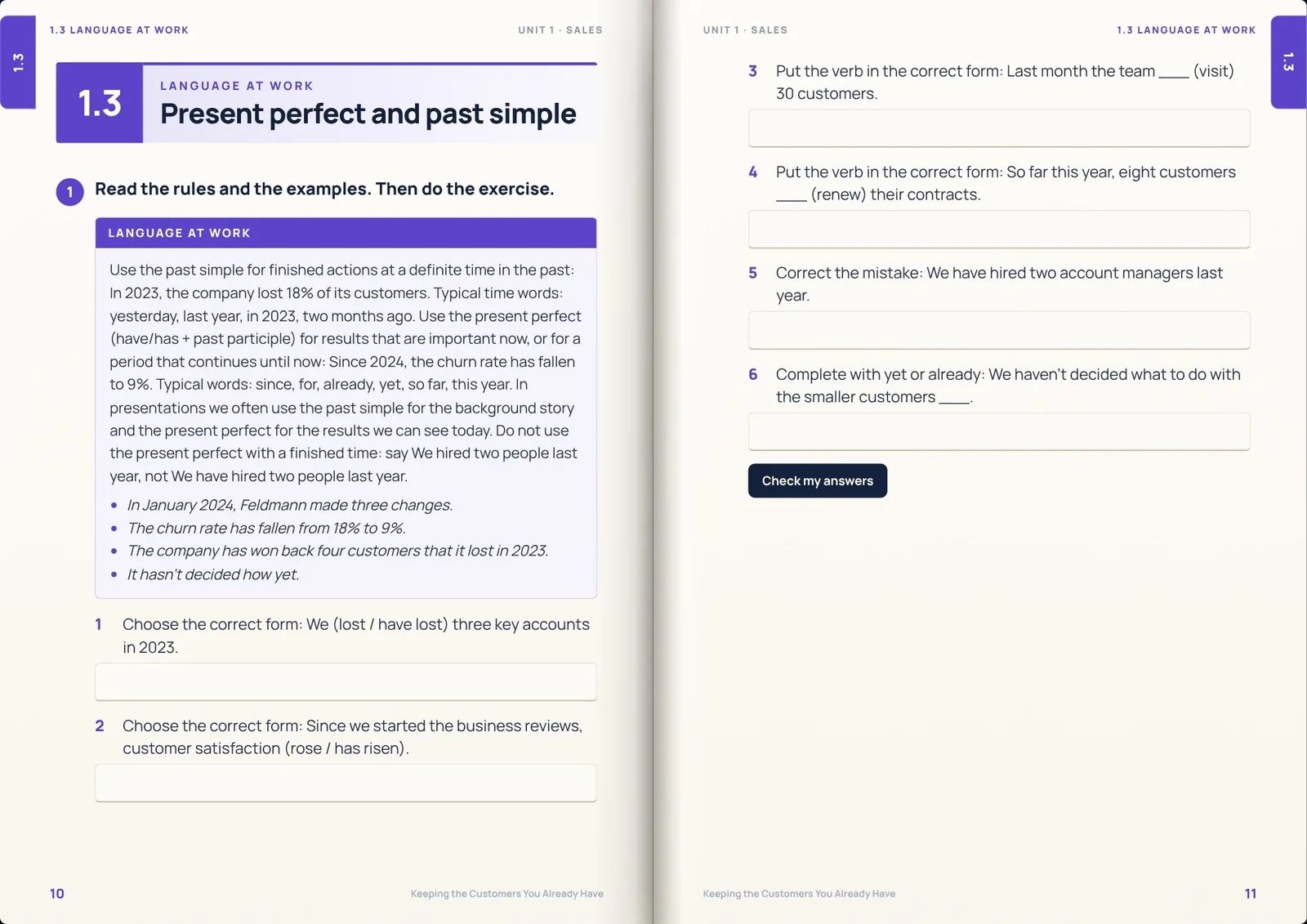
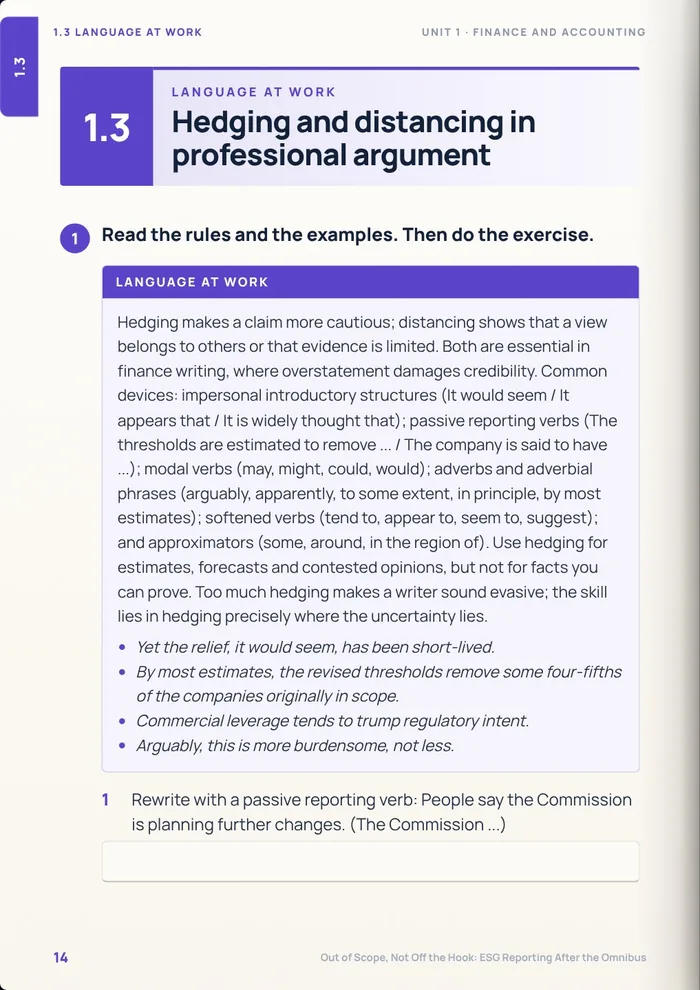
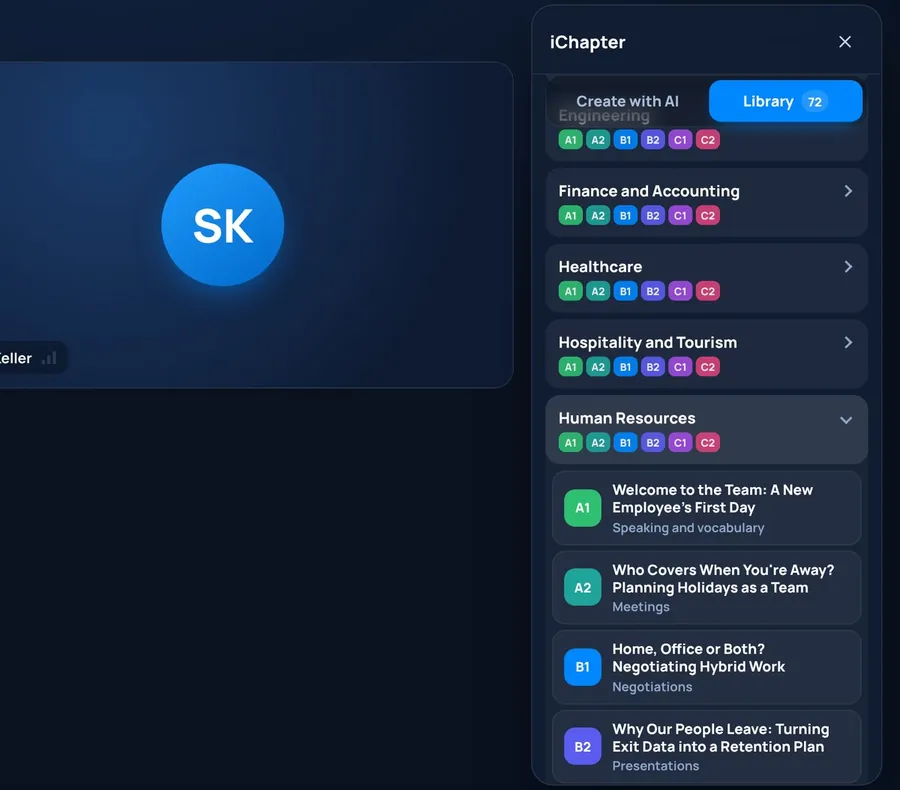
iChapter is a lesson book inside the meeting. With one click the AI writes a complete coursebook chapter for any department and any level from A1 to C2. It opens like a real magazine, with page turns and sound.
- A reading text, vocabulary, exercises, grammar, business skills, role-plays, a case study and a writing task in every unit
- The teacher turns the pages for everyone, writes, highlights, points with a laser and puts a spotlight on any part of the page
- Learners complete the tasks on screen and click “Check my answers”. They write only when the teacher allows it
- 252 ready-made GoinLabs units across 30 departments, and “Write the next unit with AI” continues a series where the last unit ended
Invitations people remember
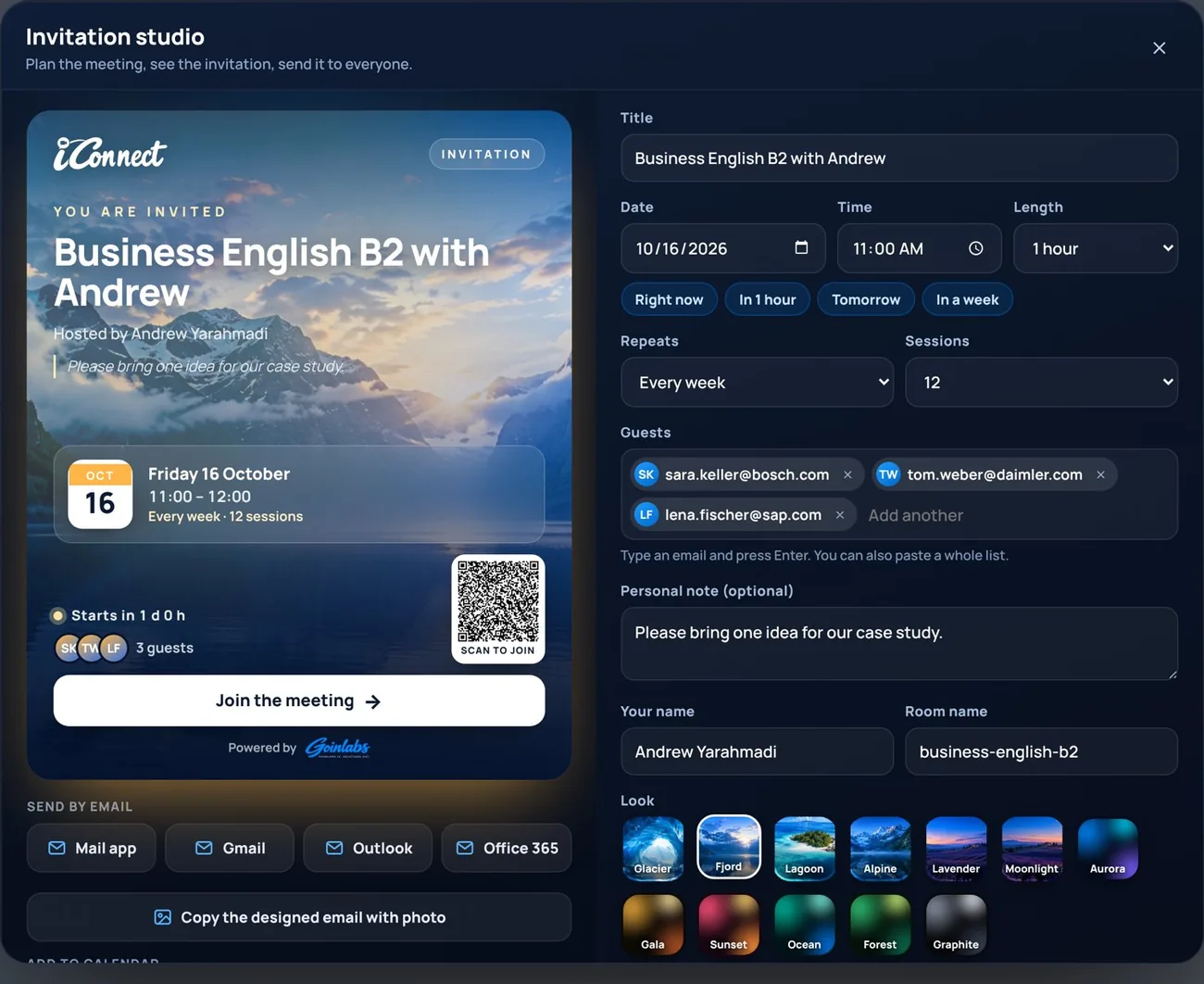
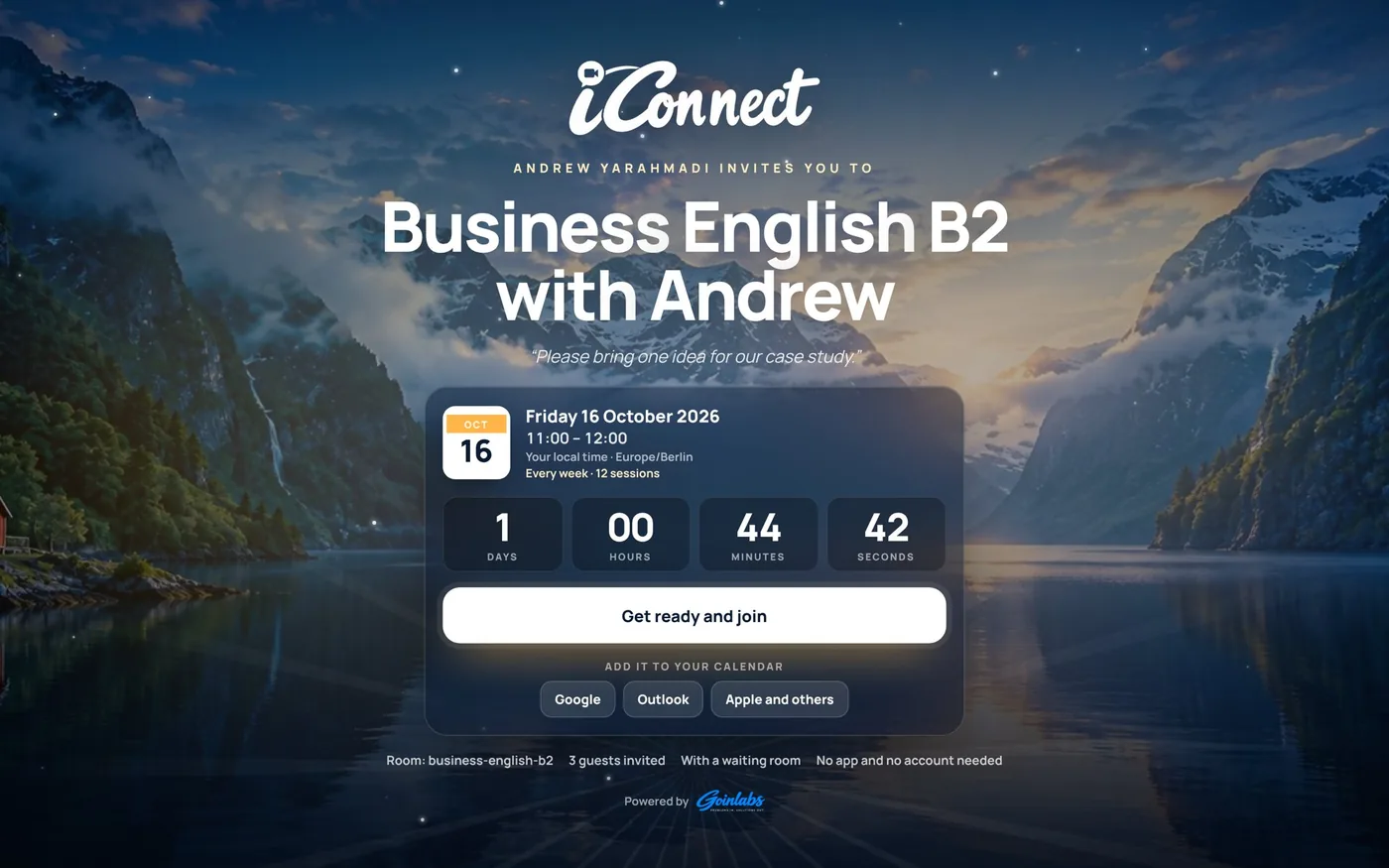
The Invitation Studio designs a cinematic invitation with real landscape photos, your title, date, time, a personal note and a QR code, in six looks.
- Send it by Gmail, Outlook, Office 365 or your mail app, or paste a designed email with the photo straight into Gmail or Outlook
- Add it to Google, Outlook or Apple calendars, weekly courses included, and share a poster picture on WhatsApp
- Guests open a full-screen invitation page with a live countdown in their own time zone
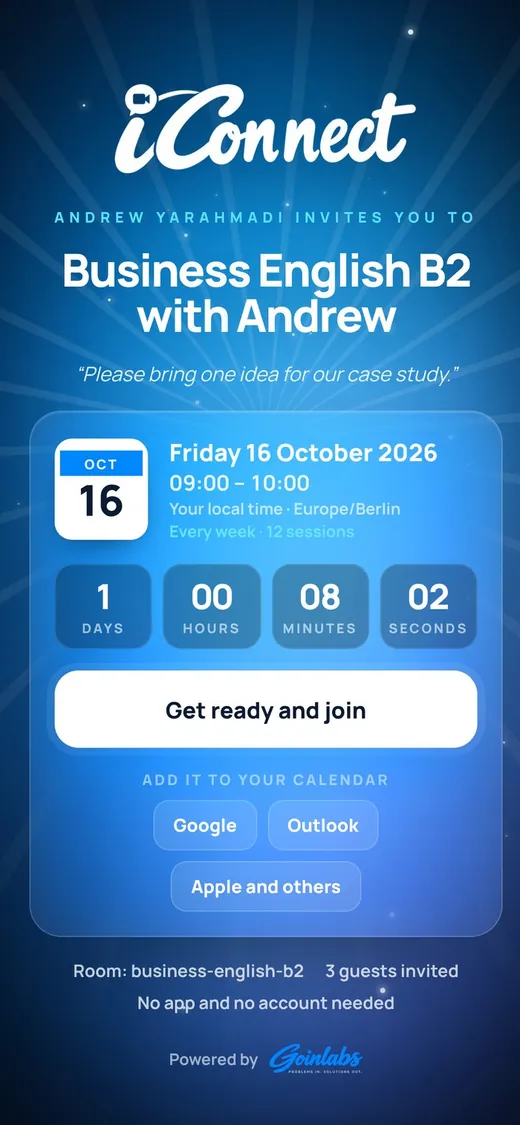
The same invitation on a phone.
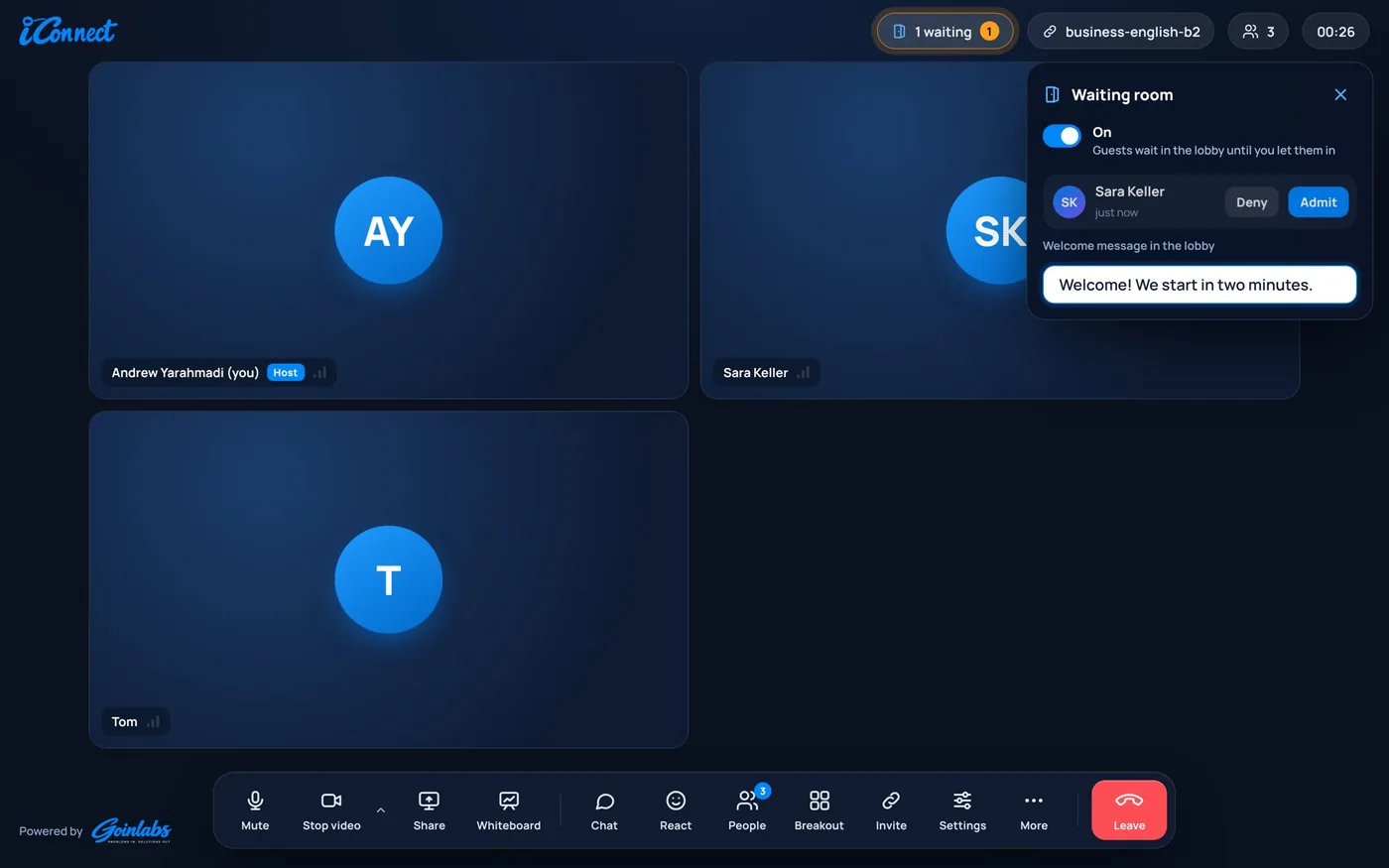
A real waiting room
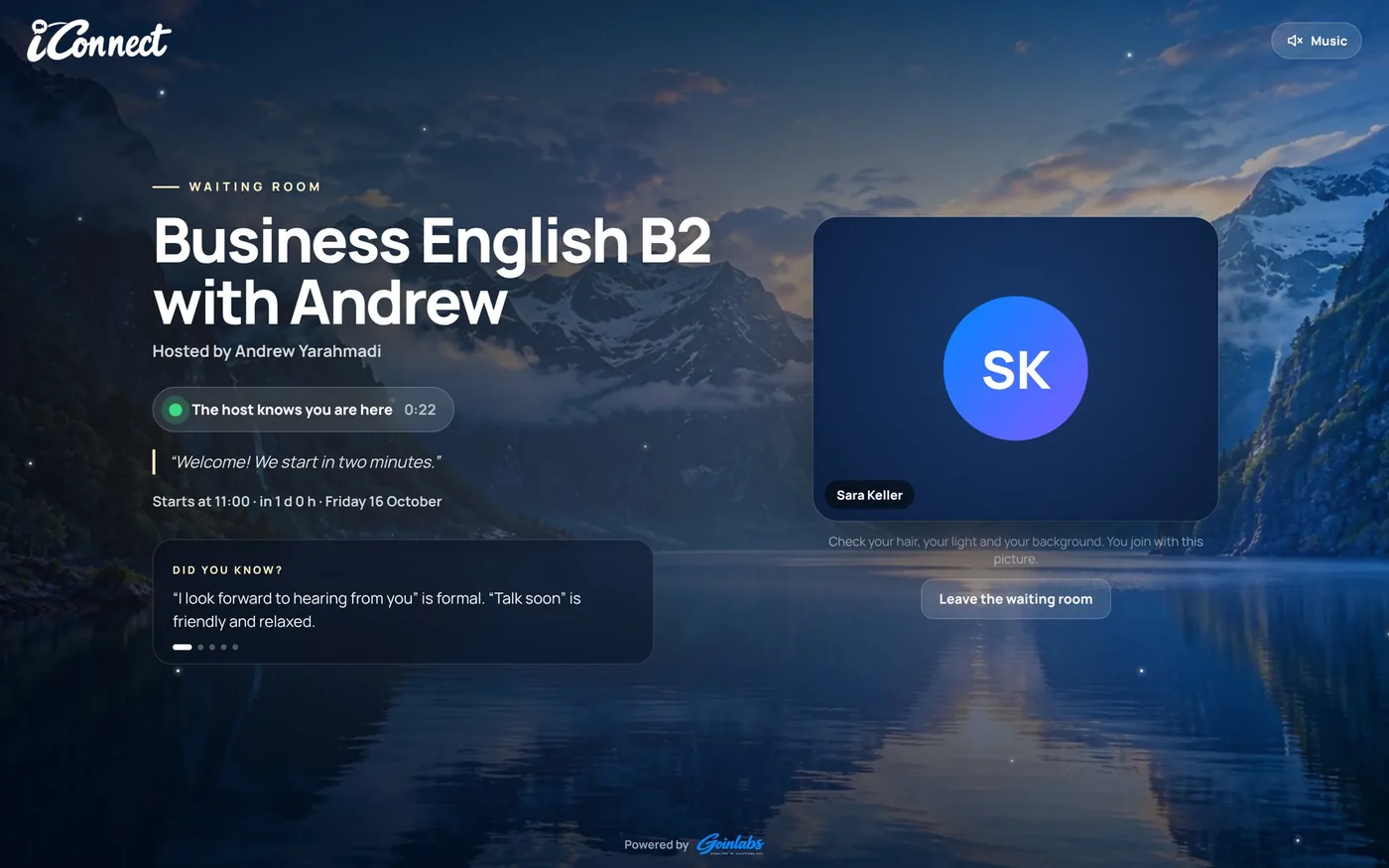
Guests wait in a calm full-screen lobby with their own camera preview, your welcome message and “Did you know?” tips. You decide who comes in.
- Let people in one by one, or everyone at once
- Early arrivals wait until you come, nobody starts without you
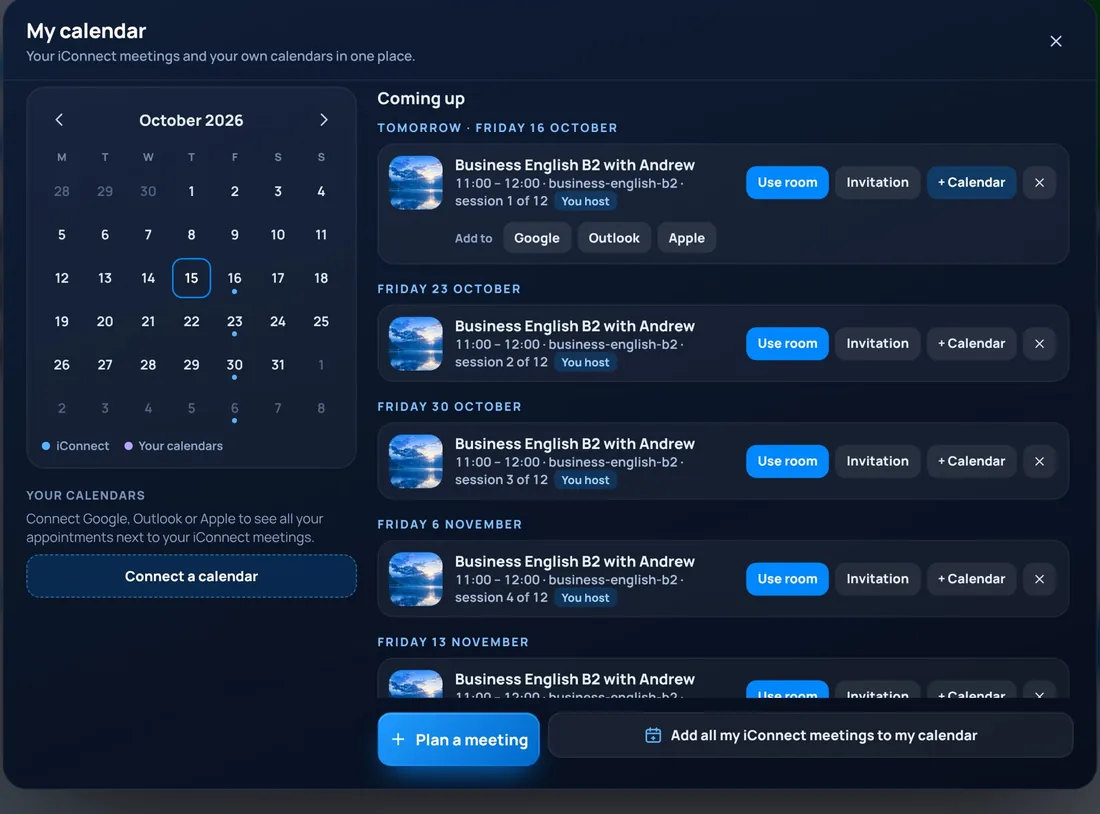
- My calendar shows all your iConnect lessons in one place. Connect Google, Outlook or iCloud to see your other appointments next to them
Right inside Google Calendar
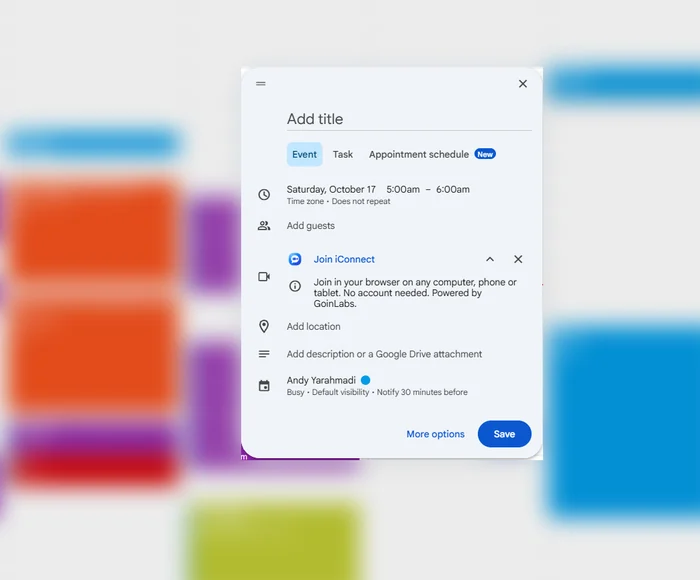
With iConnect for Google Calendar you add a meeting link to any event, just like Google Meet.
- Create an event and choose iConnect in the video conferencing menu
- Every event gets its own iConnect room link, which goes straight into the invitation
- Guests join in their browser on a computer, phone or tablet, no account needed
- Save your licence once in the iConnect panel, and every room uses the full version
Coming soon to the Google Workspace Marketplace.
Professional sound and picture
AI noise cancellation removes typing, traffic and background noise. Blur or virtual backgrounds. HD video that adapts to the connection, and a layout made for phones held upright or sideways.
Reliable by design
iConnect runs on GoinLabs' own video servers, with an automatic backup server. A built-in watchman checks the servers around the clock and alerts the team if anything needs attention.
From laptop to phone
Guests join from any browser. A live test view shows how they look before they enter, and the layout is made for phones held upright.
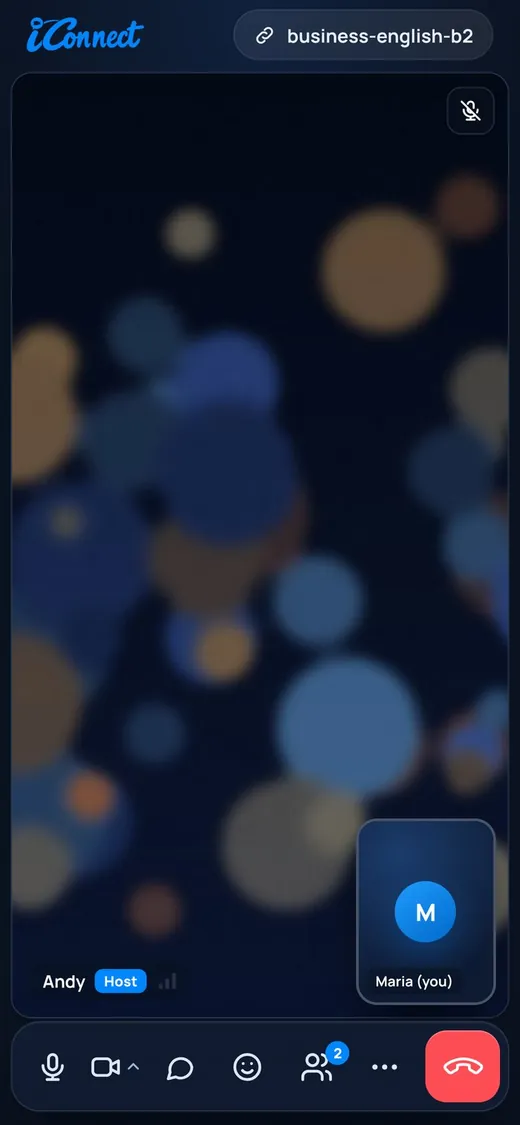
A meeting on a phone.
Everything in one room
Everything a teacher, a team or a classroom needs, in one meeting.
AI assistant (Business): joins meetings for you, answers from your documents, sends a report
Join from the browser on any device: no app, no account
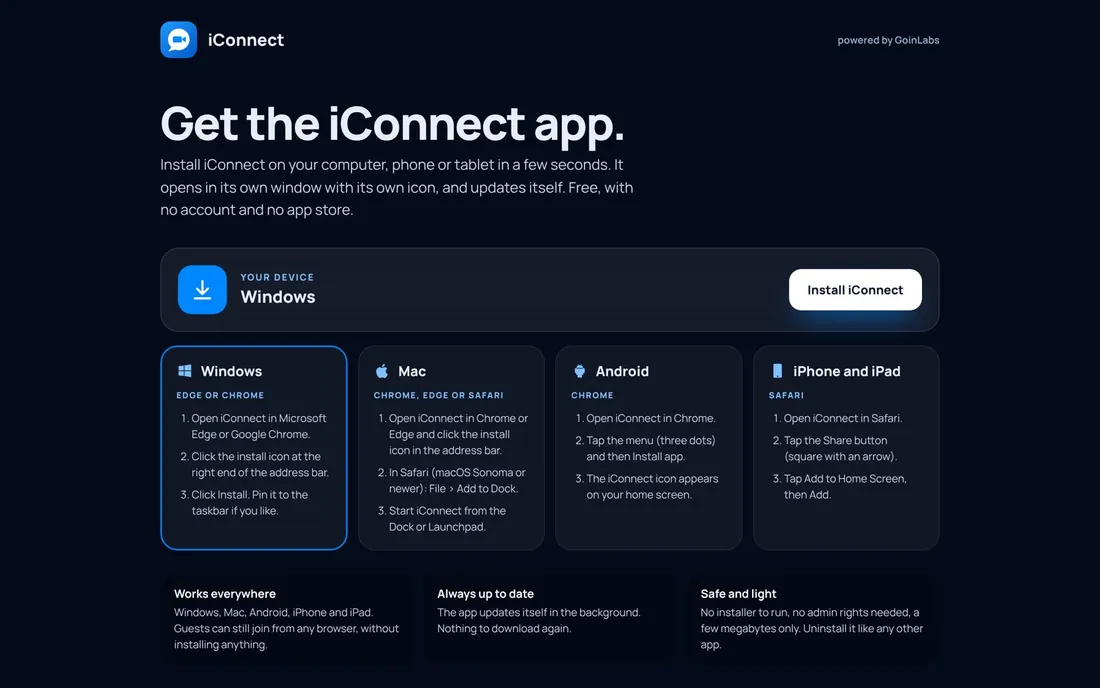
Apps for Windows and Mac, and installable on Android and iPhone: free, always up to date
Test view before joining: check camera, light and background
AI noise cancellation (strong and light) and voice enhancer
Virtual backgrounds, blur and AI backgrounds
iChapter AI lesson book: A1 to C2, 30 departments, 252 ready units
Write the next unit with AI: continues a series where the last unit ended
Teacher controls the book: page turns, pen, highlighter, notes, laser, spotlight
Permissions: learners ask to write or draw, the host allows one person or everyone
Shared whiteboard
Invitation Studio: photo looks, designed email, calendars, weekly series, QR code, poster picture
Waiting room with a cinematic lobby, welcome message, admit or deny
My calendar and Google Calendar: all lessons in one place, and an iConnect link in any Google Calendar event
Screen sharing, chat with files, reactions, raise hand
Polls and breakout rooms
Agenda timer and talk-time statistics
Whisper coach: private AI tips while you speak English
Host tools: mute, remove, spotlight, end the meeting for everyone
Recording by the host only, saved on the host's computer
Meeting recap
Personal licences for teachers, and a built-in feedback form
AI recap movie after every meeting, with a group photo, to save as MP4
Chat history: messages stay in the room for 30 days, late joiners see them too
Simple plans, cancel any time
One app, two editions: at the first start choose “I teach” or “I work in a team”, and switch any time. All prices include 19% VAT and renew automatically.
Free
€0- Meetings up to 15 minutes
- Join from any browser, no account
- Locked features show “Unpaid version”
Teacher
€9.99per month, or €99 per year- Education edition, no time limit
- iChapter AI lesson book and 252 ready units
- Worksheets, whisper coach, breakout rooms
School
€790per year, for 10 teachers- Everything in Teacher
- For a whole team of teachers
Business
€12.99per month, or €129 per year- Business edition, no time limit
- Your AI assistant joins meetings for you
- Chat history and recap movie
Business Team
€1,090per year, for 10 users (about €9.08 per user a month)- Everything in Business
- For a whole team
Pay by card, PayPal, Apple Pay, Google Pay or SEPA. Bank transfer by invoice on request. Your licence key appears right after payment.
Learners and guests never need a licence. Only the host does.
Start your first class in four steps
Teachers need a personal licence from GoinLabs. Learners never do, they only need the link.
Get a licence
Ask GoinLabs by email for your personal licence.
Add it once
Open iConnect, open the camera and microphone settings and paste the licence into “Host key or licence”.
Plan and invite
Click “Plan a meeting and send invitations”, add date and guests, and send.
Teach
Join as host, open iChapter under More, pick a unit and share it with everyone.
Made for teachers, useful for every business
iConnect is built first for teachers and trainers. The same room, the same simplicity and the same tools make communication better in any company. The Business edition adds the AI assistant that joins meetings for you.
- Teachers and language trainers
- Business English and corporate trainers
- Schools and universities
- Companies that want clearer communication between teams, clients and partners
- HR departments and consultants
- Small teams who want a professional meeting room under their own brand
Get iConnect
Download the app for Windows or Mac, install it on any device from the install page, or simply use iConnect in the browser. All of them always show the newest iConnect.
Windows app
For Windows 10 and 11. Opens iConnect in its own window with its own icon.
Mac app
For macOS. Unzip and drag iConnect into your Applications folder.
Android app
For Android 7 or newer. Meeting links open straight in the app.

iPhone, iPad or any device
The install page shows the right steps for every device. On iPhone and iPad, iConnect is added from Safari.
In your browser
Nothing to install, works on any device
iConnect for Teachers
A 15-page guide for teachers (PDF, about 4 MB).
Windows: if “Windows protected your PC” appears, click “More info”, then “Run anyway”. Mac: if the Mac blocks it, go to System Settings > Privacy & Security and click “Open Anyway”. Android: allow your browser to install unknown apps. New apps without a paid signing certificate show these notices once.
Want iConnect for your team?
Tell us what you need: classes, training or client calls. We will set it up with you and give your teachers their licences.
Talk to us