
Spotlight · New app from GoinLabs

GoinMail

All your email. One calm place.

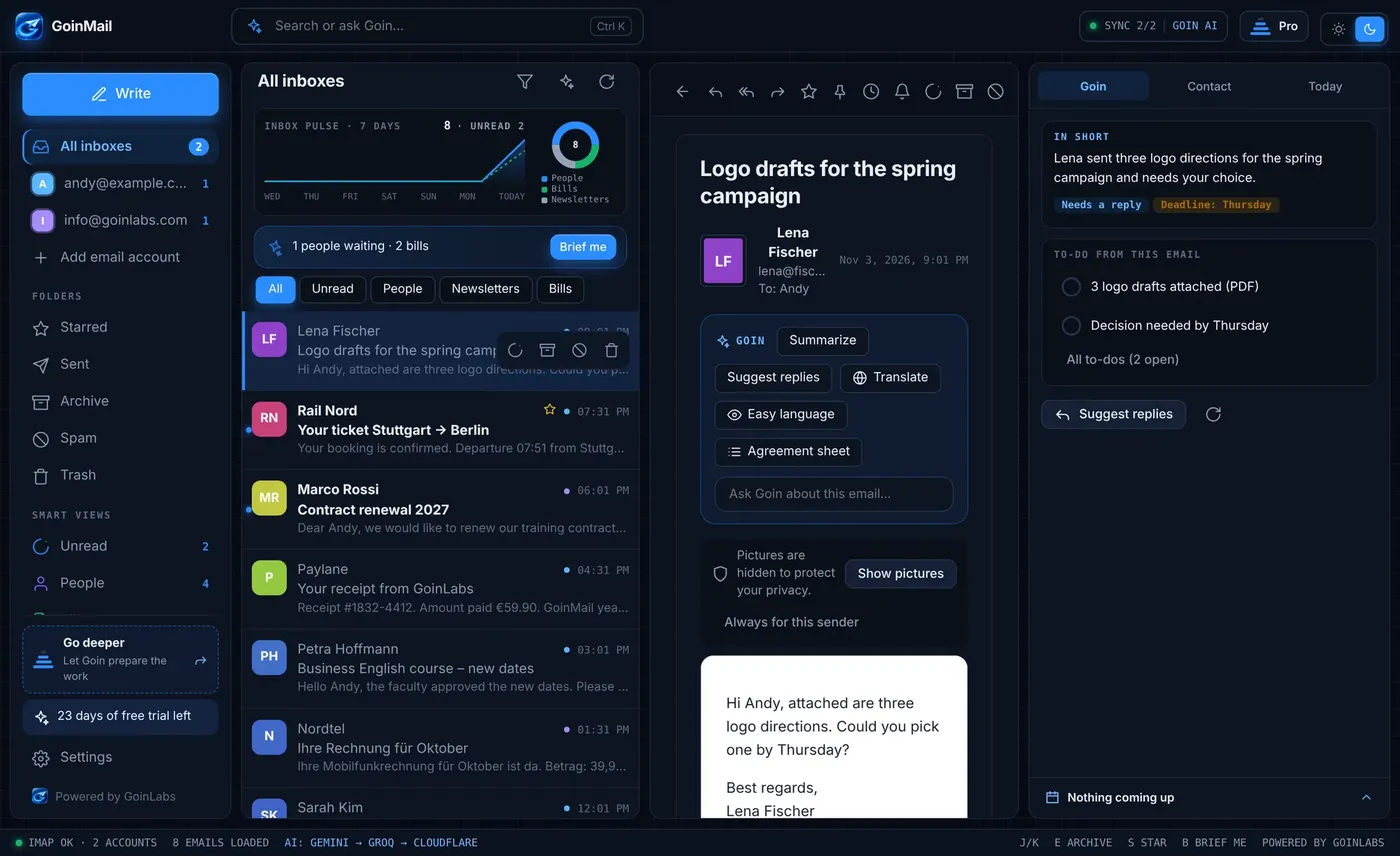
GoinMail puts every inbox into one quiet window and adds Goin, an assistant that reads, sorts and drafts with you. For people with a busy business and for anyone who just wants their email under control. 30 days free, everything included.

30 days freeGmail, IONOS and any IMAP11 languagesWindows now, Mac and Android next
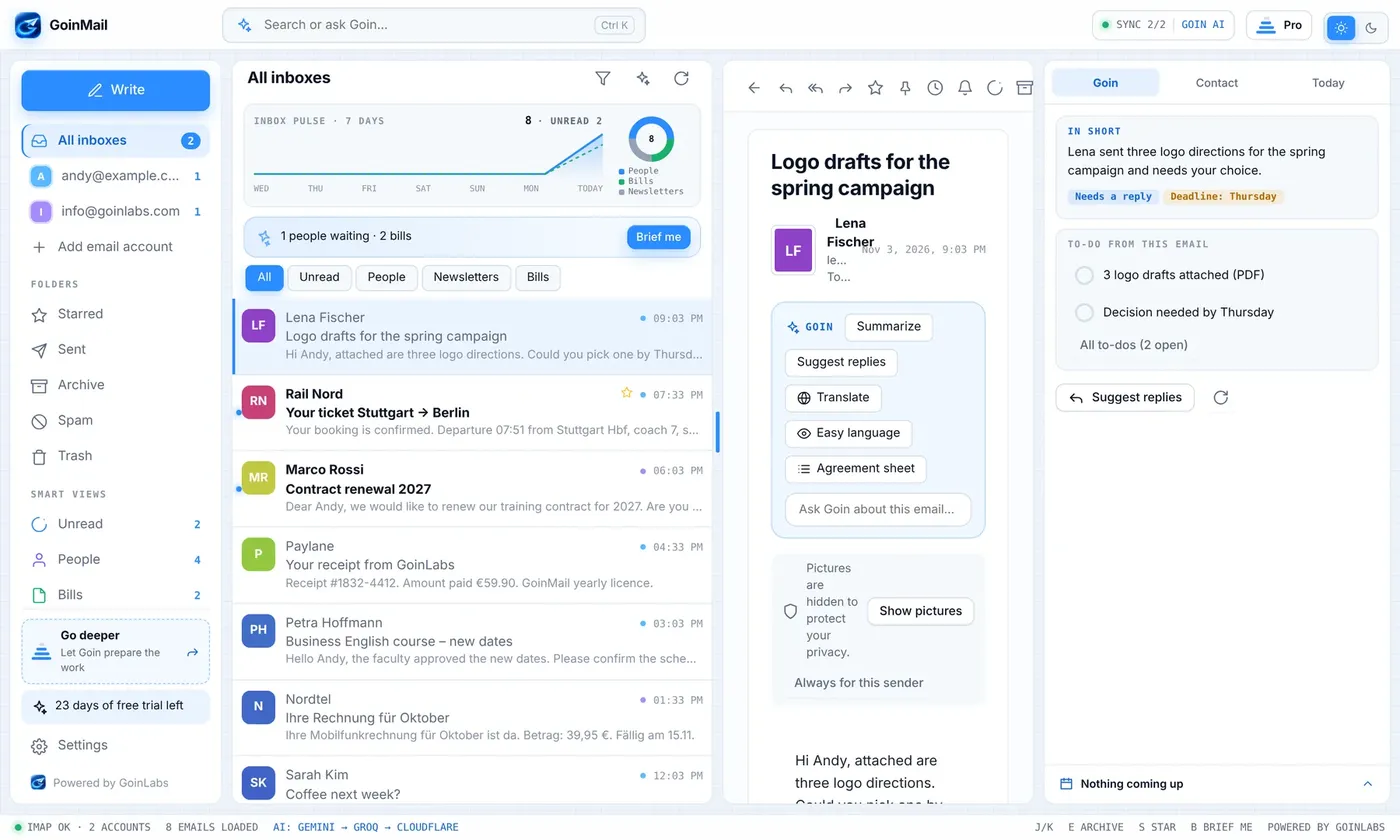
GoinMail inbox with the Goin assistant in dark mode
At a glance

Email is half your day. Make it the easy half.

Most inboxes are noisy: several accounts, long threads, bills hiding between newsletters. GoinMail turns that into one clear list and tells you what matters.

1inbox for all your accounts, side by side
4levels: start plain, go as deep as you want
11languages, including right-to-left Arabic and Persian
30days free with everything included, no card needed
Business and private

Built for your work. Just as good for your life.

The same calm inbox serves a consultant with five clients and a family with a pile of bills. Switch to see what you get.

Never miss a promise

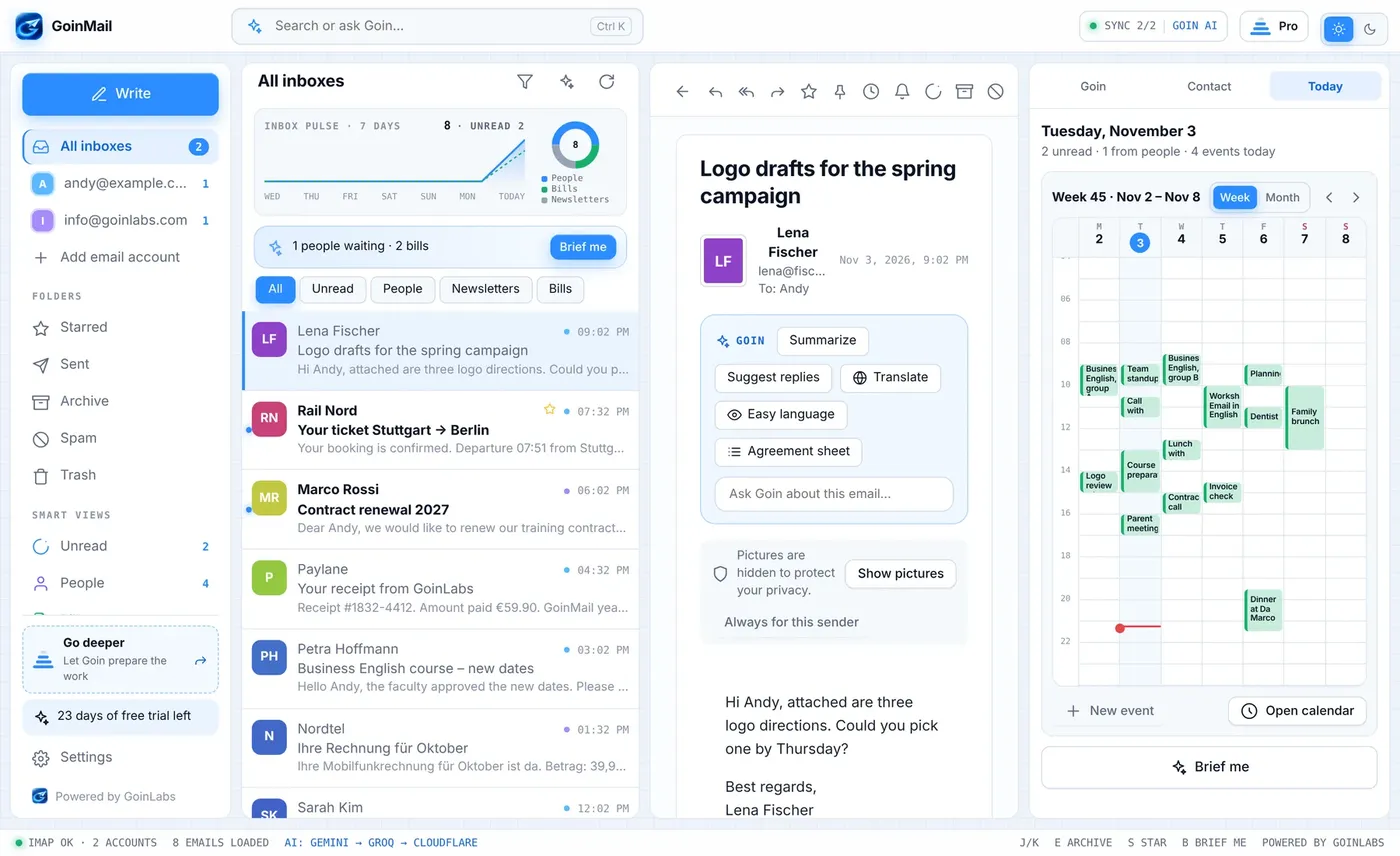
Goin finds meetings and promises in your emails and checks them against your calendar. You see clashes, missing dates and what you still owe.

Replies in minutes

Three suggested replies in your voice, a tone check before you send and a summary of every long thread.

A professional signature per inbox

Designed signatures with your logo, one default for each account, another for a single email.

Autopilot for routine mail

Goin drafts replies and files information emails. You decide per category: suggest, ask first or act alone.

Every account in one place

Gmail, IONOS and any IMAP provider side by side, with one calendar next to every email.

Your data stays yours

Email passwords stay in the secure store of your computer and are never synced. Pictures stay blocked until you allow them.

For consultants, teachers, founders and small teams

Spend your hours on clients, not on your inbox.

See pricing

Bills, subscriptions, receipts

Goin collects what hides in your inbox: amounts and due dates, what each subscription costs, trips, appointments and parcels.

Cancel what you do not use

For a subscription you no longer want, Goin can write the cancellation for you.

Understand any email

Translate it, make it easier to read, or ask Goin a question about it.

Let Goin make the call

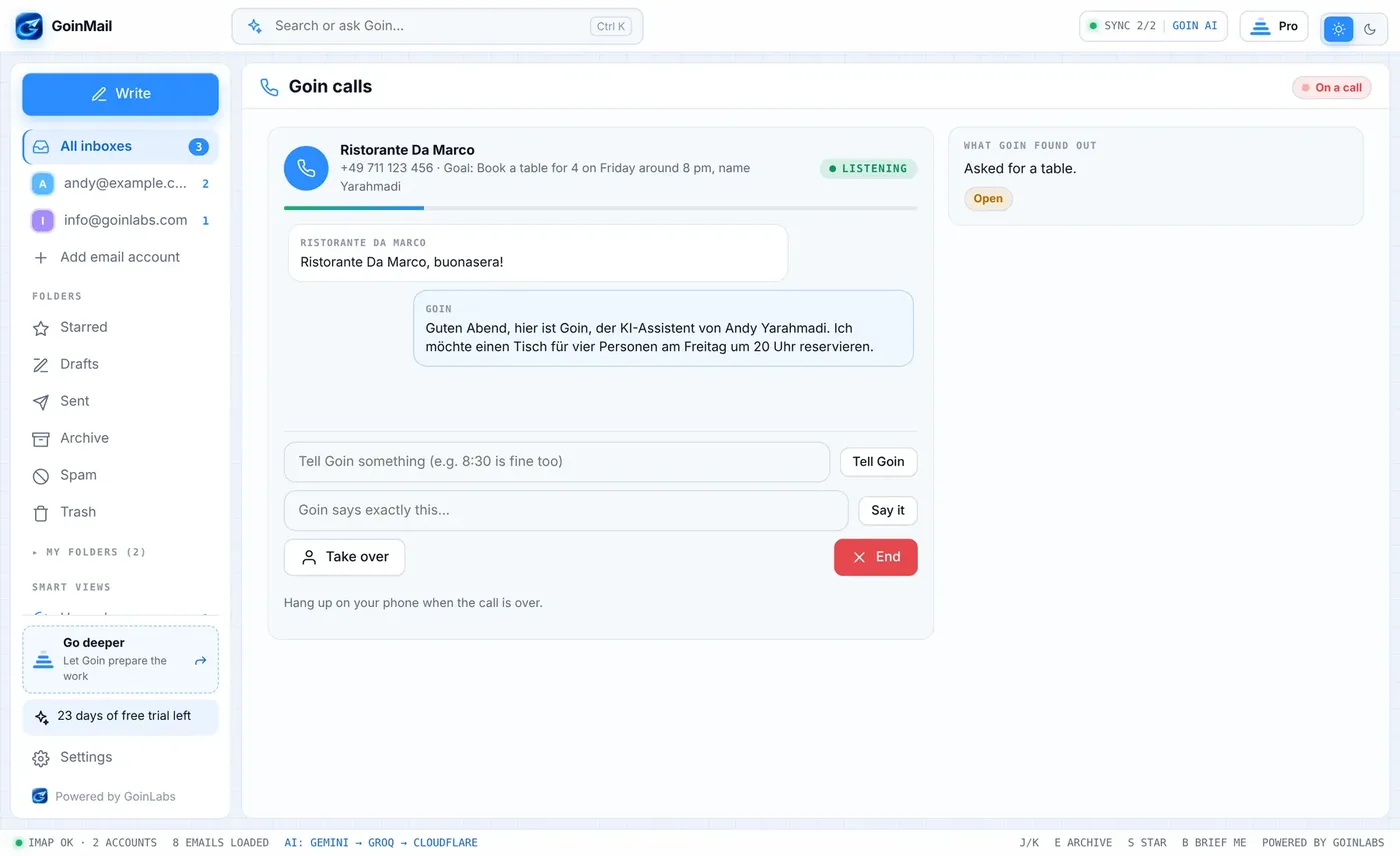
Need a table for four on Friday? Goin phones the restaurant through your own phone and you watch the transcript live.

Many inboxes, one list

Work, home and the old address in one place, with unread, people, newsletters and bills one click away.

Calm by default

Level 1 is a plain, fast inbox. Add more help only when you want it. Light and dark look included.

For everyone with more than one inbox

Your email, finally under control.

See pricing
Your inbox

One inbox. Zero noise.

Start calm. Everything else appears only when you ask for it.

One inbox for every account

Everything in one place. Nothing in the way.

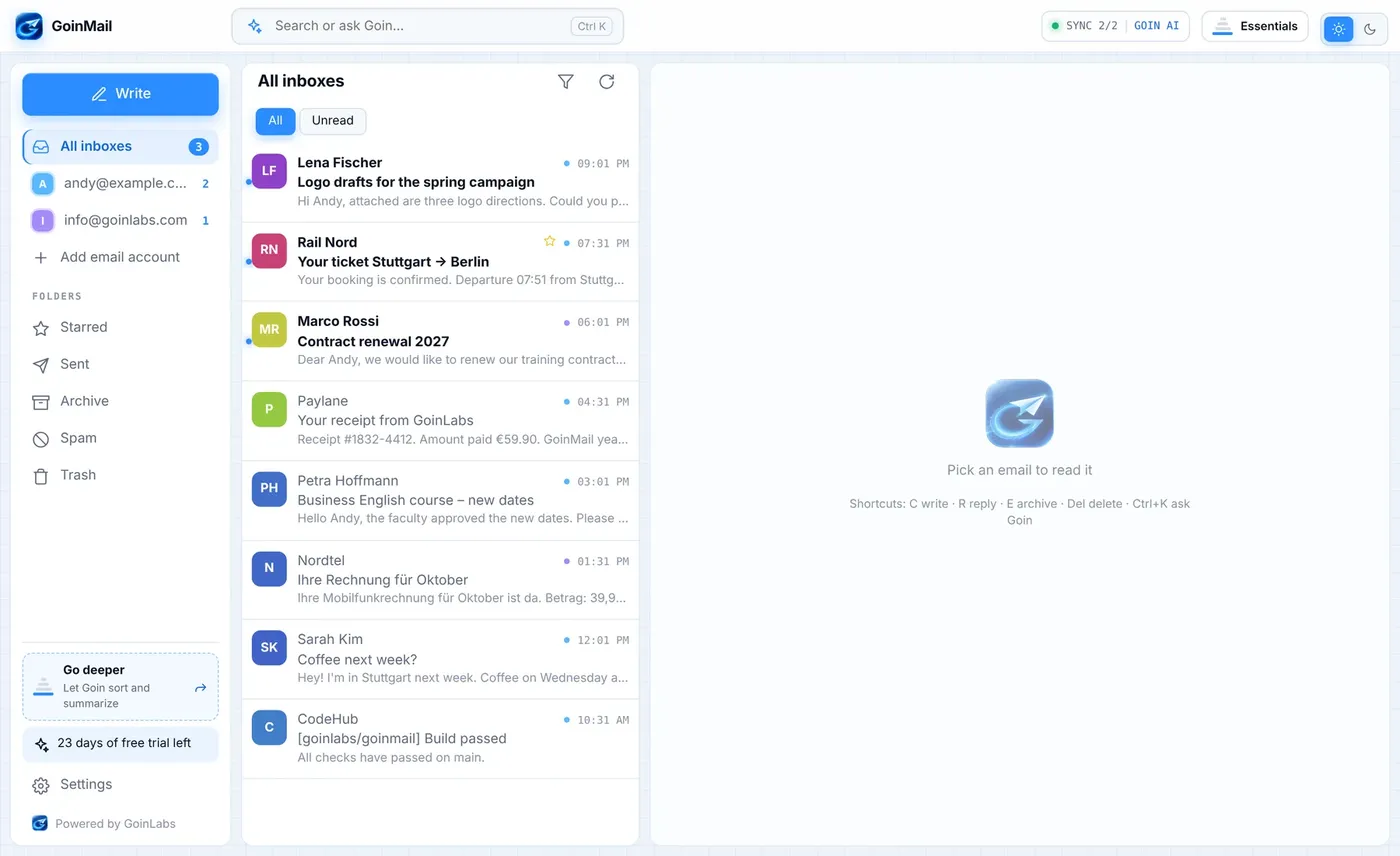
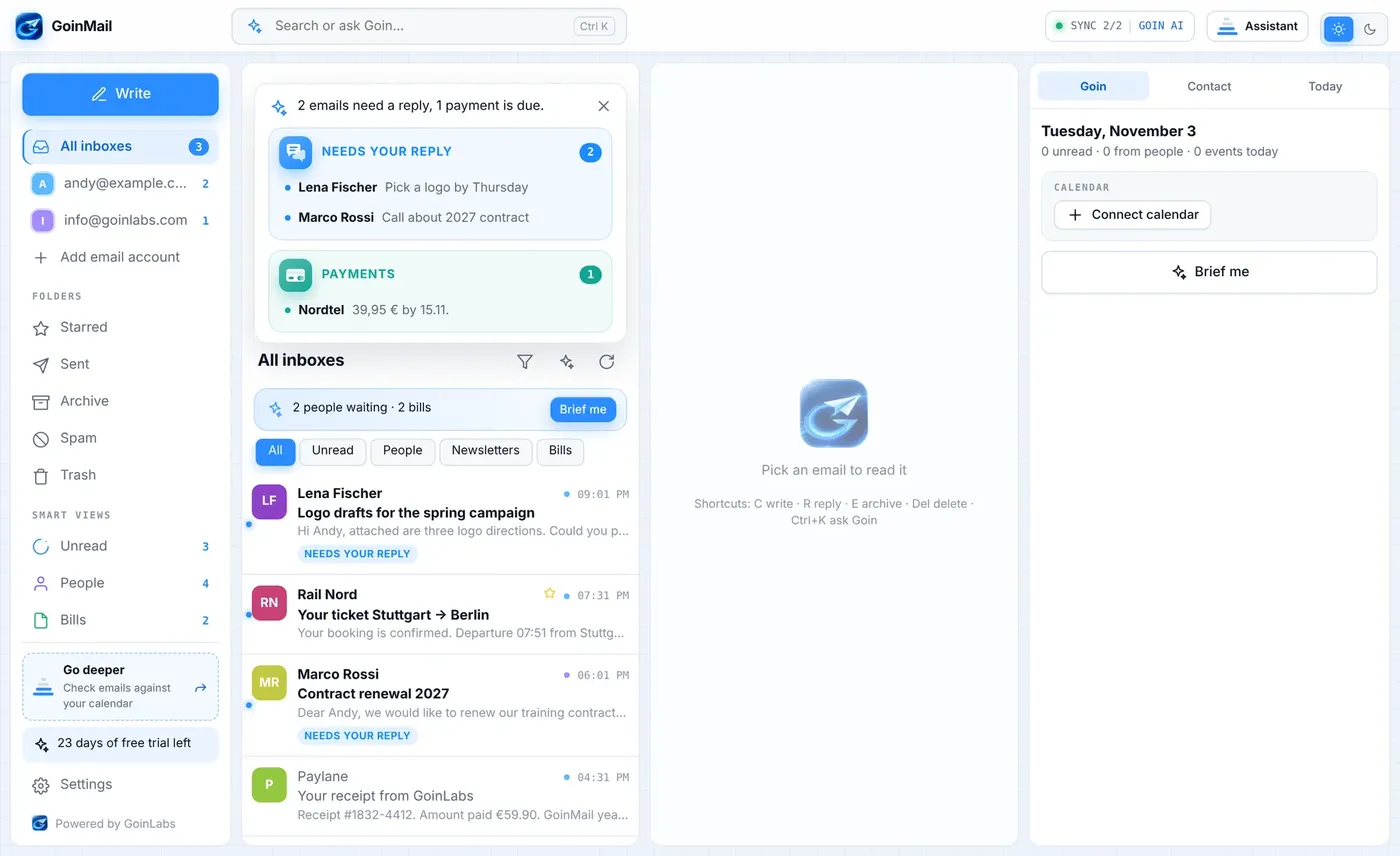
All your accounts sit in one list. Pick one account or see them together. GoinMail starts calm: write, read, search. Nothing else is on screen until you ask for it.

  • Gmail, IONOS and any IMAP provider, side by side
  • Remote pictures are hidden until you allow them
  • Unread, people, newsletters and bills as one-click views
GoinMail calm inbox, level 1
Four levels

Starts simple. Goes as deep as you want.

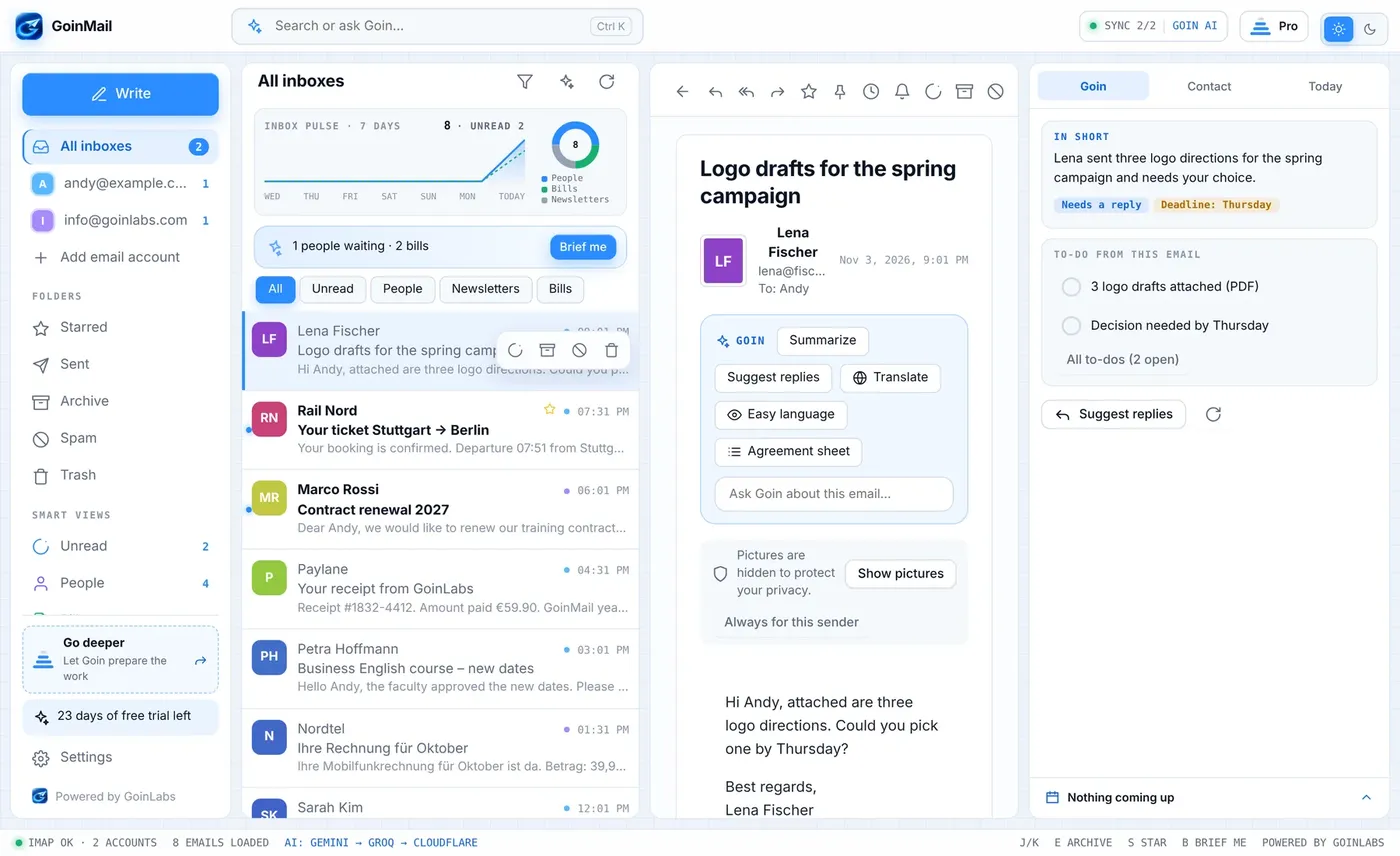
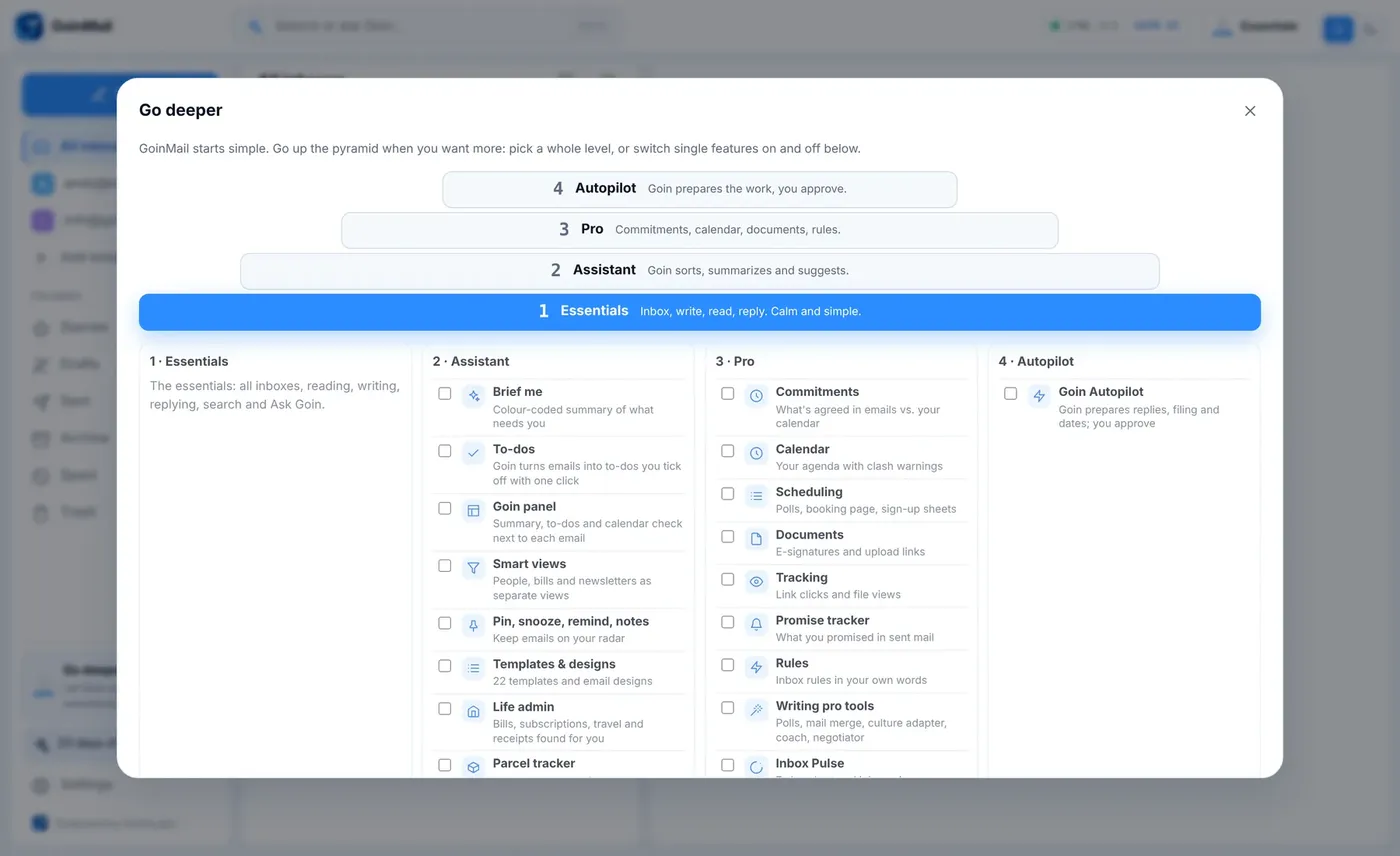
GoinMail is built like a pyramid. Level 1 is a plain, fast inbox. Each level up adds more help: the Goin assistant, the Pro tools for calendar and commitments, and finally Autopilot. You can also switch single features on and off.

  • Essentials, Assistant, Pro and Autopilot
  • The Go deeper card shows what the next level adds
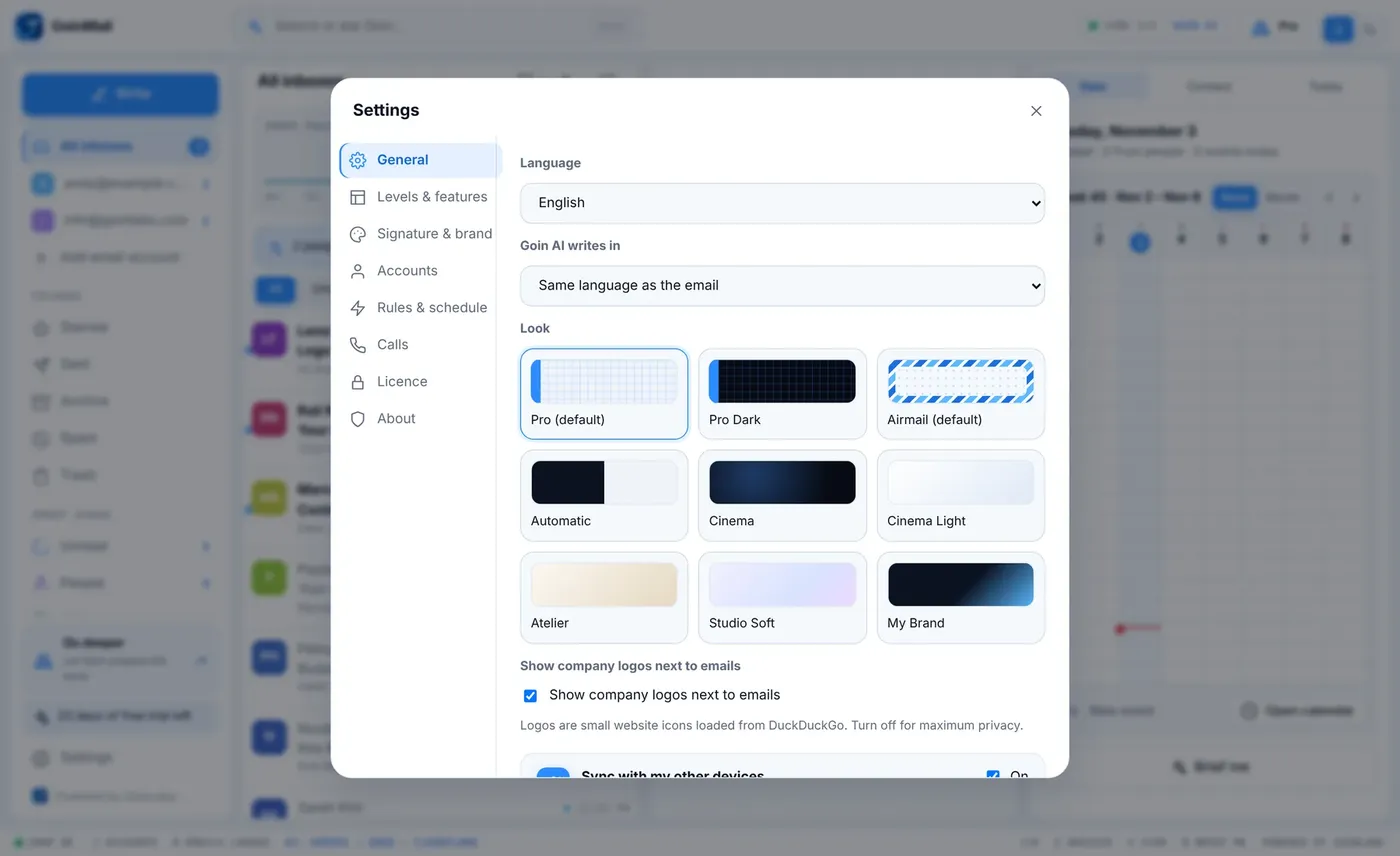
  • Light and dark look, in the GoinLabs blue
GoinMail in light mode
The Go deeper card
Meet Goin

An assistant that reads, so you do not have to.

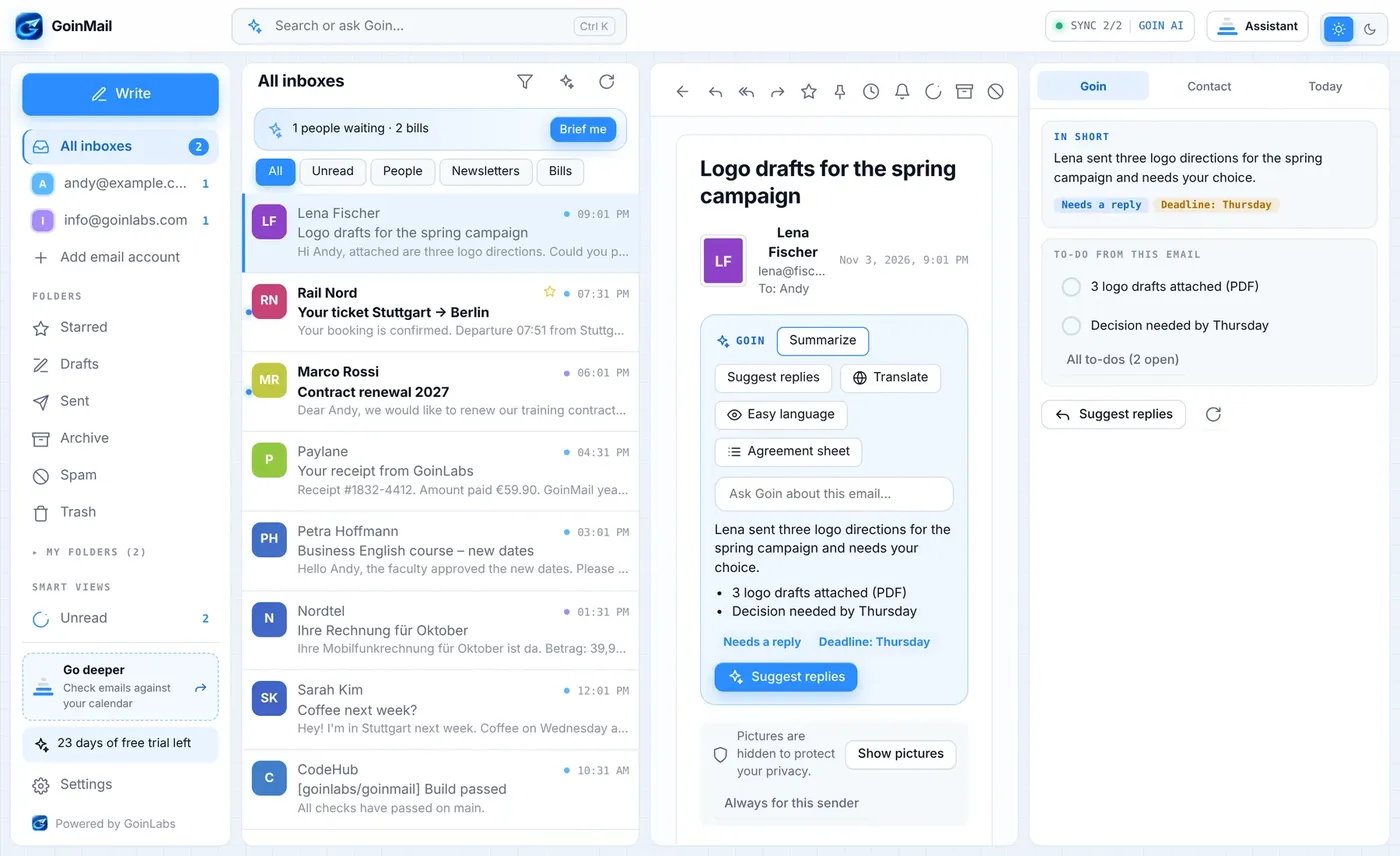
Goin works on the email you open. It tells you what it says, what to do and how to answer.

A short summary of every email

Know what it says in five seconds.

Open an email and Goin tells you what it says, what you must do and by when. Translate it, make it easier to read, or ask a question about it.

  • Summary with points, deadline and a clear Needs a reply flag
  • Translate, easy language, agreement sheet
  • Ask Goin about this email
Goin summary with deadline and reply flag
Suggested replies

Three answers in your voice. Pick one, edit, send.

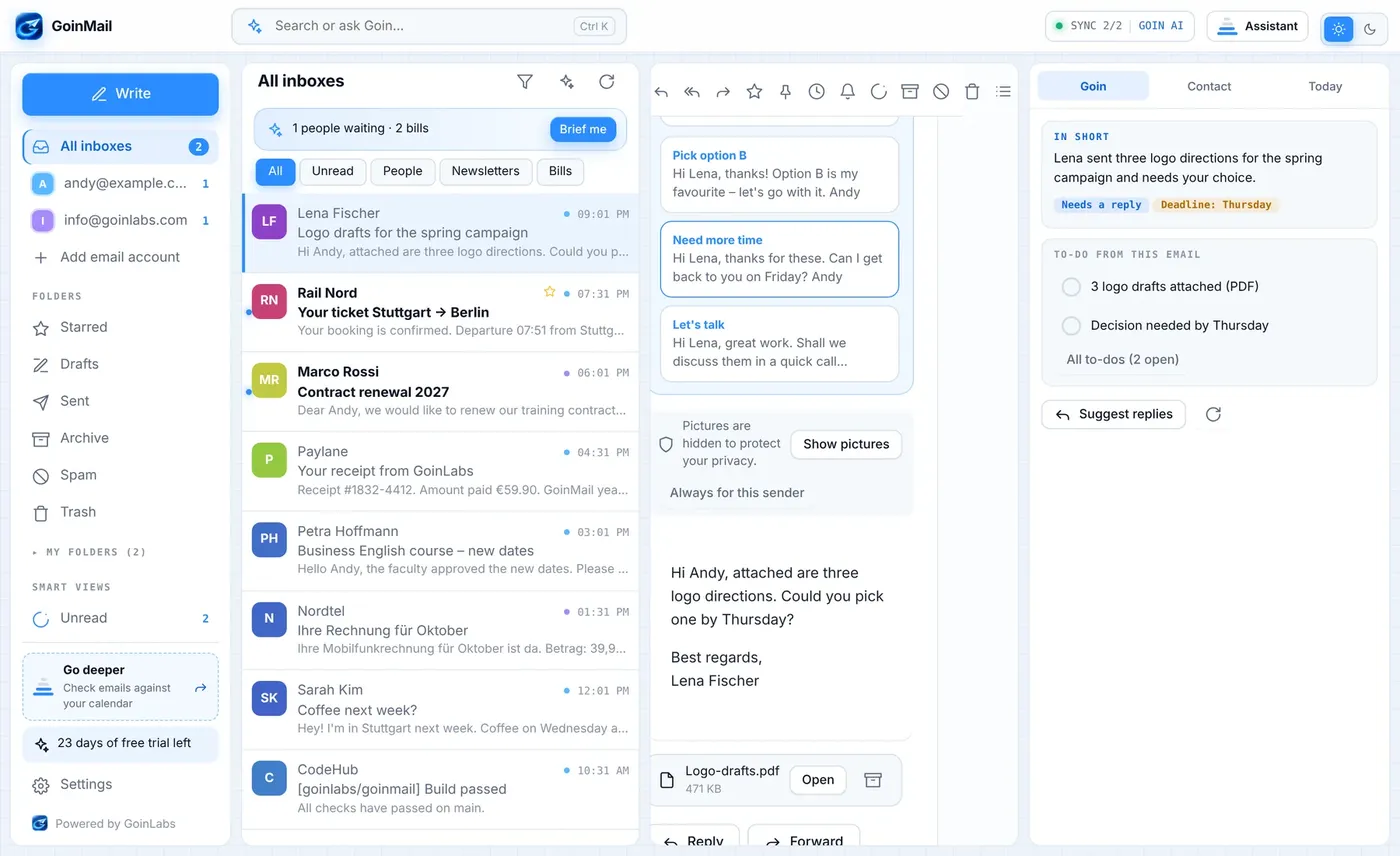
Do not start from a blank page. Goin prepares three replies that sound like you, ready to edit.

  • Three suggestions per email
  • Written in your voice, in the language of the email
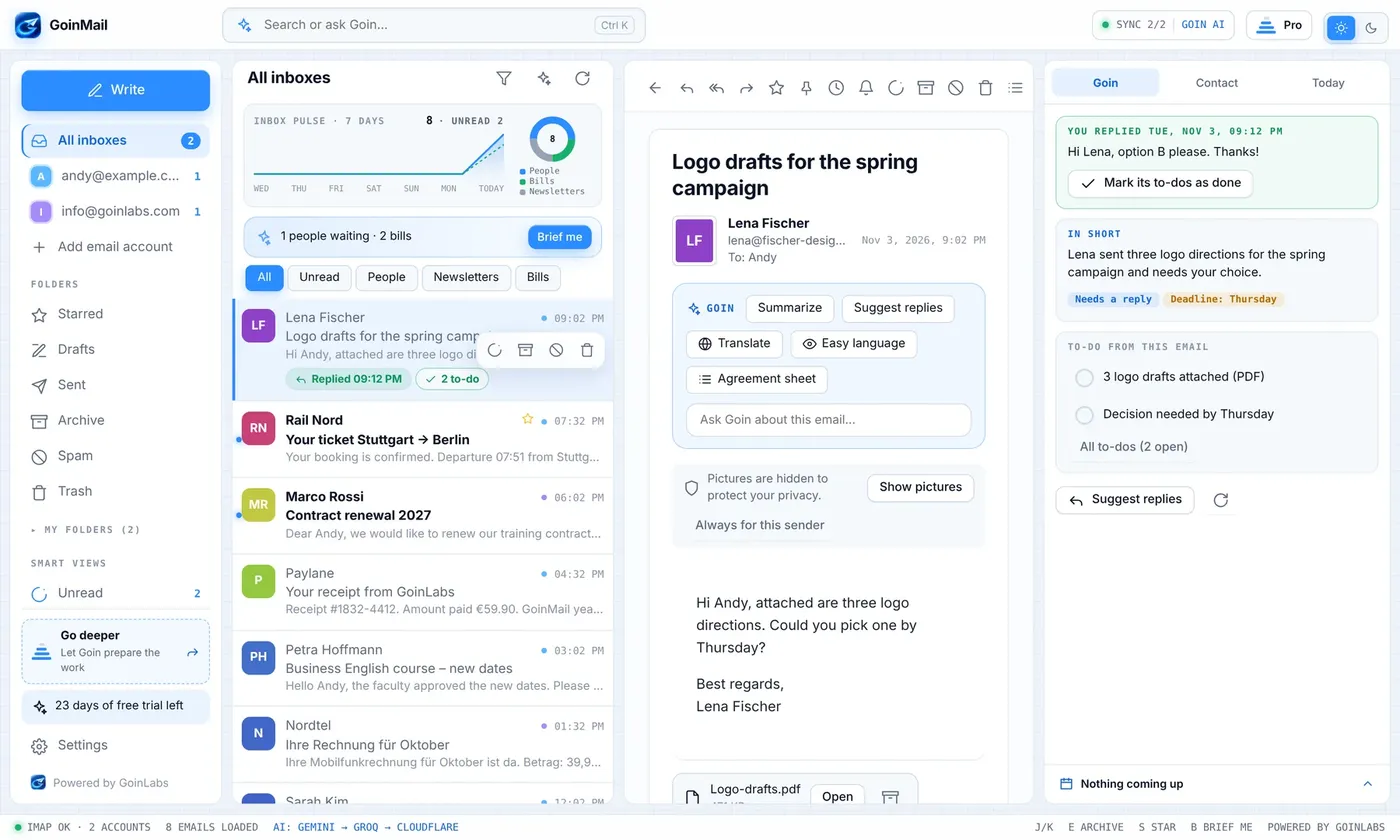
  • Goin remembers what you answered and does not suggest it twice
Replied label in the list
Three suggested replies
Tone check

Goin checks your tone before the reader does.

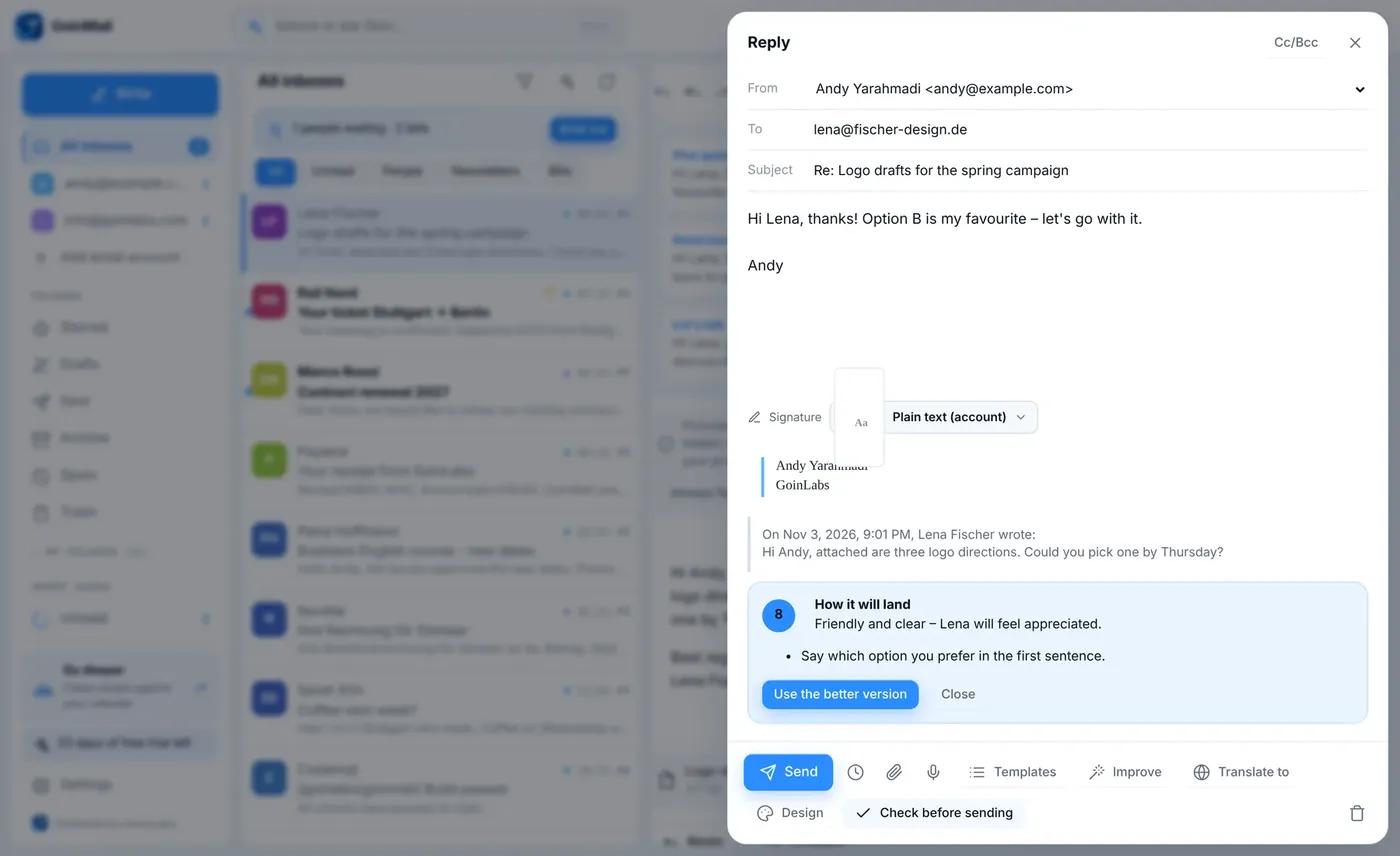
Press Check before sending. Goin tells you how the email will feel to the reader, gives it a score and offers a better version. You decide.

  • Feeling, score and concrete tips
  • One click puts the better version into the email
Tone check with score and better version
Search the way you talk

Type what you mean. Goin finds it.

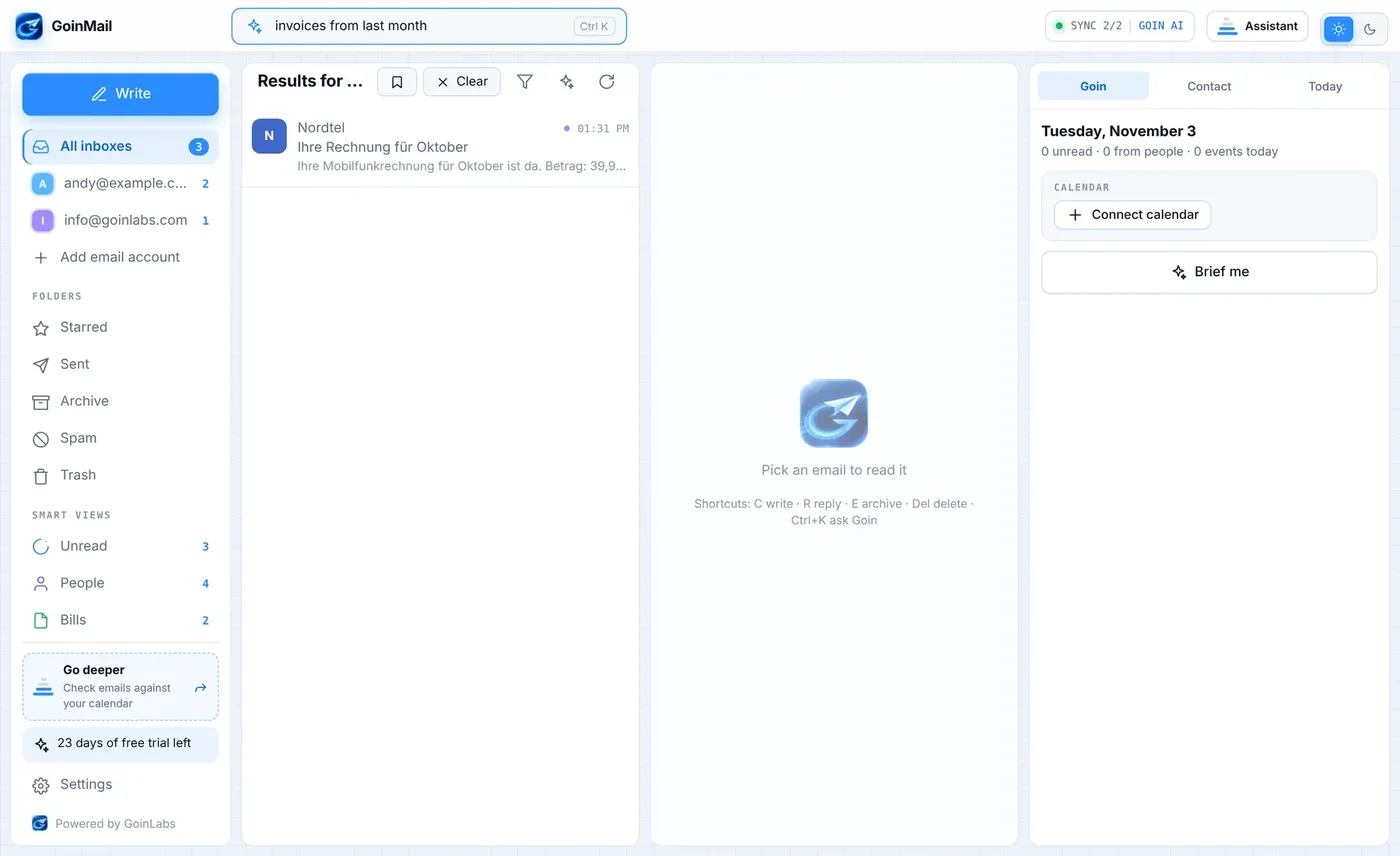
Type invoices from last month. Goin turns it into a search across all accounts. Brief me gives you the morning overview.

  • Plain-language search across all accounts
  • Brief me: replies due, payments due, deliveries
Brief me overview
Plain-language search
Pro tools

Life and work, found in your inbox.

The important things hide in email. Goin pulls them out and puts them where you need them.

Life admin

Bills, subscriptions, travel, receipts. Found for you.

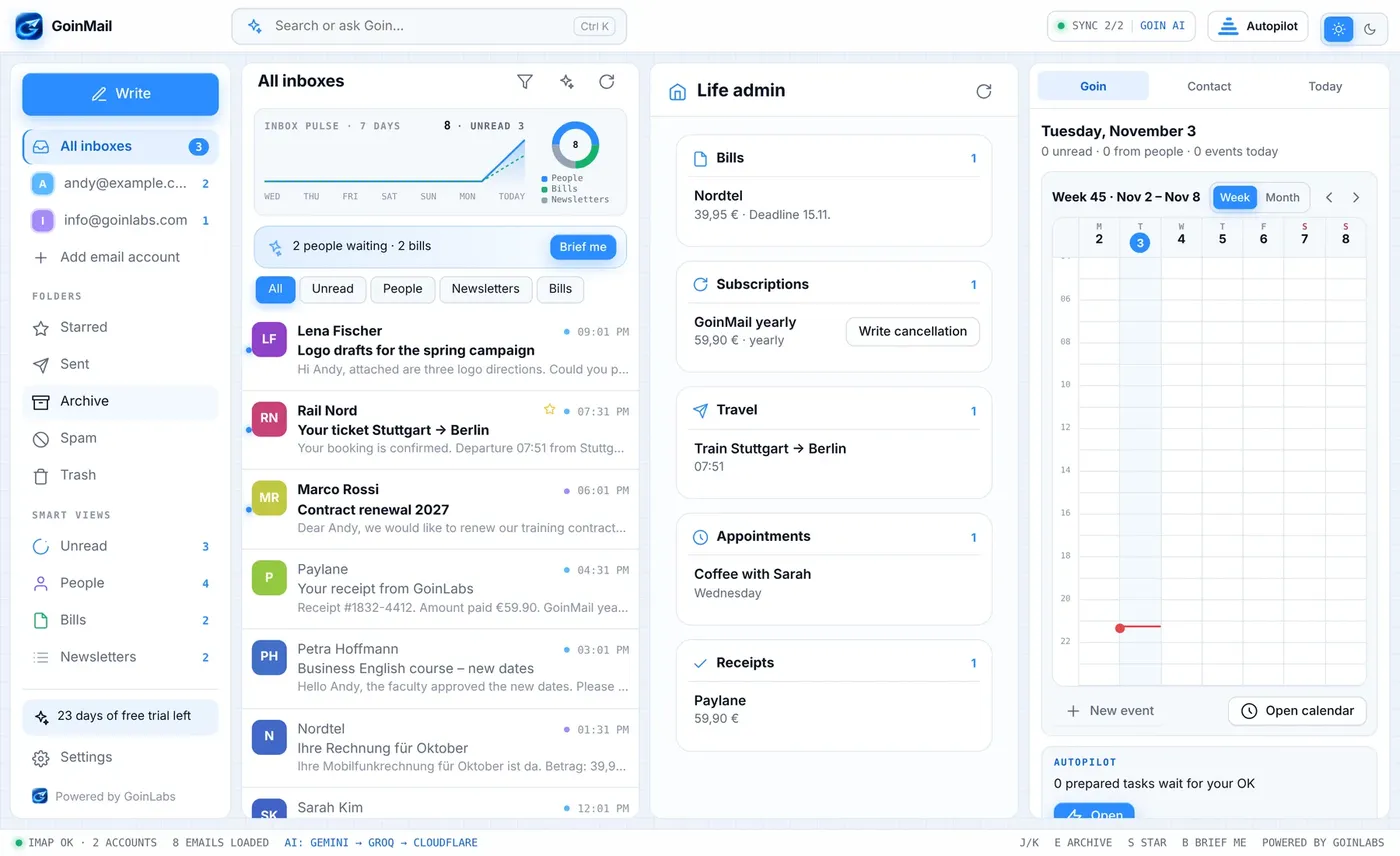
Goin collects the paperwork that hides in your inbox: bills and due dates, subscriptions and what they cost, trips, appointments and receipts. For a subscription you no longer want it can write the cancellation.

  • Bills with amount and due date
  • Subscriptions with price and cycle
  • Travel, appointments, receipts and parcels
Life admin overview
Commitments

What you agreed, checked against your calendar.

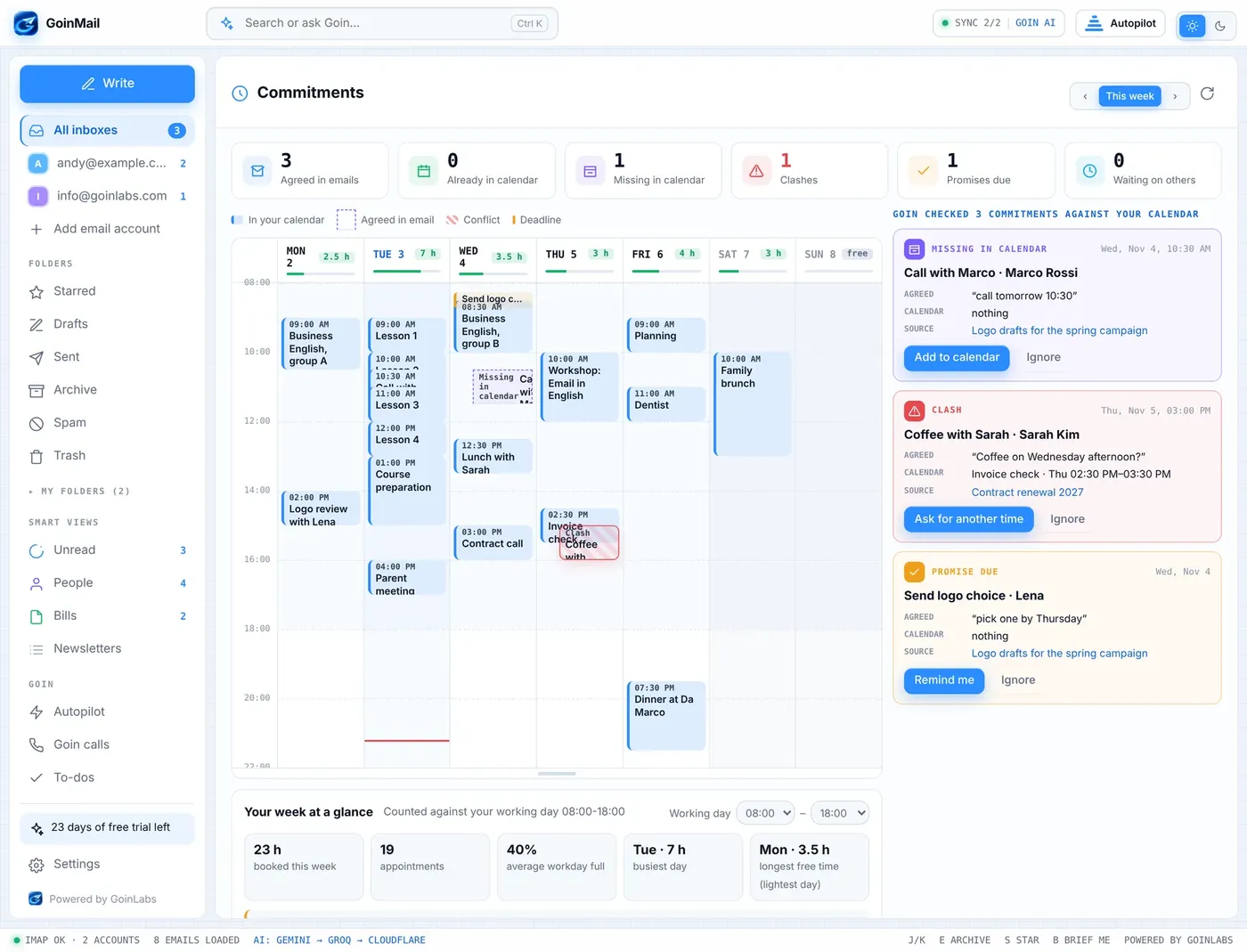
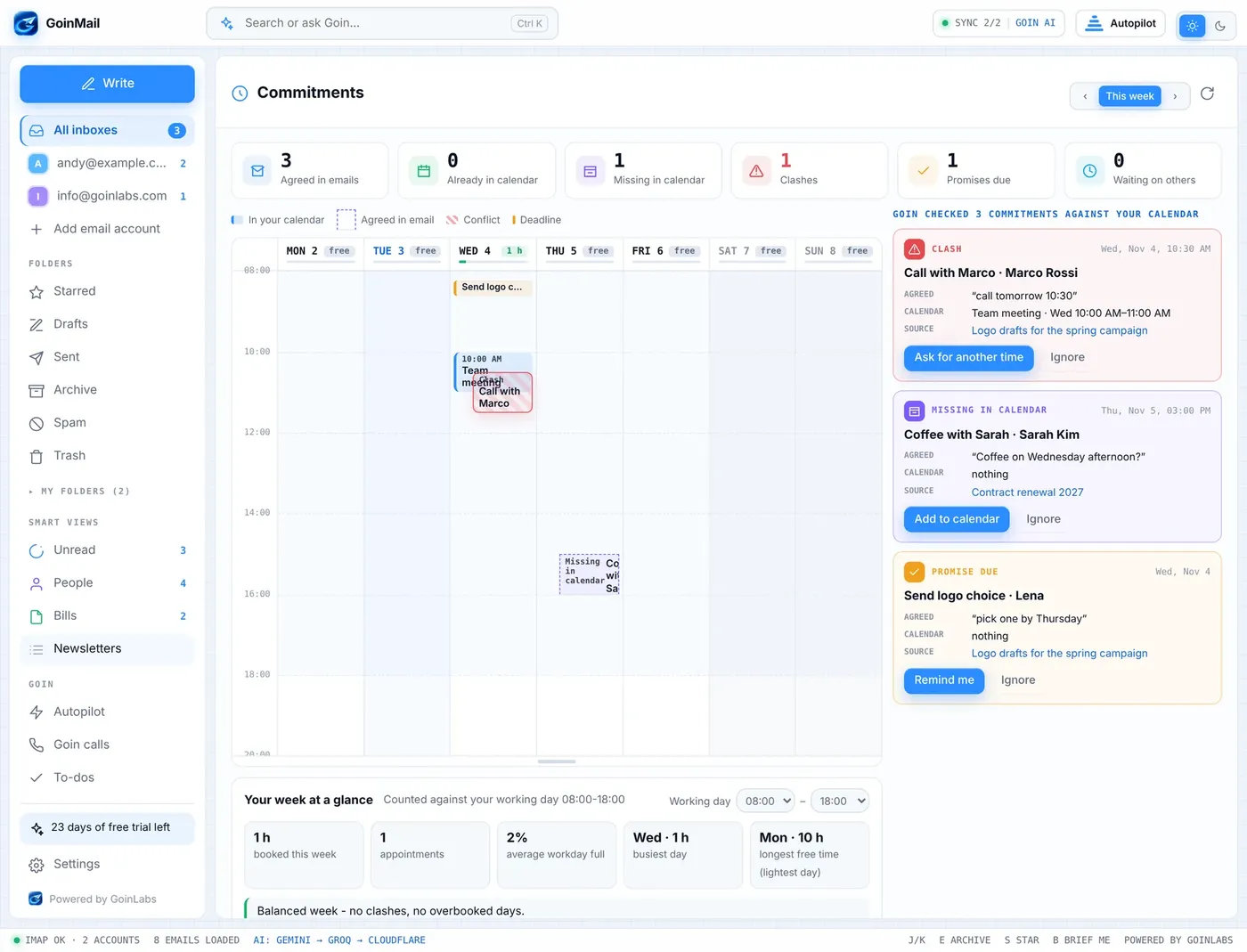
Goin finds meetings and promises in your emails and compares them with your calendar. It shows clashes, dates that are missing from the calendar and promises you still owe. The week view shows how full each day really is.

  • Clash, missing in calendar, promise due
  • Week from Monday to Sunday with hours booked against your working day
  • Tips: overbooked days, long stretches without a break, a better day for a new appointment
The week view
Commitments checked against the calendar
To-dos from email

Tasks that come to you.

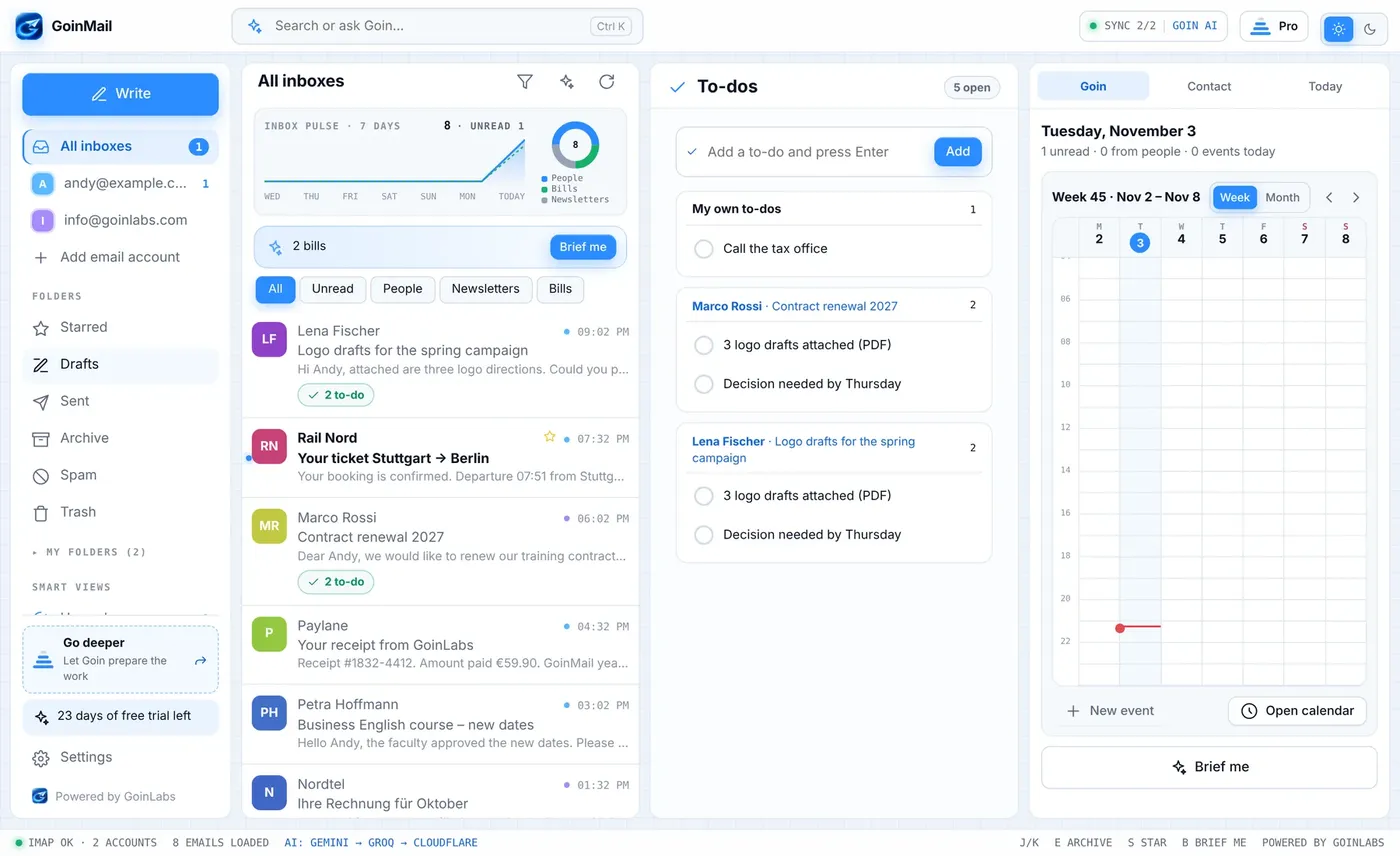
Goin lists the tasks it finds in an email under the summary. Tick them off, or add your own. Everything sits on one to-do page.

  • Tasks found in emails, linked back to the email
  • Your own to-dos next to them
To-do page
GmailIONOSIMAPSMTPGoogle CalendarOutlook calendariCal .icsWindowsMacAndroid
Autopilot

Goin prepares the work. You approve.

Let Goin do the routine. Keep the last word.

Autopilot

Routine mail handled. You stay in charge.

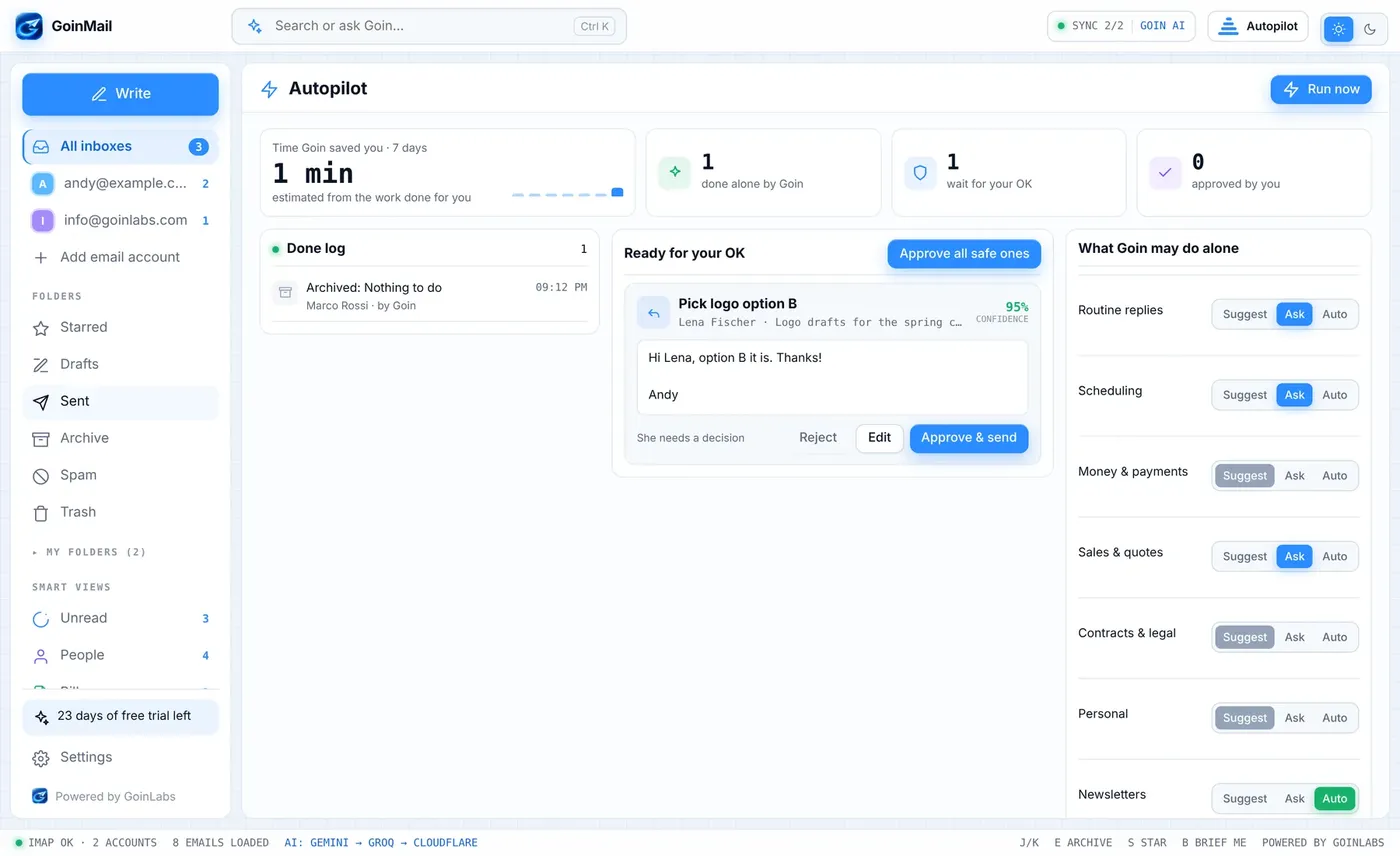
Autopilot drafts replies and files information emails. For every kind of email you choose how far it may go: only suggest, ask you first, or act alone.

  • Replies prepared for your approval, with a confidence score
  • Info-only emails archived by itself, with a log of everything it did
  • Per category: Suggest, Ask or Auto
Autopilot settings per category
Dictate an email

Say what you need. Goin writes the email.

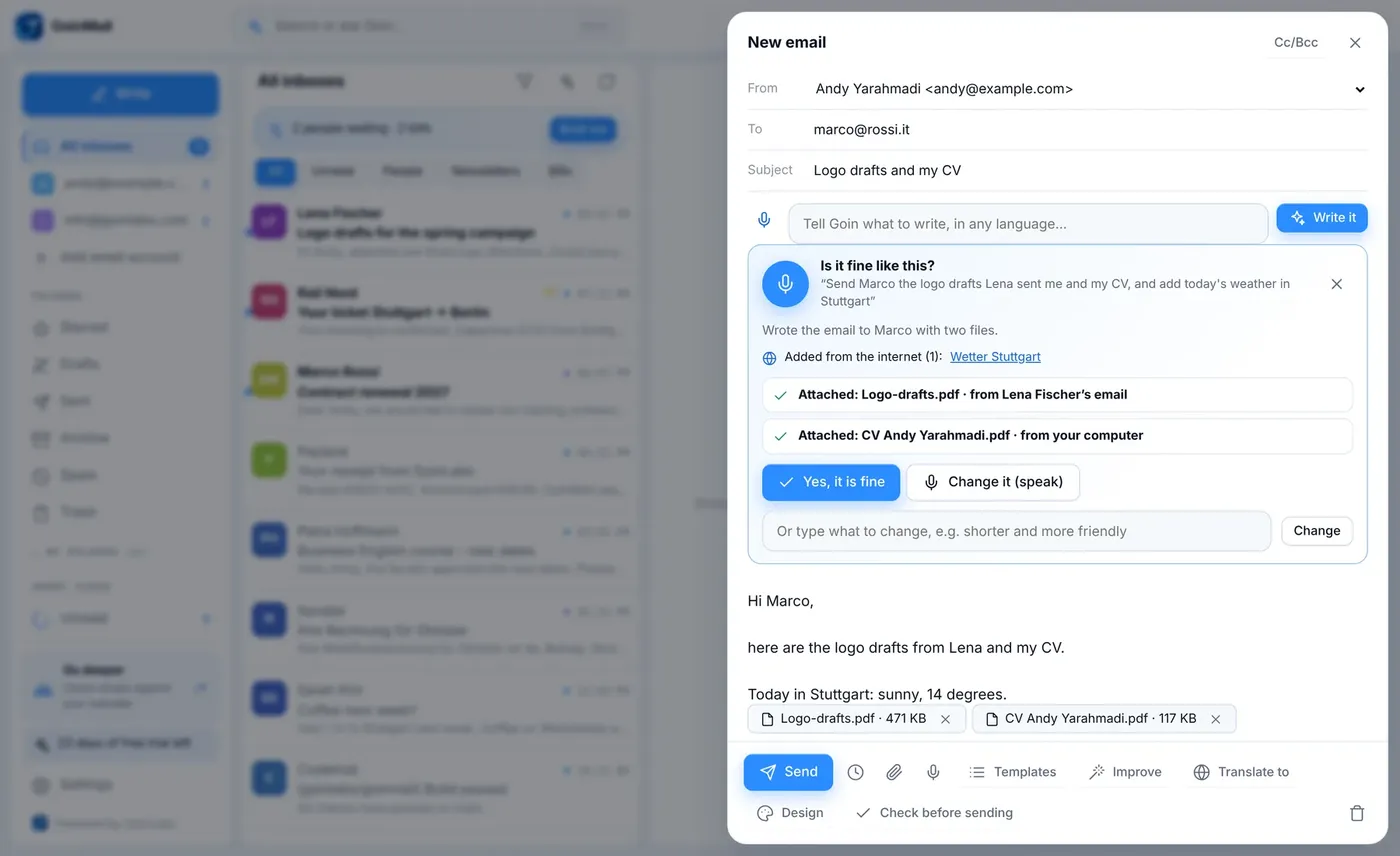
Press the microphone in a new email and speak. Goin writes the email, fills in who it goes to, attaches the PDF you named (from another email or from your own folders), adds facts from the internet with the source, and asks: is it fine like this?

  • Ask for changes by voice or text
  • Attach a file from another email, Documents, Downloads or Desktop
  • Facts from the web come with a source link
Dictating an email
Goin calls

Goin phones the restaurant for you.

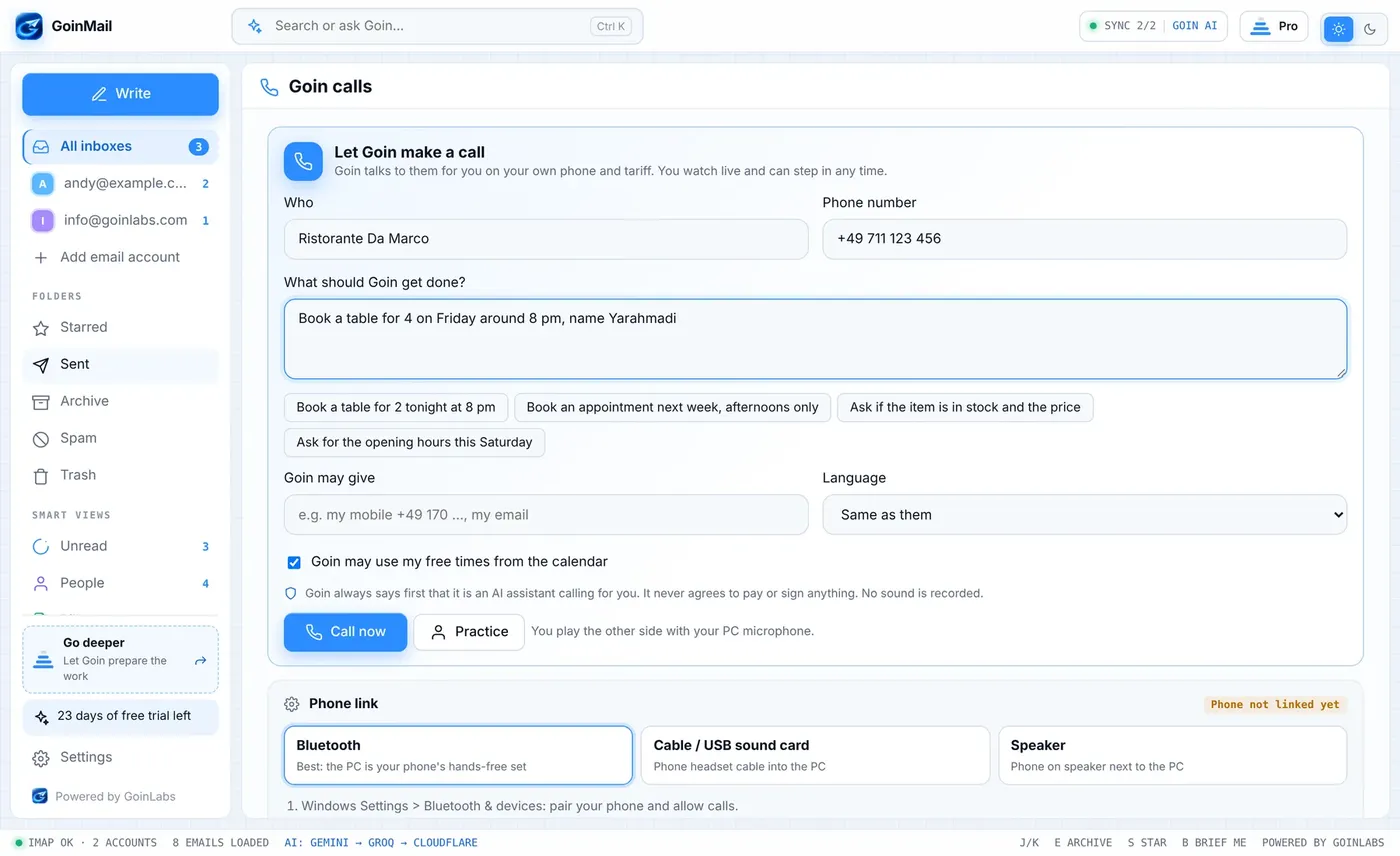
Tell Goin what you need, for example a table for four on Friday. Goin makes the call through your own phone, linked to your Windows PC by Bluetooth, on your own SIM and tariff. You watch the transcript live and can take over at any time. The result goes into your calendar and to-dos.

  • Goin always says first that it is an AI assistant
  • It never agrees to pay or sign anything
  • No audio is recorded; the transcript is kept only if you allow it
The live transcript
Starting a call
Calendar and signatures

A real calendar. Signatures that look designed.

Two things every inbox needs and few do well.

A real calendar

Always one click away.

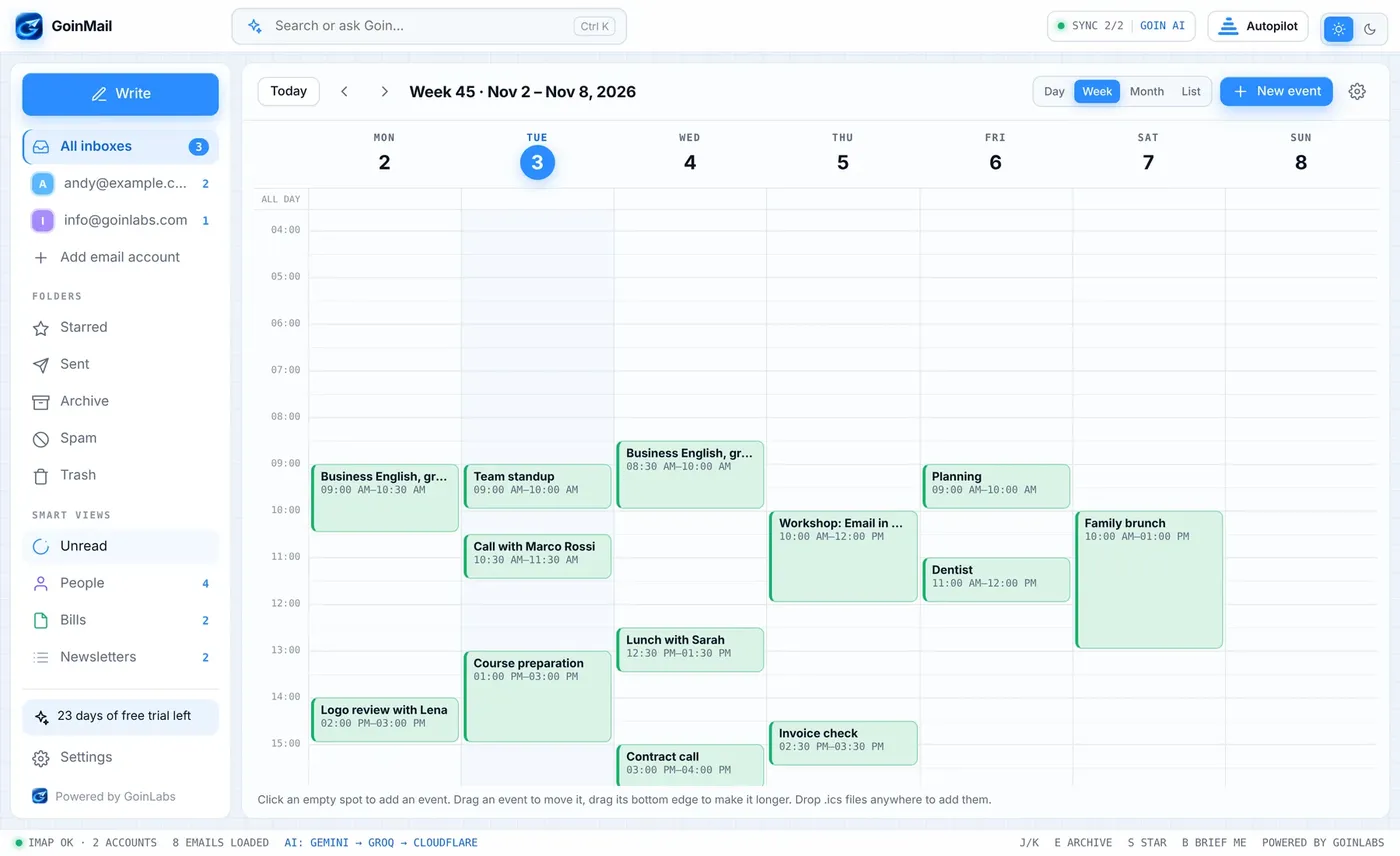
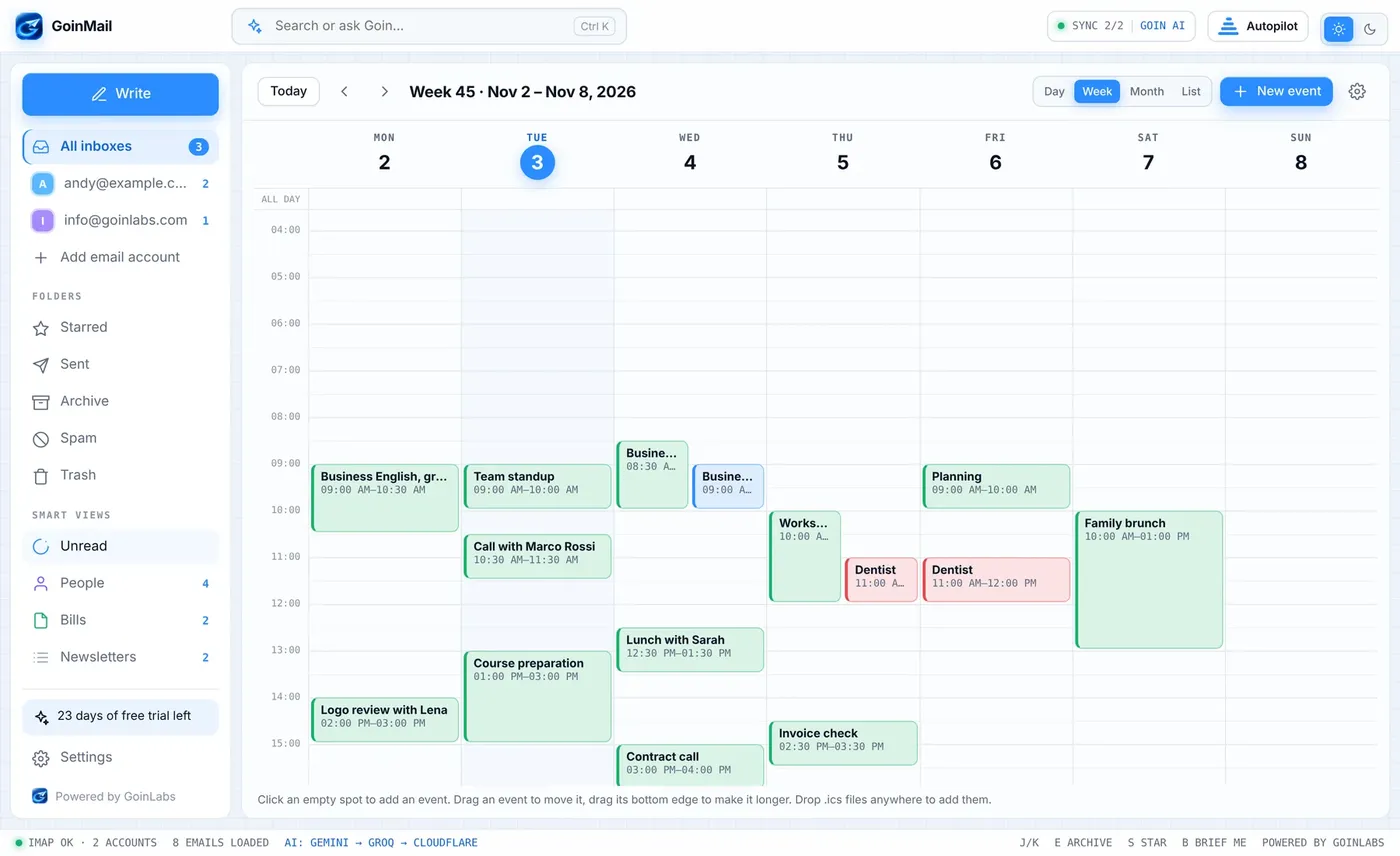
Day, week, month and list. Click an empty spot to add an appointment, drag it to move it, pull its bottom edge to make it longer. The same calendar sits in the side panel next to every email.

  • Google or Outlook calendars through their private link
  • Drop an .ics file anywhere in the app to add it
  • Clash warnings while you write or schedule
Calendar in the side panel
The week calendar
Several calendars

Your calendars. Your colours.

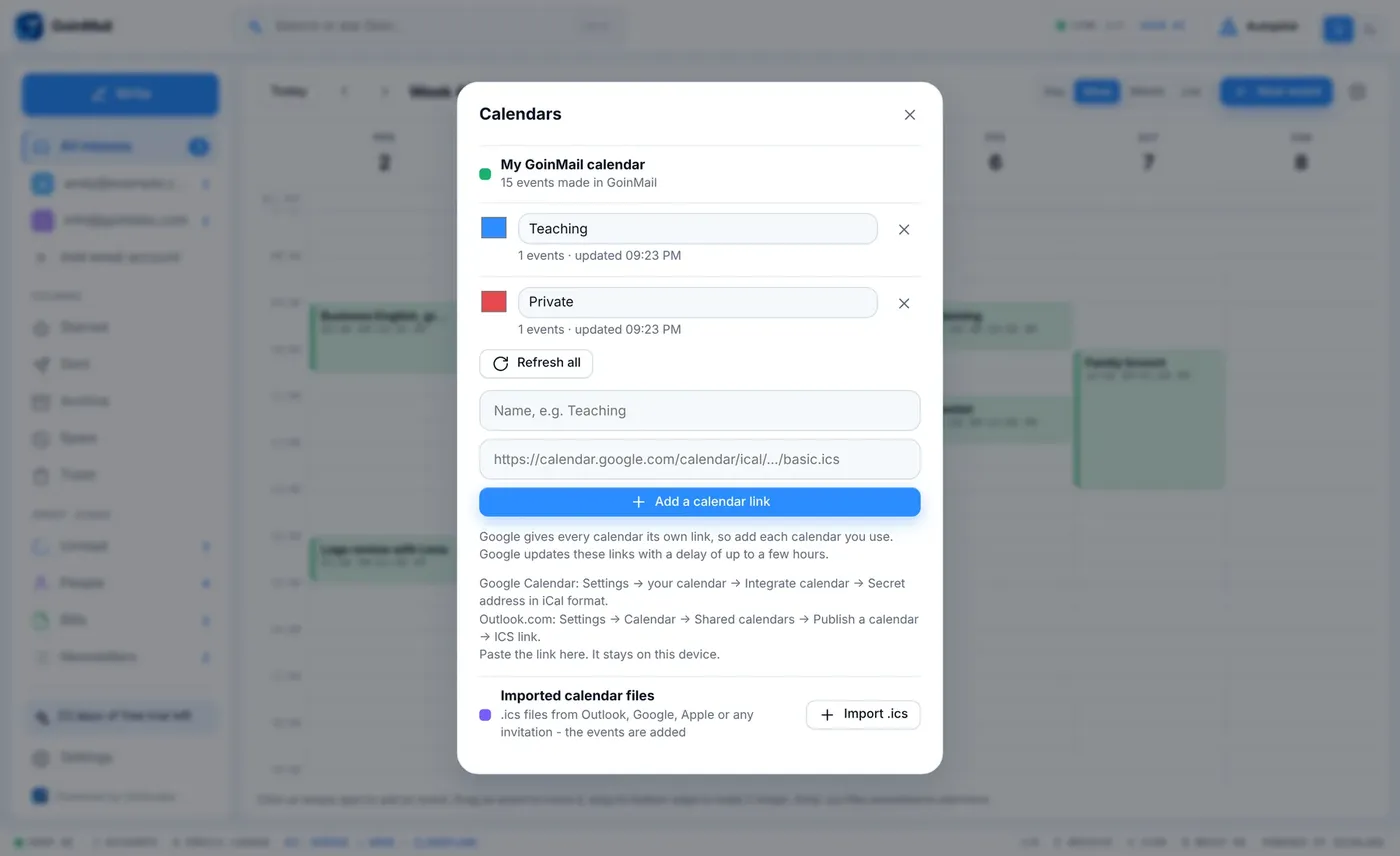
Add every Google calendar you use, each with its own name and colour. In an appointment you can pick any colour and give it to every appointment with the same name in one click.

  • As many calendar links as you need
  • Colour per calendar, per name or per appointment
  • The last good copy stays if a link cannot be reached
A week in your colours
Calendar links
Signature studio

Press Create. Get a signature that looks designed.

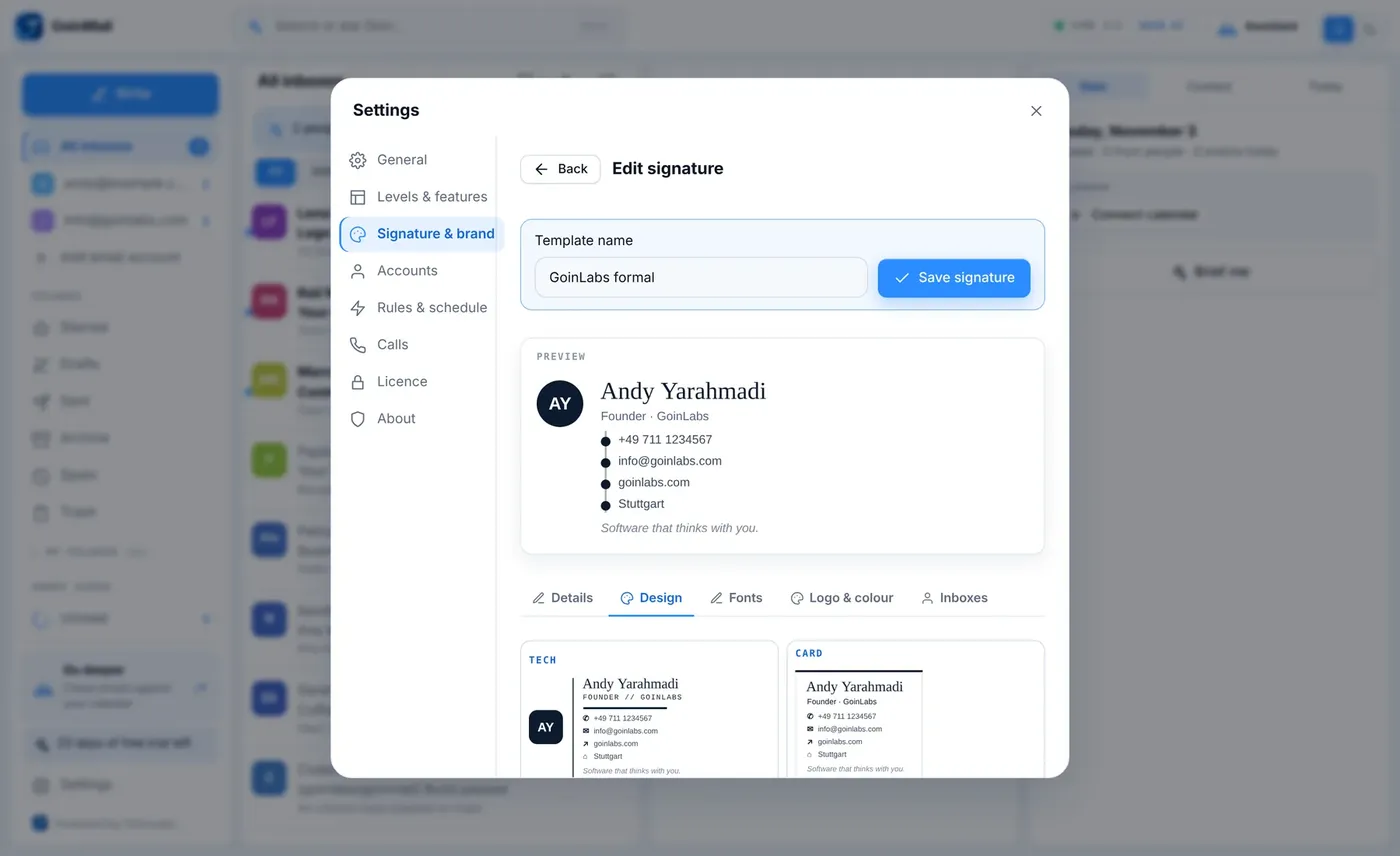
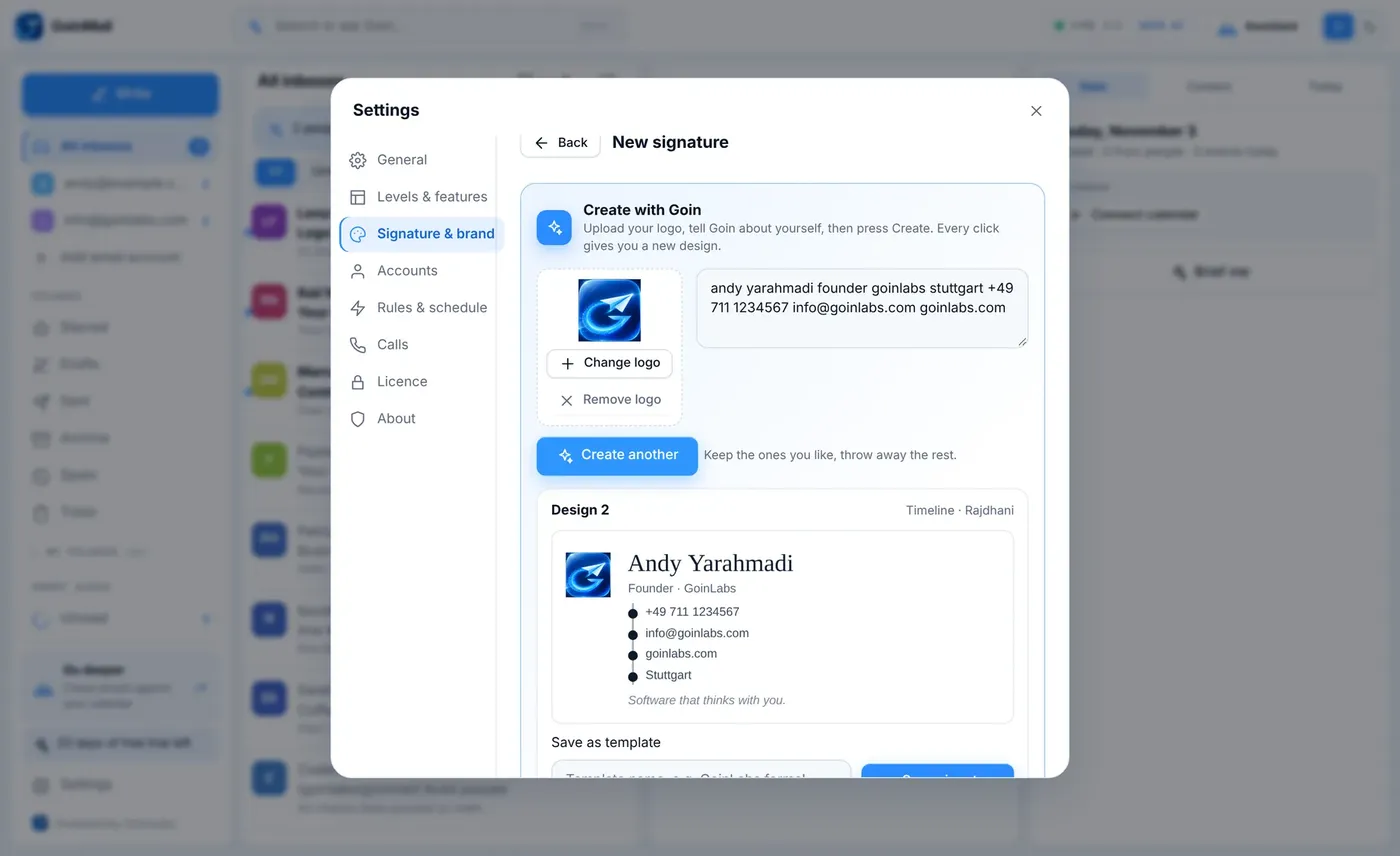
Upload your logo, tell Goin who you are and press Create. Every press gives a new design. Keep the ones you like, throw the rest away. Save a signature under a name, set it for each inbox and choose another one for a single email.

  • 24 designs and about 60 fonts for the name
  • Logo upload, per inbox default, per email choice
  • Saved under a name you recognise
The signature studio
Creating a signature
Everywhere

Your way. On every device.

Settings that follow you, a language you speak and windows you can shape.

Sync

Your settings and calendar on every device.

Signatures, to-dos, your own appointments and settings follow you from device to device. Passwords and scheduled sends stay on the device they belong to.

  • Automatic, no setup
  • Light or dark stays your choice per device
Sync settings
11 languages

Speaks your language. Even right to left.

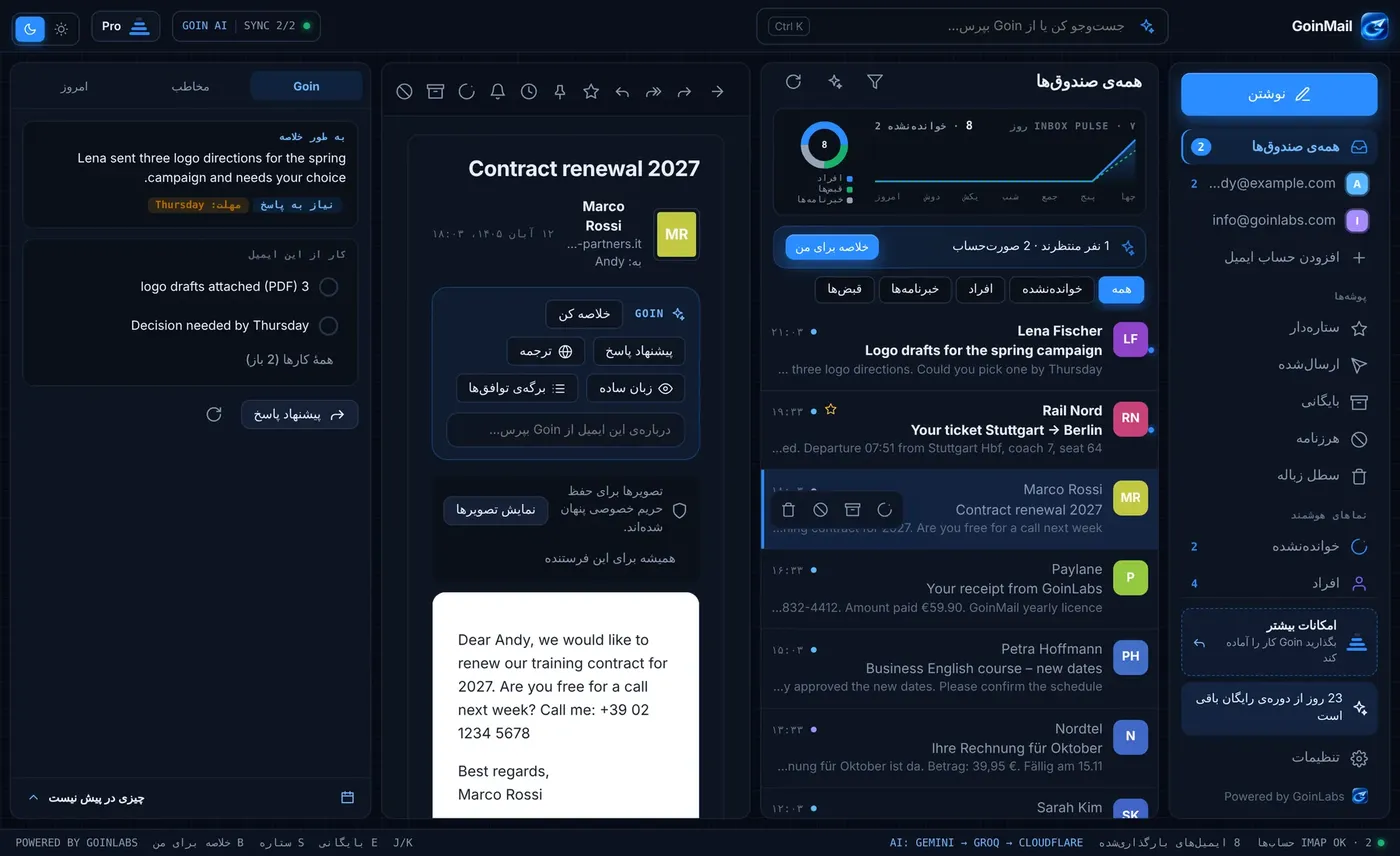
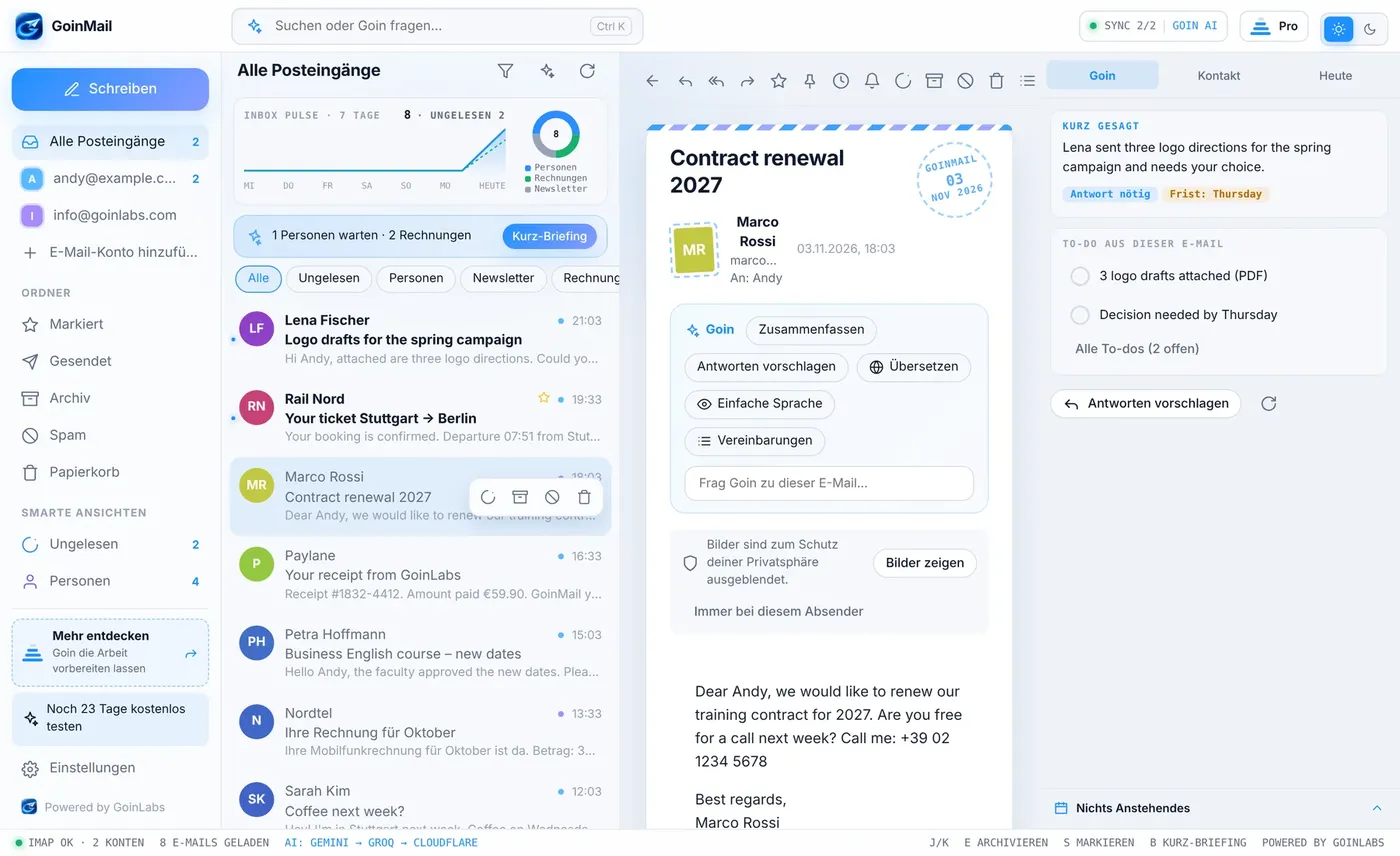
The whole app and Goin speak English, German, French, Spanish, Italian, Portuguese, Dutch, Polish, Turkish, Persian and Arabic. Persian and Arabic switch the layout to right-to-left.

  • Goin answers in the language of the email or the one you choose
GoinMail in Persian, right to left
GoinMail in German
Make the windows yours

Drag the edges. Make it fit.

Drag the edges between the panels to the width you like. Double-click an edge to reset it. Each computer remembers its own layout.

Resized panels
Privacy and security

Your email stays with your provider.

GoinMail connects from your device straight to your email provider.

Passwords stay on your device

Email passwords are kept in the secure store of your Windows or Mac and are never synced.

Pictures blocked by default

Remote pictures are blocked. You allow them per email or per sender.

Goin reads only to help

The email you open or ask about, and the ones Brief me, Life admin and Autopilot check when you switch those on.

Calls with rules

Goin says it is an AI, never agrees to pay or sign, does not record audio and keeps the transcript only if you allow it.

Pricing

One licence. Everything included.

All four levels, Goin AI and sync. Monthly or yearly.

Free trial

30 days

Everything included. No card needed to start.

Monthly

€5.99 /month

All levels, Goin AI and sync. Cancel any time in the app.

Best value

Yearly

€59.90 /year

Two months free. All levels, Goin AI and sync.

After 30 days the app asks for a licence. Payment inside the app, by Stripe. Cancel any time: Settings, Licence, Manage.

Get GoinMail

Windows first. Mac and Android next.

GoinMail is not in an app store. The apps come as downloads from goinlabs.com.

Windows

Coming soon

The installer is being finished. Tell us and we let you know the day it is ready.

Mac

Coming soon

Follows the Windows version.

Android

In development

Phone layout first, then the app file.

Sign-in with Google and Microsoft is not built yet. Gmail works with an app password, and the app shows the steps. Outlook.com and Microsoft 365 mailboxes do not work yet.

Tell me when it is ready

Questions

Good to know.

Is GoinMail free?

The first 30 days are free with everything included, no card needed. After that a licence costs EUR 5.99 per month or EUR 59.90 per year. Goin AI is included.

Where is my email stored?

Your email stays with your email provider. GoinMail connects from your device straight to the provider. Your email passwords stay in the secure store of your computer and are never synced.

What does Goin see?

Goin works on the email you have open or ask it about, and on the emails that Brief me, Life admin or Autopilot check if you turn those on. The text is sent to the AI service to answer and is not used for anything else.

Which email providers work?

Gmail, IONOS and any provider that supports IMAP and SMTP. For Gmail you create an app password once; the app guides you. Outlook.com and Microsoft 365 do not work yet.

Is there an iPhone app?

No. GoinMail is not in the App Store. Windows, Mac and Android come as downloads.

How do I cancel?

In the app: Settings, Licence, Manage. It opens the secure Stripe page where you can cancel or change the plan.

Can Goin call a shop from my phone?

Goin calls works with your phone linked to a Windows PC by Bluetooth. It does not run on the phone alone.

The build story

From a fast inbox to a calm assistant.

  1. 1

    Up to 1.4

    A fast IMAP and SMTP inbox, the Goin assistant, 11 languages, themes and the four-level pyramid.

  2. 2

    1.5 and 1.6

    To-dos from emails, more signature fonts, the visual calendar and the signature creator with logo upload.

  3. 3

    1.7 and 1.8

    Signatures saved under a name, automatic sync between devices, and Goin calls.

  4. 4

    1.9

    Dictate an email: Goin writes it, attaches files and adds facts from the web.

  5. 5

    1.10

    Replies remembered, resizable windows, the week as a real calendar grid and Goin AI included in the price.

  6. 6

    1.10.2

    Google calendar fixes: several calendars, repeating events and your own colours.

Built on solid ground

Desktop app on Tauri 2 with a Rust core. Mail straight from your device to the provider by IMAP and SMTP. Goin AI on Cloudflare, switching between several AI providers so it keeps working if one is busy. Accounts and sync on Supabase, payments by Stripe.

We build apps like this for companies.

GoinMail is one of our own products. The same team builds custom software, apps and ERP integrations for companies in Germany, Europe and the USA.

Take your inbox back.

30 days free with everything included. No card needed.