


Now on Google Play and Microsoft Store · Free ebook reader

Reading, the way it should feel.

Pages that turn like paper, a soundtrack that follows the story, and two tablets that become one open book. Free, no ads, no tracking.

Download from the Microsoft StoreGet it on Google Play
Free, no ads, no trackingGoogle Play, Microsoft Store, iPad and webEPUB, PDF, comics and moreSync with a 6-digit code
GoinBook on a tablet: a page turning like paper
Why GoinBook

Made for people who love real books

GoinBook is the ebook reader we built for people who love real books. Every page curls under your finger with light, shadow and a soft paper sound, while music and ambience follow the mood of each chapter. Read alone, read with a friend on two tablets side by side, or meet other readers in clubs and reading rooms. Your library syncs between your devices with a simple code, with no email and no password.

0 €free, no ads, no in-app purchases
7book and comic formats
12soundtrack moods
6-digitcode to sync, no password
What makes it different

Six things you will feel on the first page

01

Real page turns

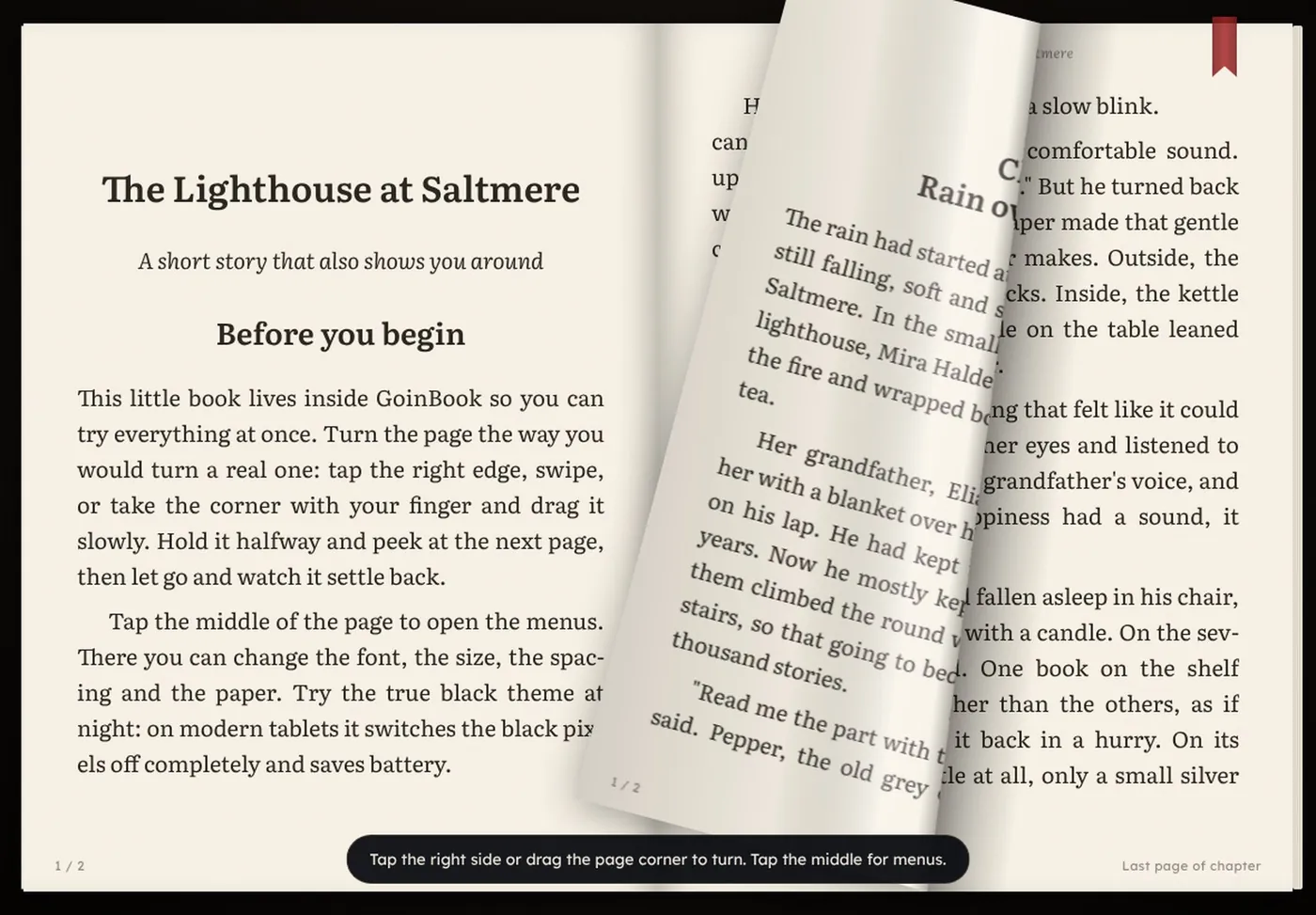
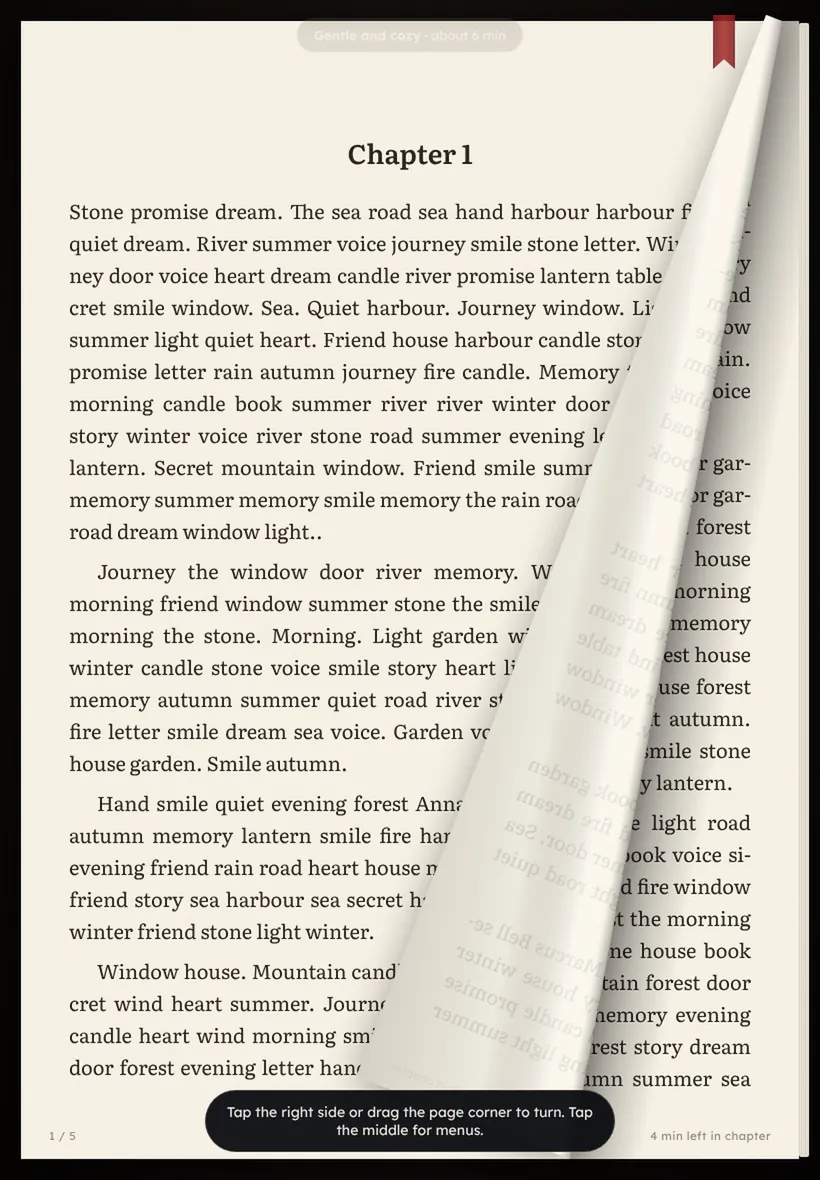
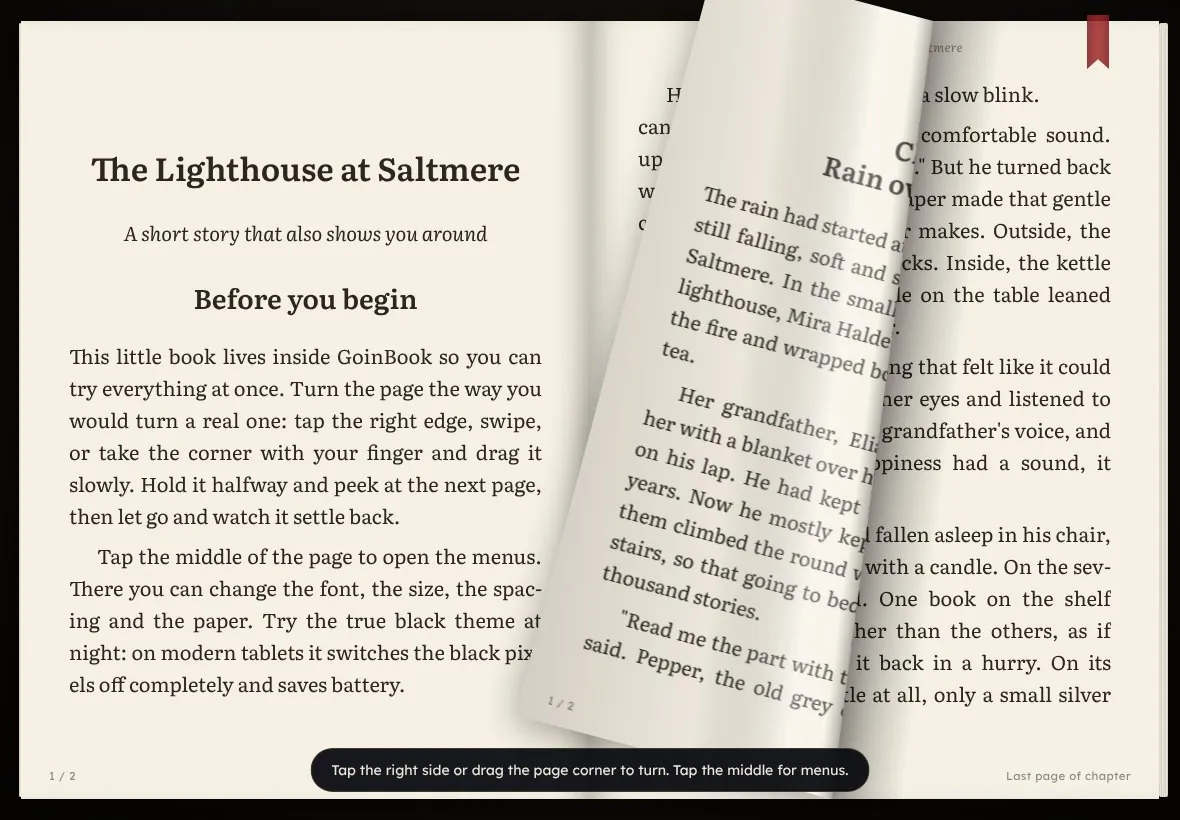
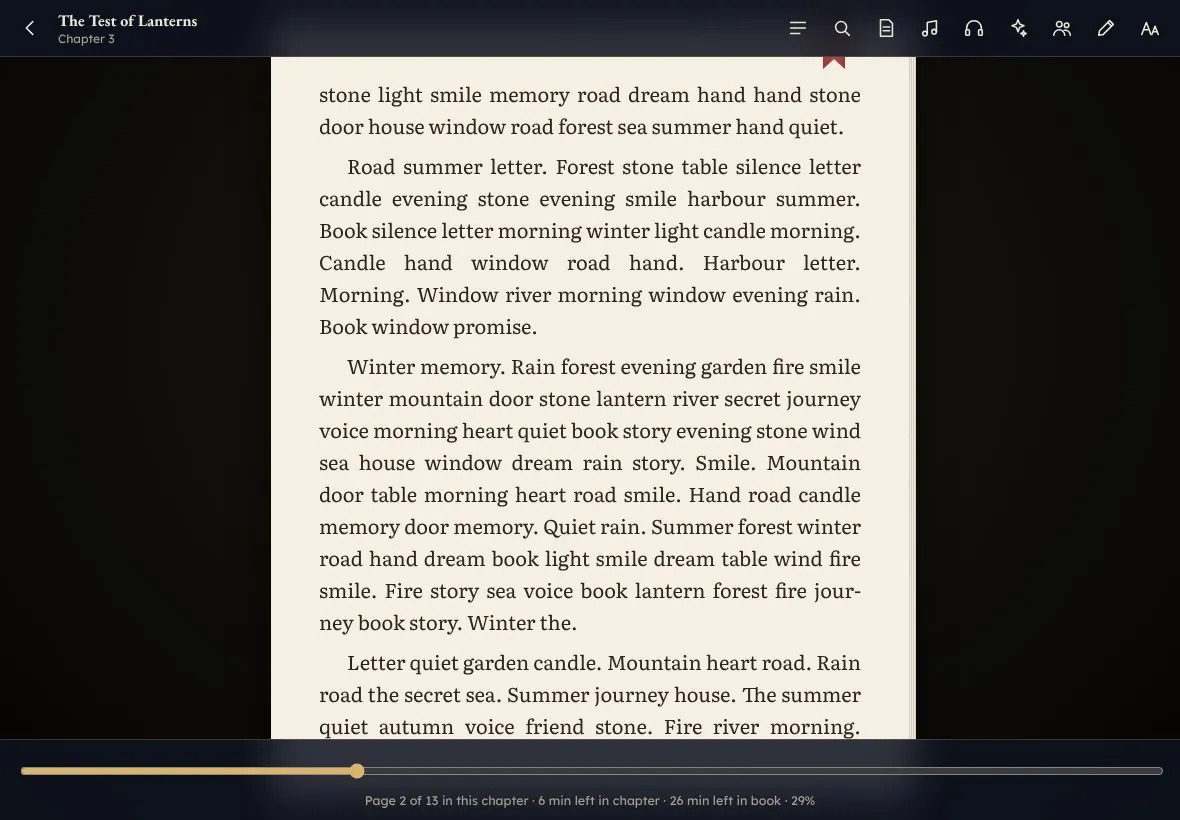
A 3D page curl follows your finger, with light, shadow and the back of the page showing through. There are two-page spreads in landscape, and a soft paper sound with every turn.

Light, shadow and sound on every page turn in GoinBook
02

A soundtrack that follows the story

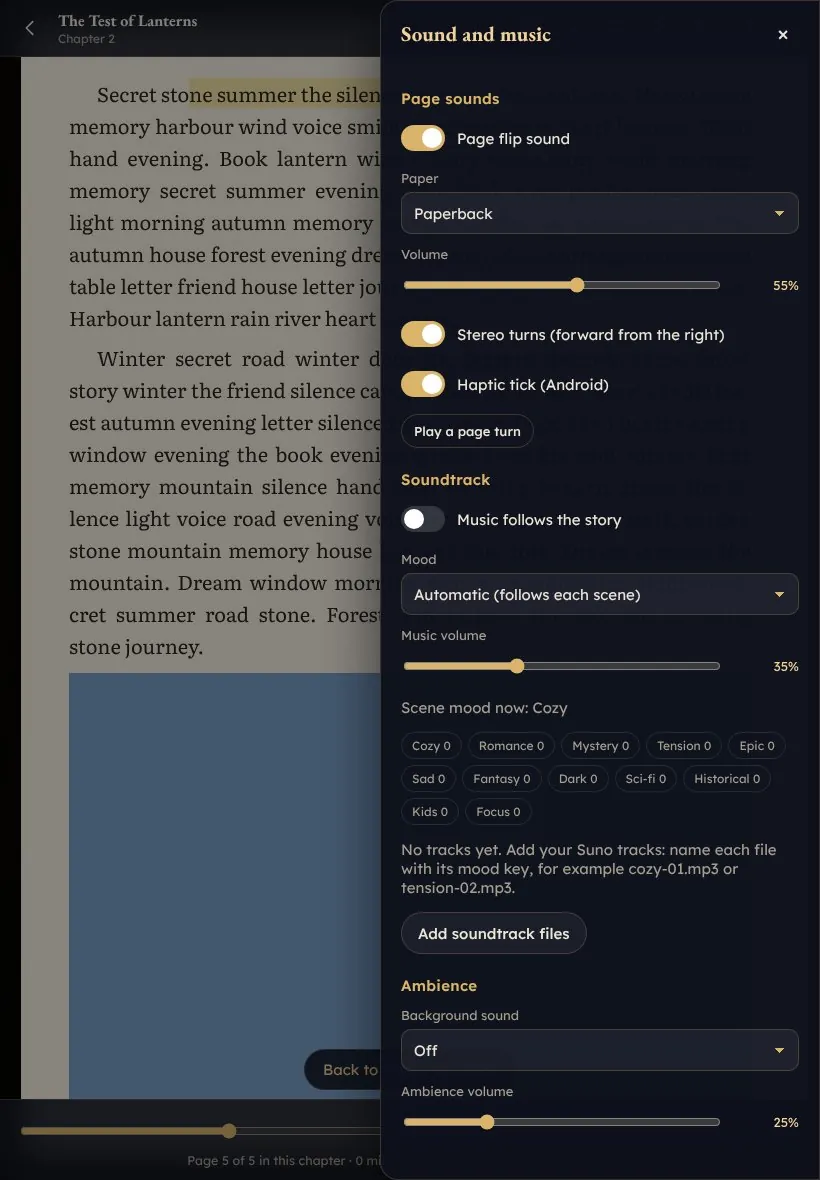
GoinBook reads the mood of each page: calm music for quiet chapters, tension for thrillers. On top come rain, fireplace, wind, sea, café and library ambience.

The sound and soundtrack panel in GoinBook
03

Two tablets, one book

Put two tablets side by side and they show one open book. You can also read along live with a friend, with chat.

Two tablets side by side showing one open book
04

Read together

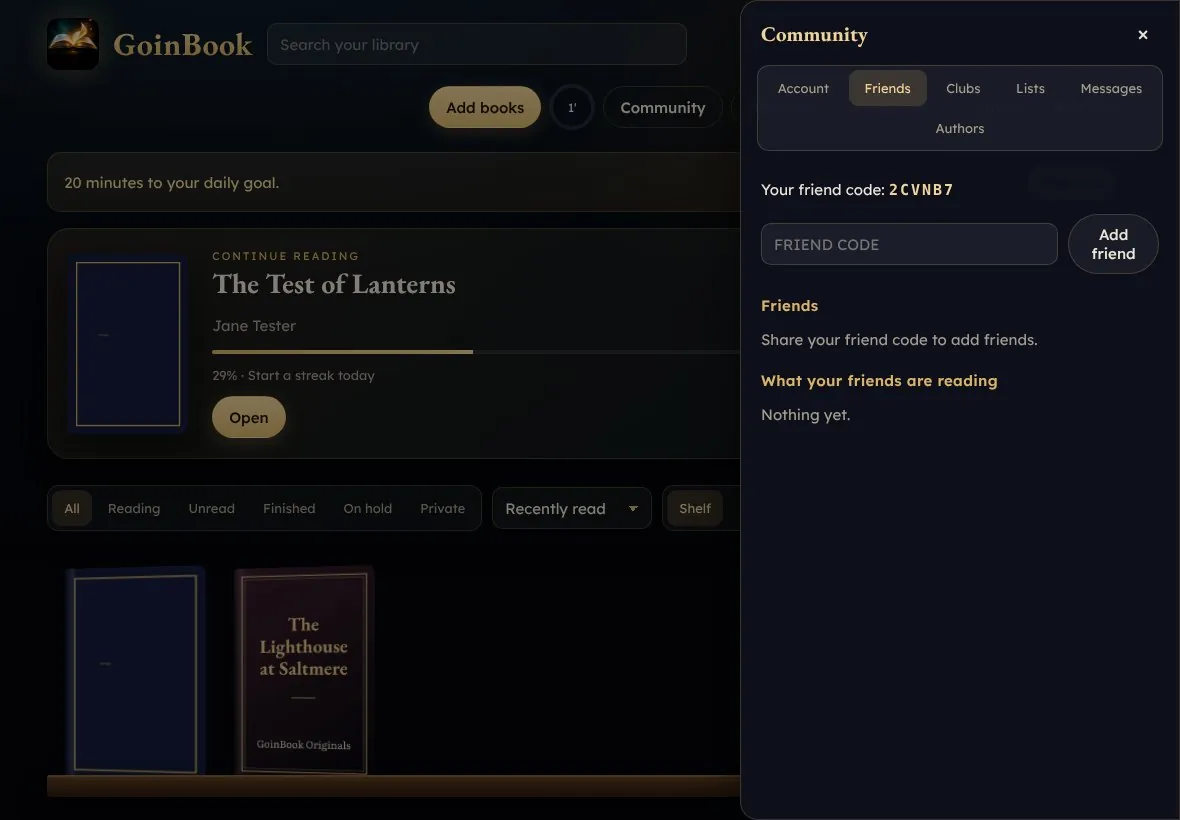
Book clubs and classes with a shared pace, comments in the margins with spoiler protection, reading rooms, friends, reviews, reading lists and messages.

Readers sharing their feelings about a book in GoinBook
05

Your library everywhere

Books, highlights, notes, progress and settings sync between devices with a 6-digit code. No email, no password.

The GoinBook library on a tablet
06

Smart, never spoiling

X-Ray for characters and places, "Previously on" recaps, quizzes, summaries and study tools. The AI only looks at what you have already read.

X-Ray for characters and places, without spoilers
All features

Everything else a reader needs

Formats

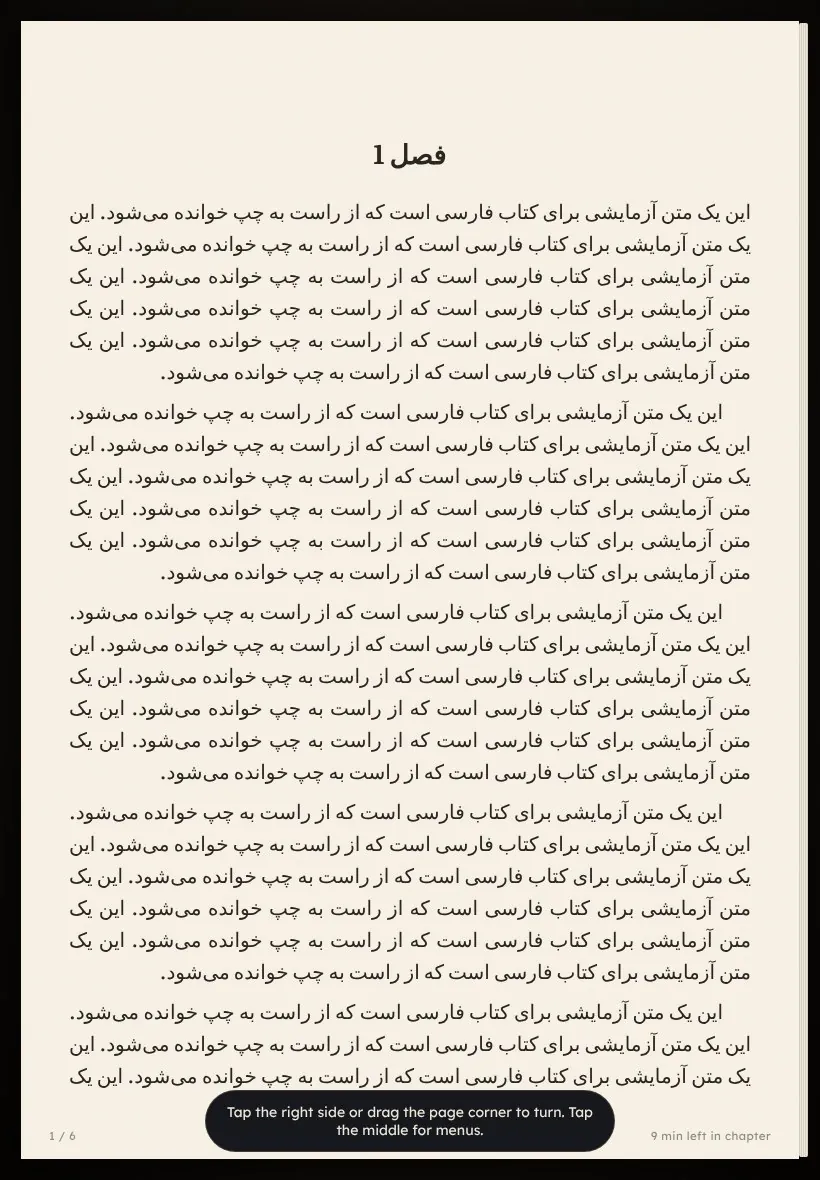
EPUB, PDF, TXT, Markdown, HTML, FB2 and CBZ comics, plus right-to-left books in Persian and Arabic.

Typography

8 fonts including OpenDyslexic and Atkinson Hyperlegible, your own fonts, weight, spacing, margins and bionic reading.

Highlights and notes

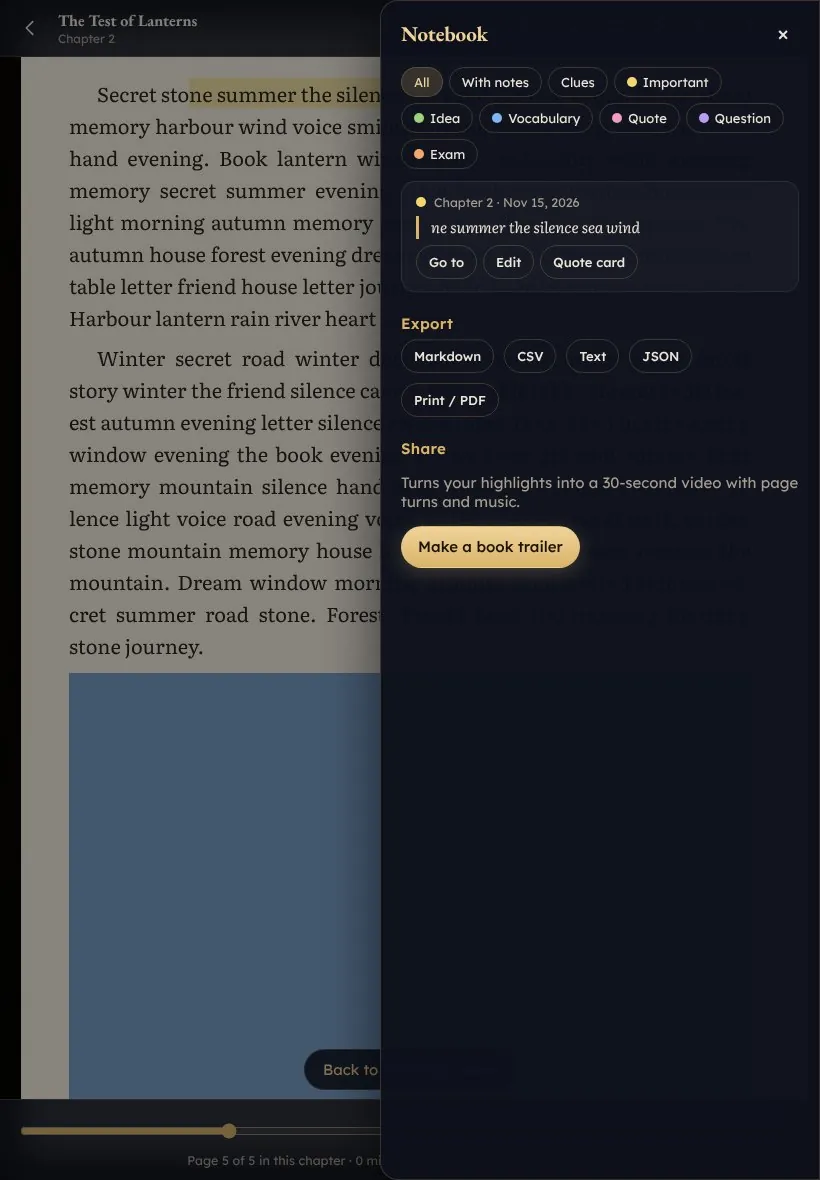
Highlights in 6 colours, notes, bookmarks, a notebook with export to Markdown, CSV and PDF, and quote cards.

Language help

Dictionary, pronunciation, translation, Wikipedia and a vocabulary builder with flashcards and Anki export.

AI narrator (new)

GoinBook reads your book to you like an audiobook, free and on the device: natural AI voices in 40+ languages, an English studio voice for fast devices, or Gemini's actor voice with emotion and character voices using your own free key. Word highlighting, automatic page turns, music that steps back while the narrator speaks, and a sleep timer that notices when you doze off. Works offline after a one-time download.

Pen mode

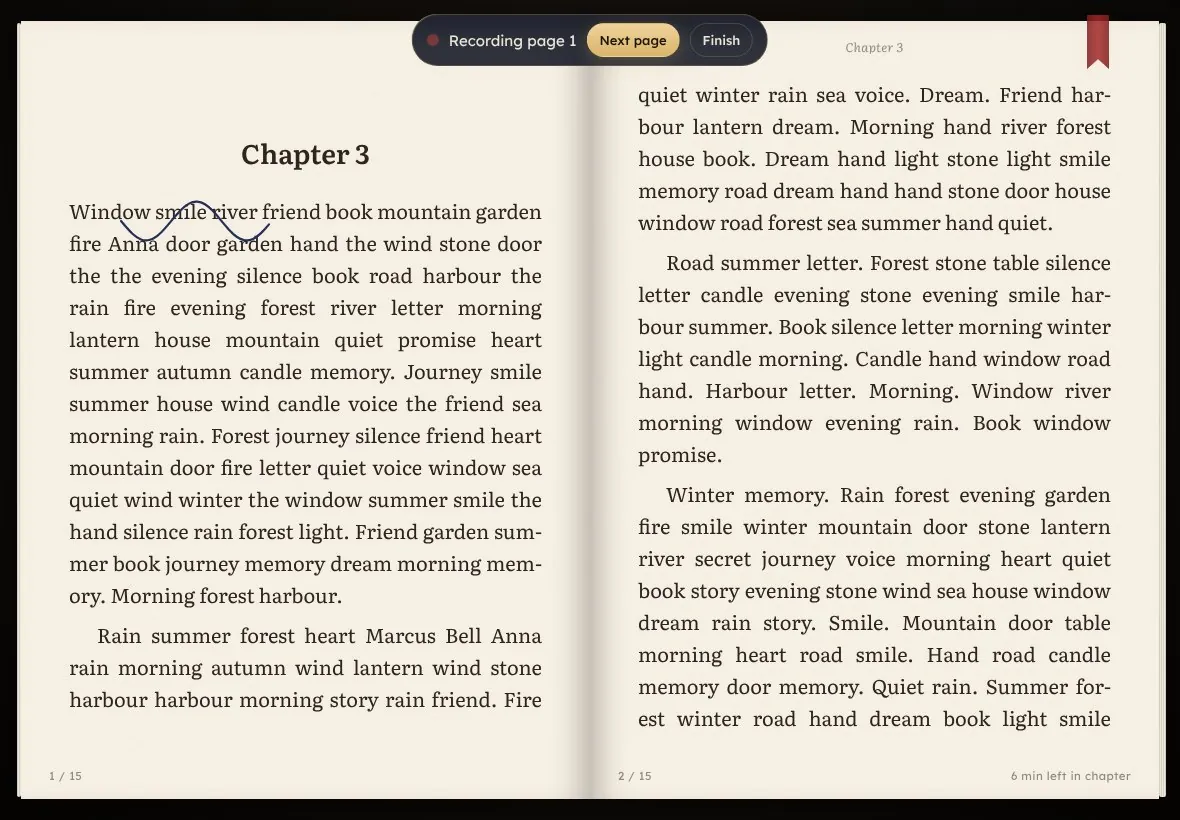
Write in the margins with a stylus, or ask a handwritten question and get an answer in handwriting style.

Family voice

Parents record a story page by page; the child hears it while the pages turn by themselves.

Gift a book

Wrap a book with a handwritten note and watch it unwrap.

Reading life

Goals, streaks, a monthly reading collage, a "where I read this" journal and notes to your future self.

Battery engine

Nothing redraws while a page is still, a true black OLED theme and an Eco mode.

Safety

Report and block readers. The GoinLabs team reviews every report.

Privacy

Books stay on your device, cloud is optional, no ads, no tracking, and account deletion in one tap.

See it

Real screens from the app

Tap any picture to open it full size.

A page curling mid-drag in GoinBook
Twin mode: the left tablet of one open book
Pen mode: writing in the margins with a stylus
Family voice: recording a story page by page
The GoinBook community with clubs and reading rooms
Crowd reactions in a shared reading room
The notebook with highlights and notes
A book wrapped as a gift with a handwritten note
The true black OLED theme
A right-to-left book in GoinBook
Get GoinBook

Free on every tablet

Every version opens the same live app, so one update reaches all of them.

Android

Get GoinBook free on Google Play for Android tablets and phones.

Get it on Google Play

Windows

Get GoinBook free from the Microsoft Store for Windows tablets, laptops and PCs.

Download from the Microsoft Store

iPad

Open goinbook.pages.dev in Safari, then tap Share and Add to Home Screen.

Open GoinBook

Web

Works in Chrome, Edge, Safari and Firefox and installs like an app.

Open GoinBook
How we built it

A reader engine of our own

  1. 1

    The reader core

    A light web app in plain JavaScript. The page curl is our own geometry engine: the sheet folds along the line between the grabbed corner and your finger, and shading is painted only while the page moves, so a still page uses almost no battery. Page sounds are made live, so no two turns sound the same.

  2. 2

    Cloud and community

    Sync with a 6-digit pairing code instead of accounts, live reading rooms, Twin mode, clubs, margin comments, family voice, gifts and pen mode, tested on two tablets at once.

  3. 3

    The stores

    The web app was wrapped for Google Play and the Microsoft Store, with a public privacy page, account deletion, report and block, and automatic updates that arrive at a calm moment. Both store apps are live since November 2026 and open the same live app, so every update reaches every device at once.

  4. 4

    The AI narrator

    Version 2.2 adds three free voice engines behind one Listen button: open-source Piper voices for 40+ languages, the Kokoro studio voice in English, and Gemini text-to-speech with the reader's own key. Piper and Kokoro run inside the browser in a background worker, so page turns stay smooth. In our test, Piper made 9 seconds of speech in about 2.4 seconds, fast enough for older tablets. GoinBook measures the device speed and picks the right voice by itself.

FAQ

Good to know

Is GoinBook free?

Yes. GoinBook is free, with no ads, no in-app purchases and no tracking.

Which devices does it run on?

GoinBook runs in the browser on tablets, phones and computers and installs like an app. Android and Windows have free apps on Google Play and in the Microsoft Store. On iPad, open goinbook.pages.dev in Safari and add it to the Home Screen.

Where can I download GoinBook?

GoinBook is free on Google Play for Android and in the Microsoft Store for Windows. On iPad and every other device, open goinbook.pages.dev in the browser and install it like an app.

Which books can I read?

DRM-free books in EPUB, PDF, TXT, Markdown, HTML, FB2 and CBZ, for example your own files, Project Gutenberg and Standard Ebooks. Protected (DRM) books are not supported yet.

Can GoinBook read books aloud?

Yes. The AI narrator reads any book to you like an audiobook, free and on your device, with natural voices in 40+ languages, word highlighting and automatic page turns. It works offline after a one-time download.

Can GoinBook read right-to-left books?

Yes. GoinBook reads right-to-left books, for example in Persian and Arabic.

Do I need an account?

No email and no password. Your library syncs between devices with a 6-digit code, and the cloud is optional.

Is GoinBook a Kindle alternative?

For DRM-free books, yes: GoinBook reads EPUB, PDF and comics with real page turns, a soundtrack, an AI narrator, highlights and notes, on any tablet.

Open your next book in GoinBook.

Free, no ads, no tracking. GoinBook is made by GoinLabs in Stuttgart. Your books stay on your device.