 iGoinNote
Every class. Every note. One smart notebook.
iGoinNote is the note-taking app built for students. Write by hand or type, mark up lecture slides and PDFs, turn your notes into flashcards and walk into finals ready. Free to start on Windows, Mac, Android, iPhone and the web.

One app for the whole semester
Lectures, readings, labs, group projects and exam prep in one place, on every device you use.
From the first lecture to the final exam
Before class
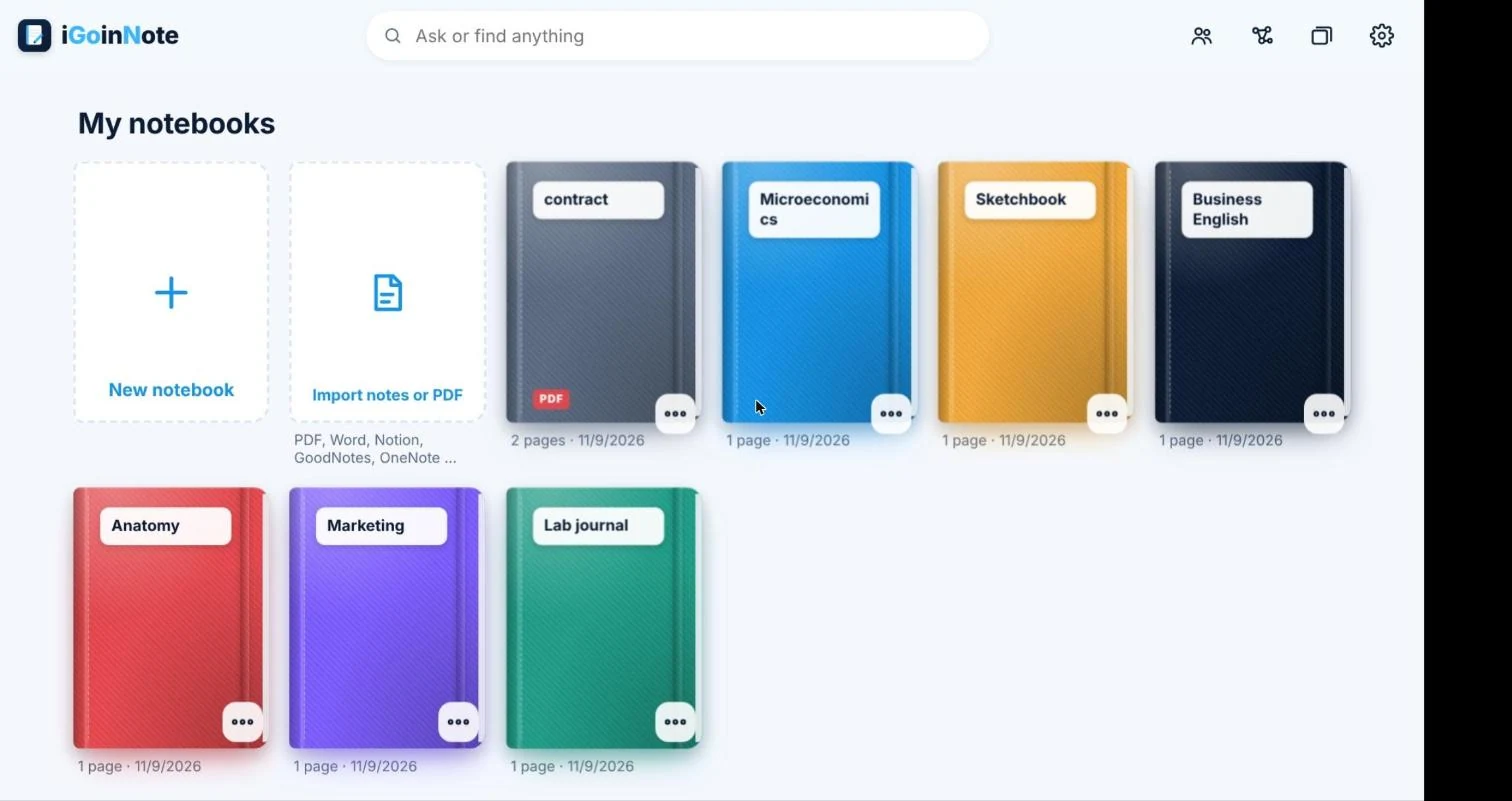
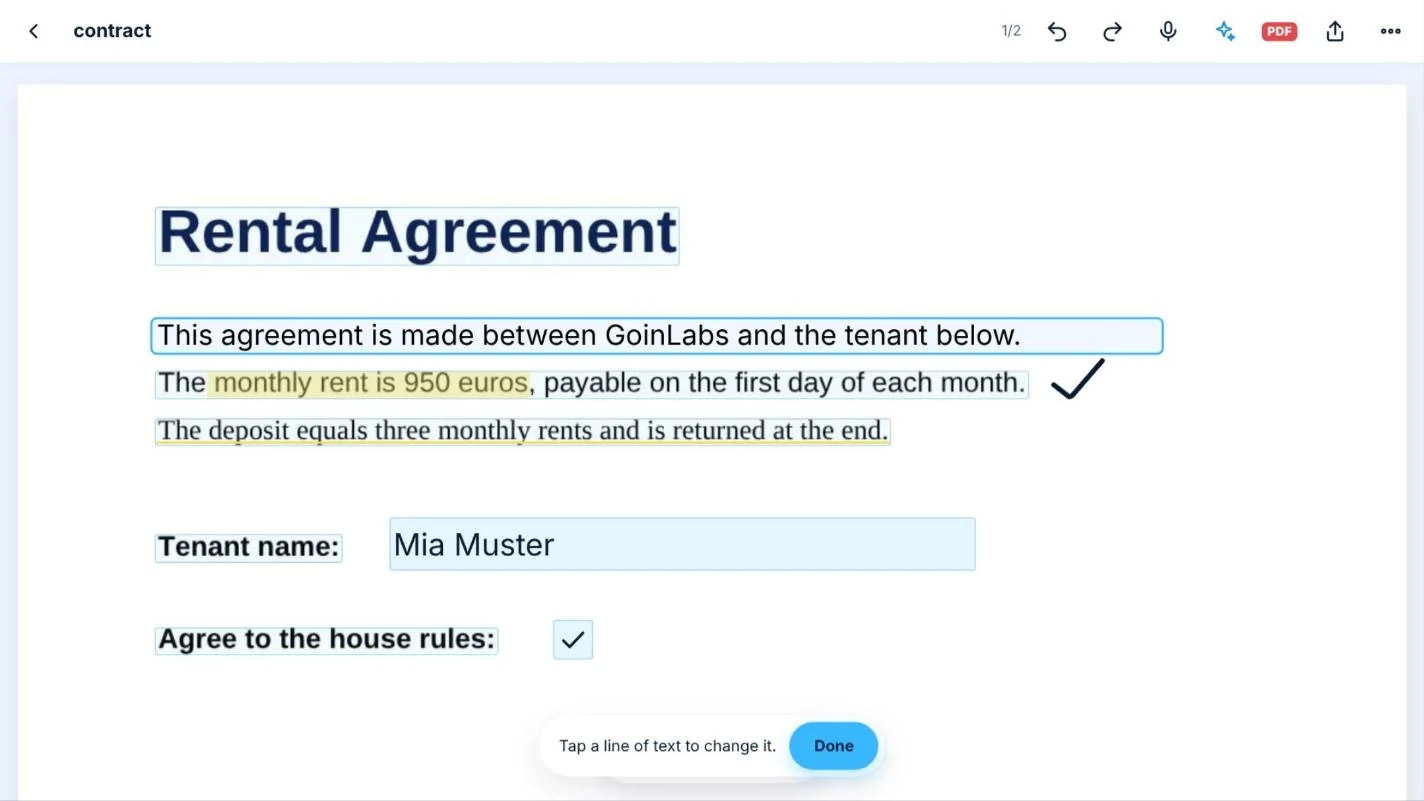
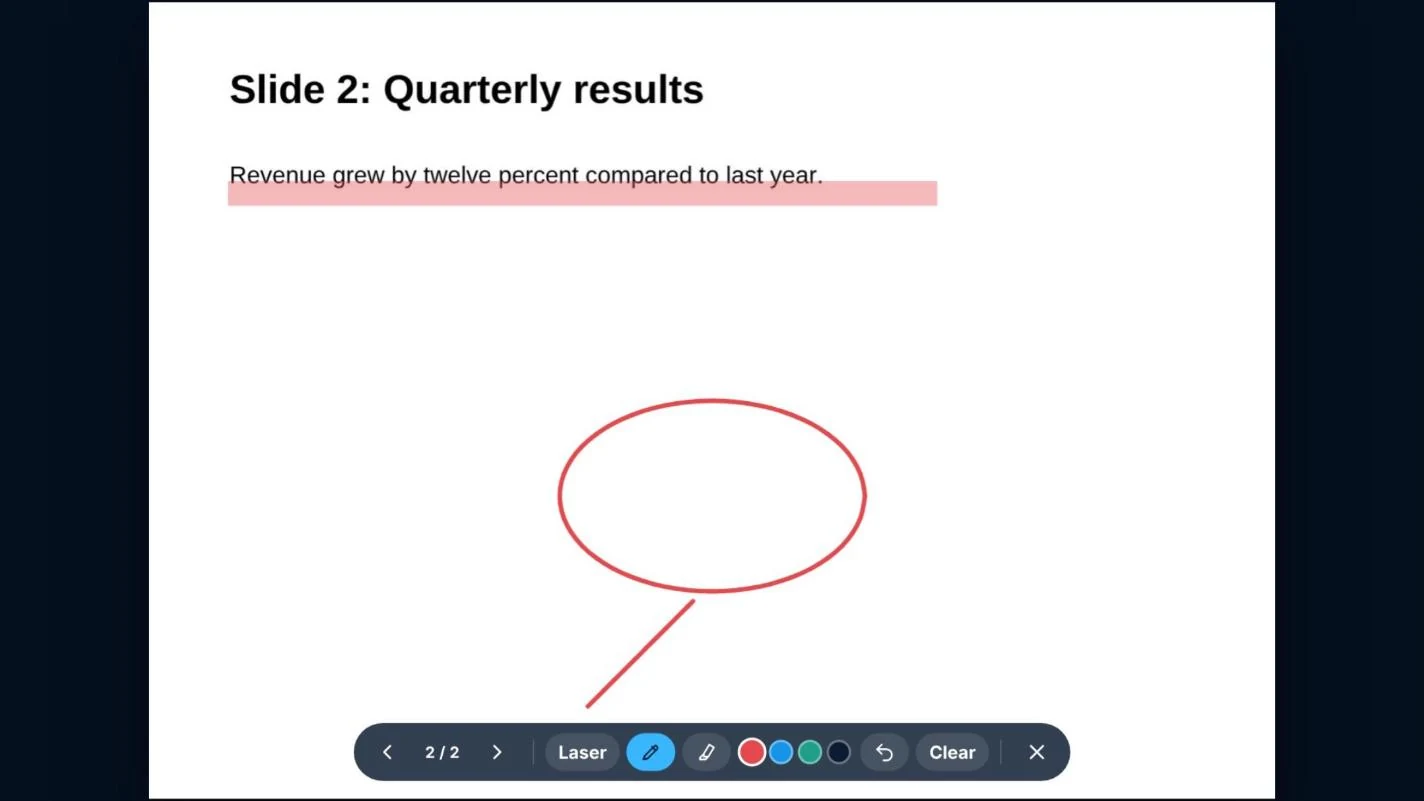
Import the lecture slides or reading as PDF, PowerPoint or Word and write straight onto them.
In class
Write by hand or type, highlight, draw diagrams and tap "Lost" or "Exam hint" on the spots you want to revisit.
After class
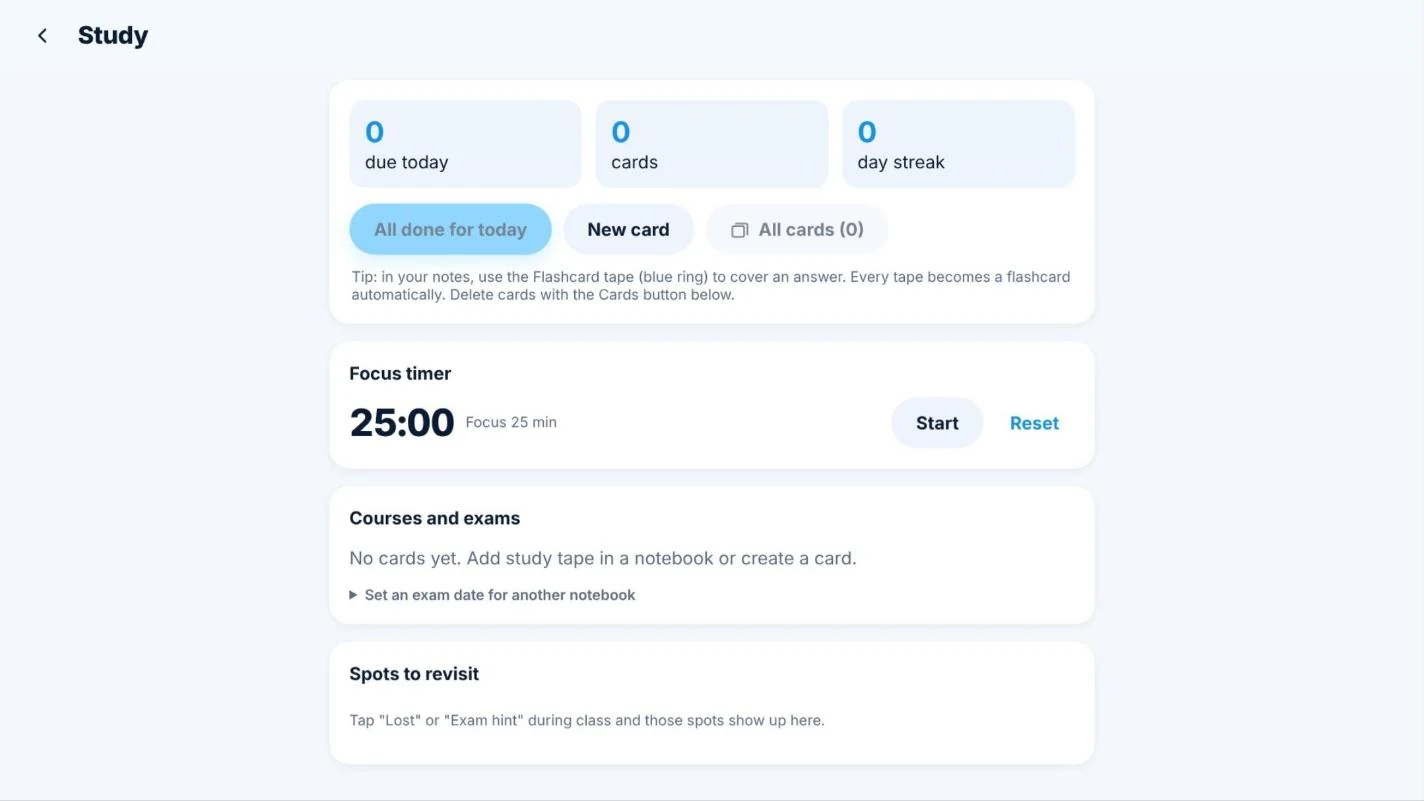
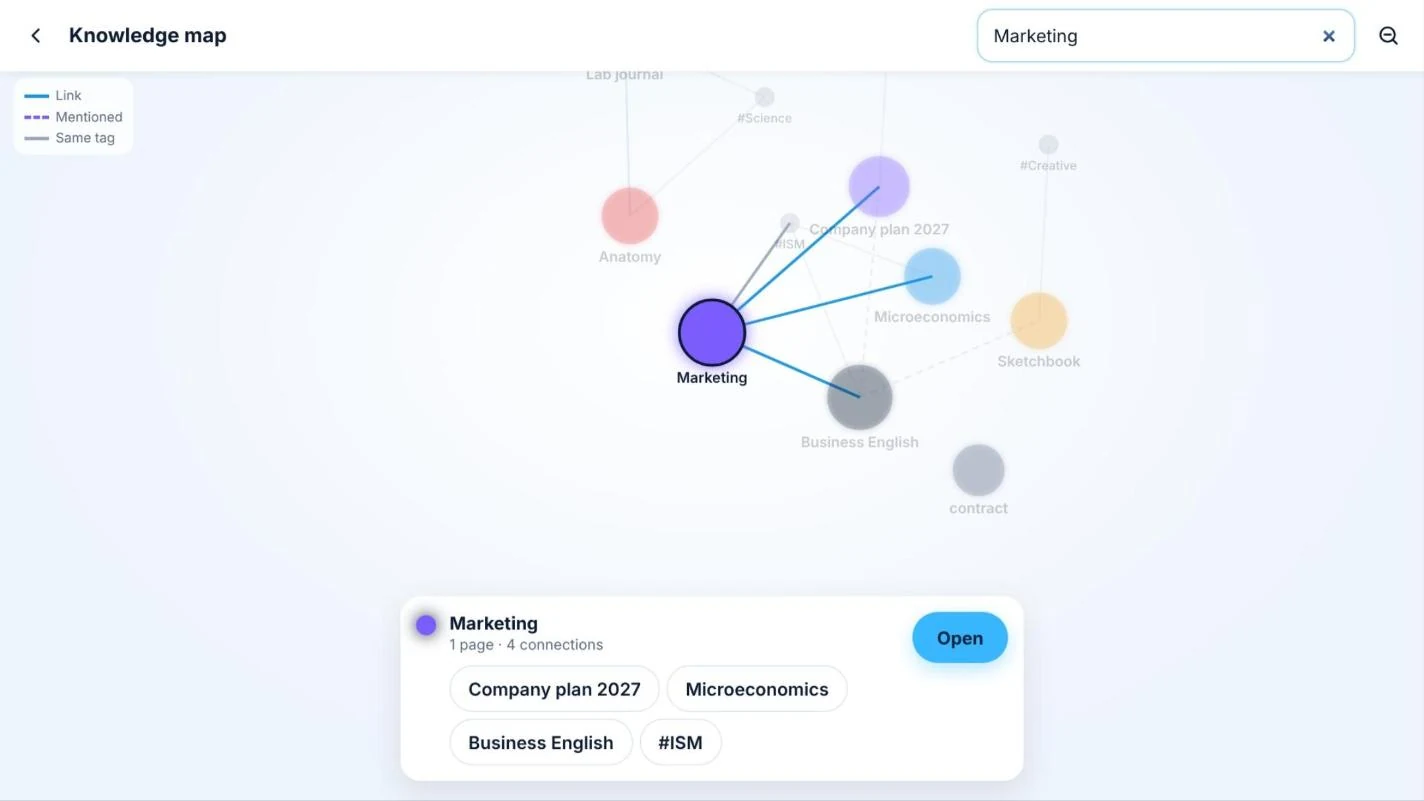
Cover an answer with flashcard tape and it becomes a flashcard automatically. Your notes link up in the knowledge map.
Before the exam
Spaced repetition, practice exams, an exam countdown and a focus timer get you ready, one day at a time.
What iGoinNote looks like
Tap any picture to open it full size.
Writing that feels real, and a lot more
iGoinNote is a note-taking app for students and professionals. Write by hand or type, draw diagrams, mark up PDFs and study smarter, on Windows, Mac, Android, iPad and the web. Your notes stay on your device.


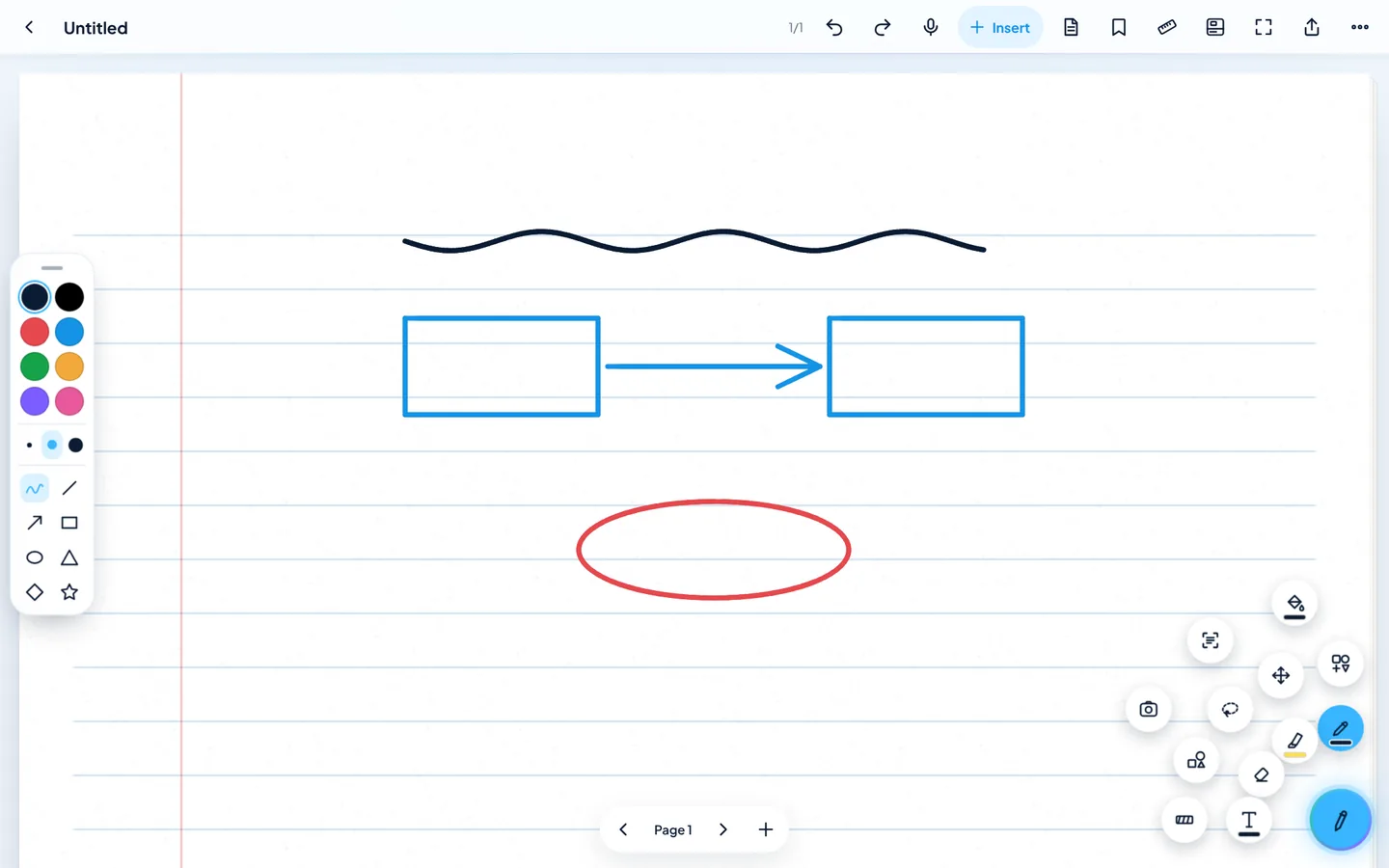


Writing that feels real
- Instant ink: the line appears the moment the pen touches, with no lag, with every pen including the eraser end
- 20 pen types, 30 colours plus your own and a colour mixer
- Quick bar: colours, line sizes and shapes one tap away at the page edge
- Smooth pinch zoom like OneNote, double-tap beside the page for full screen
- Handwriting to text, handwritten maths to a typeset formula, neaten shaky lines
- Ruler, protractor and a zoom window for small writing
Pages and papers
- Dozens of page styles: lined, grid, planner, meeting notes, lab report, legal pad, music, comic and more
- Papers from chalkboard and blueprint to watercolor, washi and pure black OLED
- Endless pages, layers, tabs and split view
Shapes, charts and diagrams
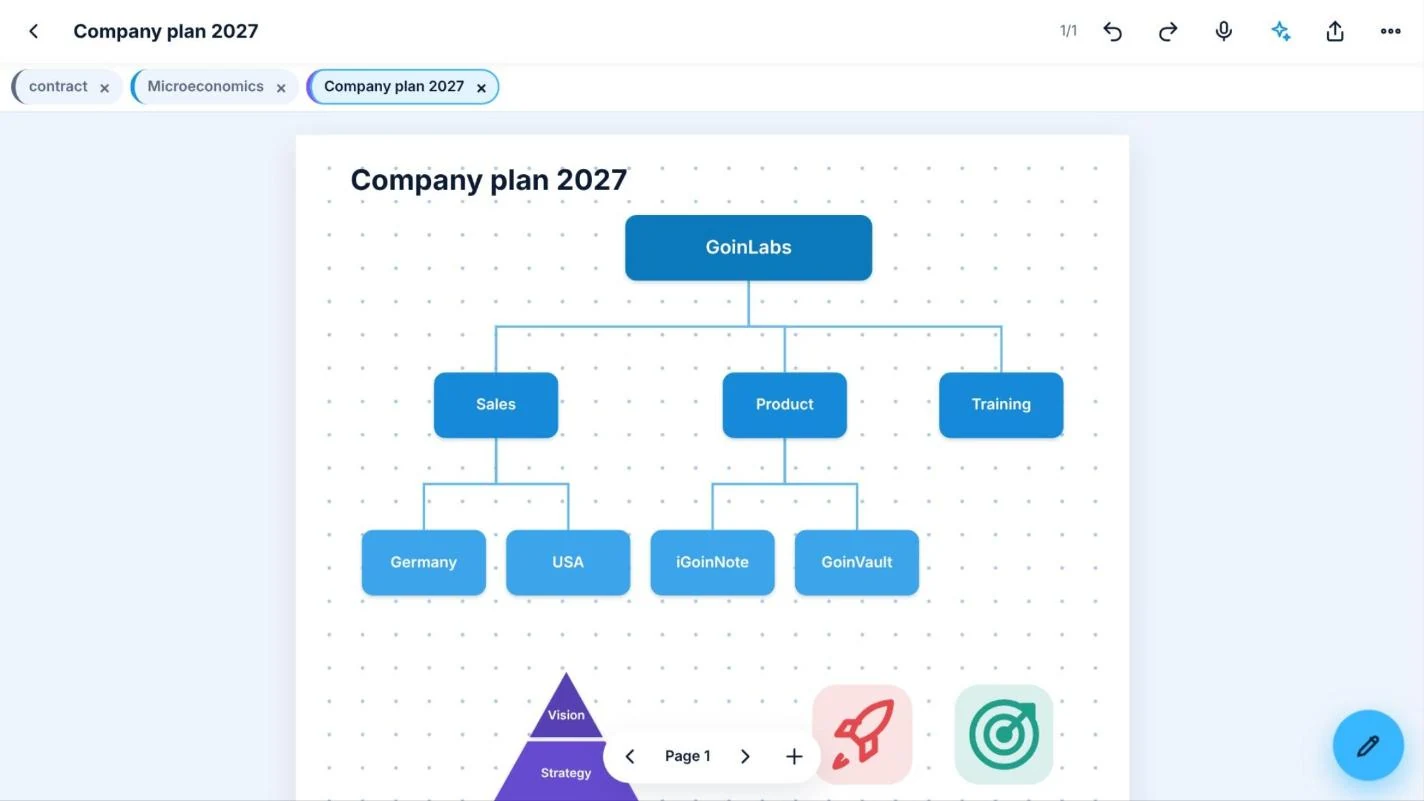
- Shapes, arrows, flowcharts, org charts, mind maps and pictograms
- Bar, line, pie, radar and gauge charts from your numbers, Excel or CSV
- Snap a photo of any chart to bring it in
PDF and import
- Annotate, edit text, sign, fill forms, merge and present PDFs
- Scanned pages become editable
- Import from PDF, Word, PowerPoint, Excel, pictures, web pages, Notion, GoodNotes and OneNote
Study tools
- Flashcards with spaced repetition, mock exams, exam countdown and focus timer
- Pat, the GoinLabs AI: maths tutor with hints, never the answer, and a language buddy
- Lecture wrap-up with summary and flashcards, ask your notes, mind map from a page
Organise and link
- Folders, smart folders, five library views, daily note and a command palette (Ctrl+K)
- Links between notes, backlinks, tags, comments with voice notes, live embeds
- Notebook lock with PIN, Windows Hello, Face ID or fingerprint
Meetings and audio
- Dictation and meeting mode with minutes, agenda and action items
- Voice memos, synced audio recording and video notes
Share and connect
- Publish a page as a web link, with optional password and expiry date
- Send to another device directly, export as EPUB, clean PDF, Markdown or web page
- Telegram bot and web clipper straight into your Inbox notebook
- Calendar time blocks, webhooks for Slack and Teams, an API and MCP connection
Atmosphere and teams
- Cinematic look with soft moving light, glass surfaces and light ripples
- Ambient sounds for focus: rain, café, ocean, fireplace, forest, library
- Team spaces with channels, direct messages and live shared pages
Made for how students actually study
Handwriting and typing
Notebook pages for every kind of class: lined, grid, to-do list, month planner, meeting notes, lab report, legal pad, journal and many more page styles and backgrounds.
Flashcards that make themselves
Use the flashcard ribbon on any answer in your notes. Spaced repetition shows each card again right before you would forget it.
Exam countdown and practice exams
Set your exam dates, see how many days are left and test yourself with practice exams.
PDF tools
Edit text in PDFs, sign, fill forms, merge files and present. Scanned pages become editable thanks to text recognition on your device.
Speak to write
Dictation and spell check run on your device. Great for fast lectures and long readings.
Pat, your AI assistant
Ask or find anything across your notebooks with Pat, the GoinLabs AI assistant.
Ready for every major
STEM
Math and graphs, coordinate systems, science shapes, lab reports and runnable code blocks for computer science.
Business and economics
Line, bar, pie, scatter and radar charts with your own numbers, plus cause-and-effect, comparison and priority matrix templates.
Art and design
An art studio with brushes, watercolor, charcoal, a color mixer, layers and mirror painting on canvas and watercolor paper.
Music and languages
Guitar tabs, score sheets, handwriting practice and calligraphy pages.
Group projects
Listen and write meeting minutes with agenda and action items, then share the plan with your team.
Video lectures
Video notes keep what you watched and what you wrote together.
Bring your notes from GoodNotes, OneNote or Notion
Import from PDF, Word, PowerPoint, Excel, CSV, OpenDocument, RTF, text, Markdown, web pages and images, plus GoodNotes, OneNote and Notion exports. Your old notes come with you.
Your notes stay yours
On your device
Your notebooks are stored on your own device, not on GoinLabs servers.
Your own cloud
Optional automatic backup and sync to your own Google Drive or Dropbox, plus folder backup. Notes go directly from your device to your cloud.
Always up to date
Every version loads the latest iGoinNote when it starts. No re-downloading, on any device.
Themes, page-turns and 20 languages
Choose automatic, light, dark, midnight, warm paper or ocean, add cinematic page-turn effects if you like, and use the app in English, Spanish, Chinese, Hindi, Arabic, French, German, Portuguese, Russian, Japanese, Korean, Vietnamese, Turkish and more.
1 month free, then €0.99 a month
Everything is free for 1 month after sign-up. After that, iGoinNote Plus costs €0.99 a month, plus VAT, or €9.90 a year with 2 months free. Invite a friend and you get 6 more months free when they start paying.
iGoinNote Plus
Everything included, also Pat, the AI
Plus VAT where applicable. Taxes are calculated at checkout. EUR in Europe, USD elsewhere.
Get iGoinNote
Pick your device. Every version is the same app with the same notes features, and all of them update themselves.
Windows
Recommended: Microsoft StoreDownload for Windows (.exe)The installer is not code-signed yet. If Windows shows "Windows protected your PC", click More info, then Run anyway. Or install from the Microsoft Store.
Mac
Download for Mac (.zip)Easiest: open igoinnote.pages.dev in Safari and choose File > Add to Dock. The download includes a short read-me for the first start.
Android
iPhone and iPad
Open igoinnote.pages.dev in Safari, then tap Share > Add to Home Screen.
Open in SafariEvery version loads the latest iGoinNote when it starts. No re-downloading, on any device. Help with Windows and Mac warnings
Questions students ask
Is iGoinNote free?
Everything is free for 1 month after sign-up, on every platform. After that, iGoinNote costs €0.99 a month plus VAT.
Is iGoinNote a good GoodNotes or OneNote alternative?
If you want handwriting, typing, PDF markup and study tools in one app on Windows, Mac, Android, iPhone and the web, yes. You can import your GoodNotes, OneNote and Notion notes.
Where are my notes stored?
On your own device. If you turn on backup, notes go directly from your device to your own Google Drive or Dropbox, never through GoinLabs servers.
Does it make flashcards from my notes?
Yes. Cover an answer with flashcard tape and it becomes a card. Spaced repetition and practice exams help you review before finals.
Can I write on lecture slides and PDFs?
Yes. Import PDF, PowerPoint or Word files, write and highlight on them, edit text, fill forms and sign.
Do I have to download updates?
No. Every version loads the latest iGoinNote when it starts, so you always have the newest features.
Windows says "Windows protected your PC". Is that safe?
Yes. The installer is not code-signed yet, so Windows warns about every new app like this. Click More info, then Run anyway, or install from the Microsoft Store instead.
Made by GoinLabs
iGoinNote is built by GoinLabs, a software company that also builds apps for schools, universities and businesses.
Your best semester starts with better notes
Open iGoinNote in your browser and take your first notes in under a minute. Free to start.