Self-billed invoices in e-invoicing: recognise, check, book
Your customer bills your service themselves, your supplier sends a correction, and it all lands in the same inbox. GoinVault recognises every self-billed invoice and credit note on upload, books it correctly and checks the mandatory details in traffic-light colours. One click to confirm, ask or object.
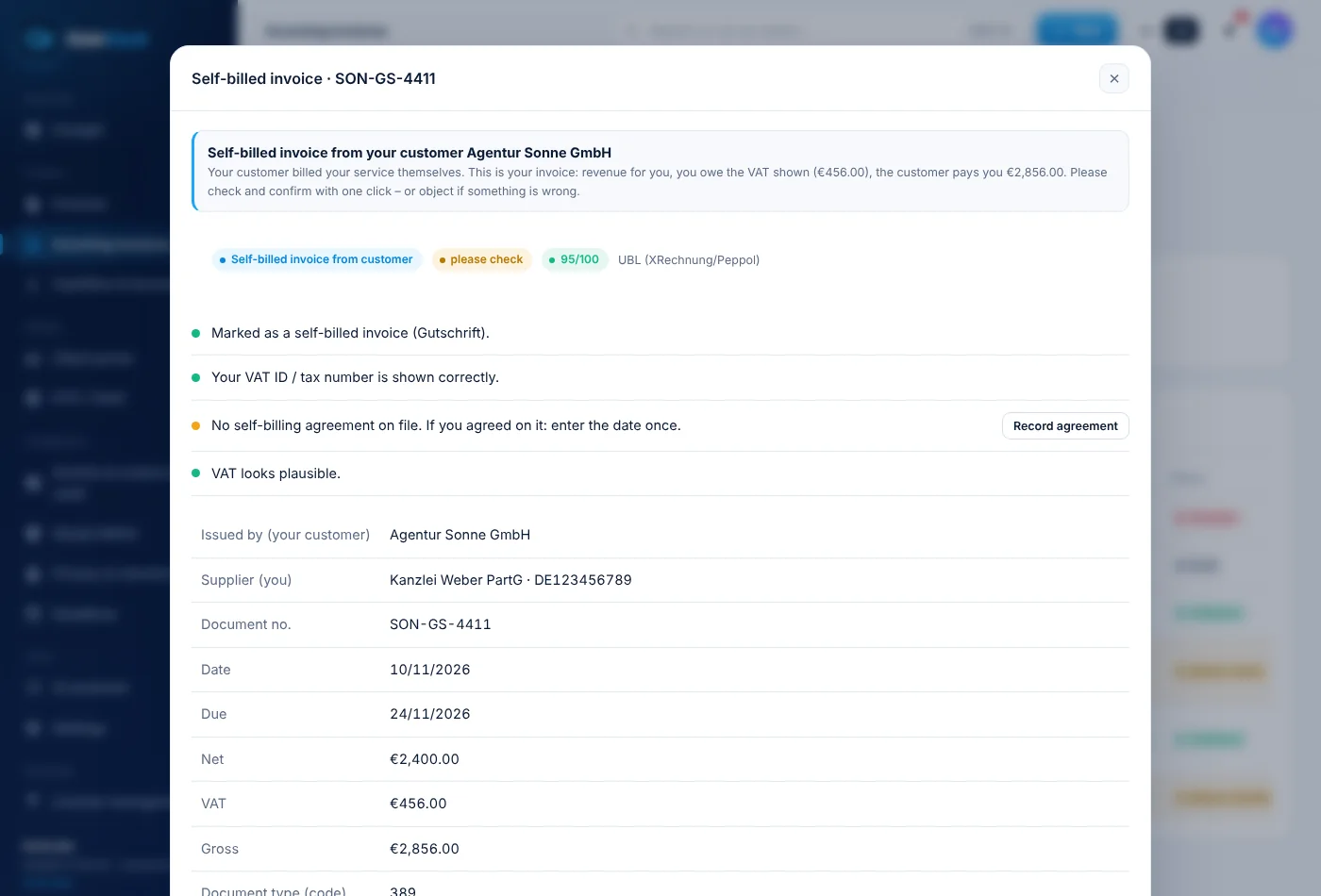
Two kinds of "Gutschrift". GoinVault knows both.
Self-billed invoice under German VAT law (type 389)
Your customer issues the invoice for your service themselves (self-billing, § 14(2) sentence 2 German VAT Act). For you it is revenue with output VAT, even though the document looks like an incoming invoice.
Everyday credit note (type 381)
Your supplier refunds something or corrects an invoice. That reduces your costs and your input VAT. A corrected invoice carries type 384.
How GoinVault handles self-billed invoices
1. Recognise
When you upload an XRechnung, ZUGFeRD or PDF, GoinVault recognises whether it is a self-billed invoice from your customer, a credit note from your supplier or a correction. For unclear documents GoinVault asks once.
2. Check
The mandatory details appear as a traffic light: the word "Gutschrift", your tax number or VAT ID, the agreement and the VAT. Every message in plain words.
3. Respond
All fine: one click "Confirm". Something wrong: a question or a formal objection by e-mail, with proof in the audit log.
4. Book
Customer self-billed invoices as revenue with output VAT, supplier credit notes as a reduction of your costs. DATEV export for your tax adviser.
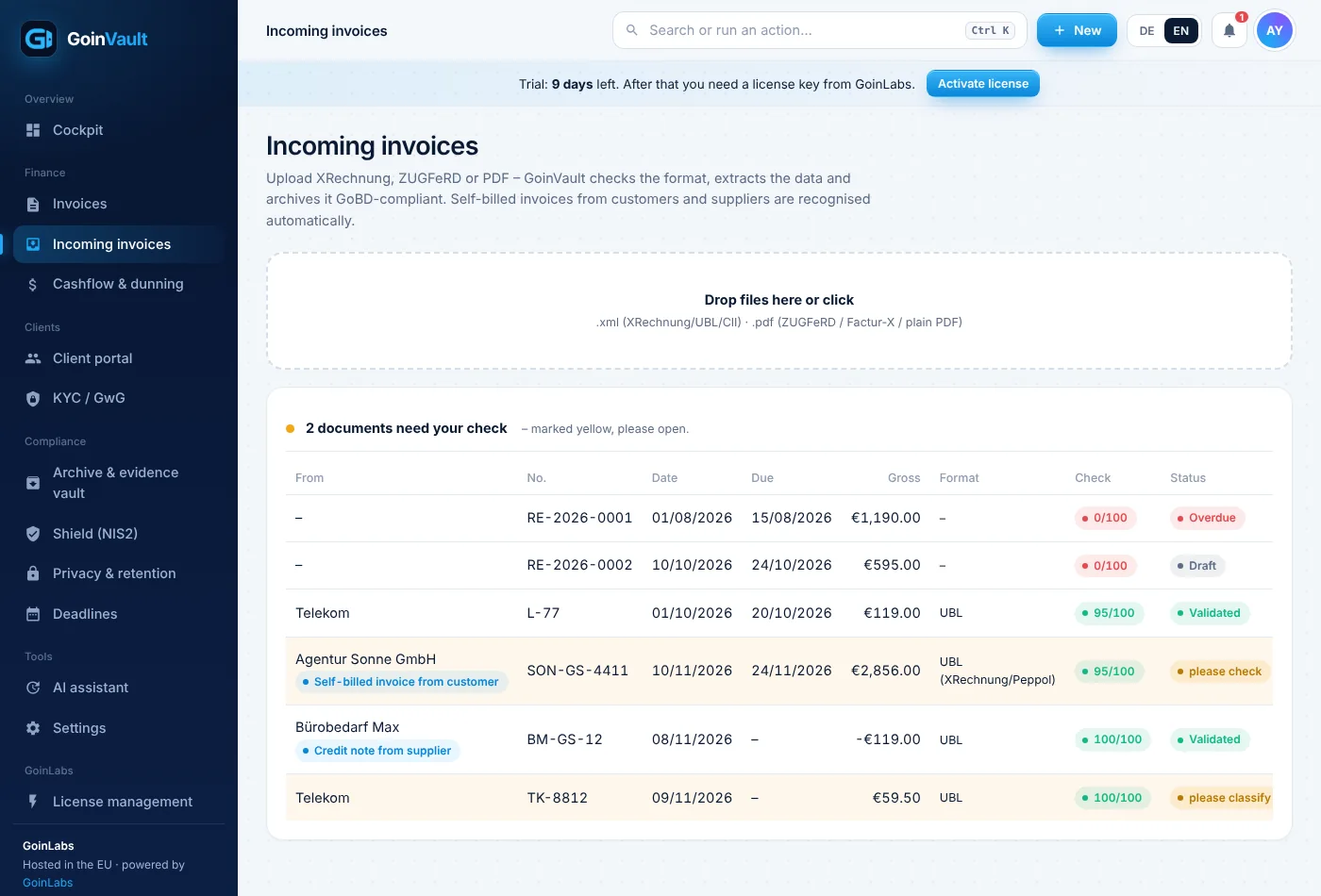
Incoming invoices: self-billed invoices are recognised automatically

Assign document: self-billed invoice or normal invoice?

Formal objection in one click

Supplier credit note reduces costs automatically
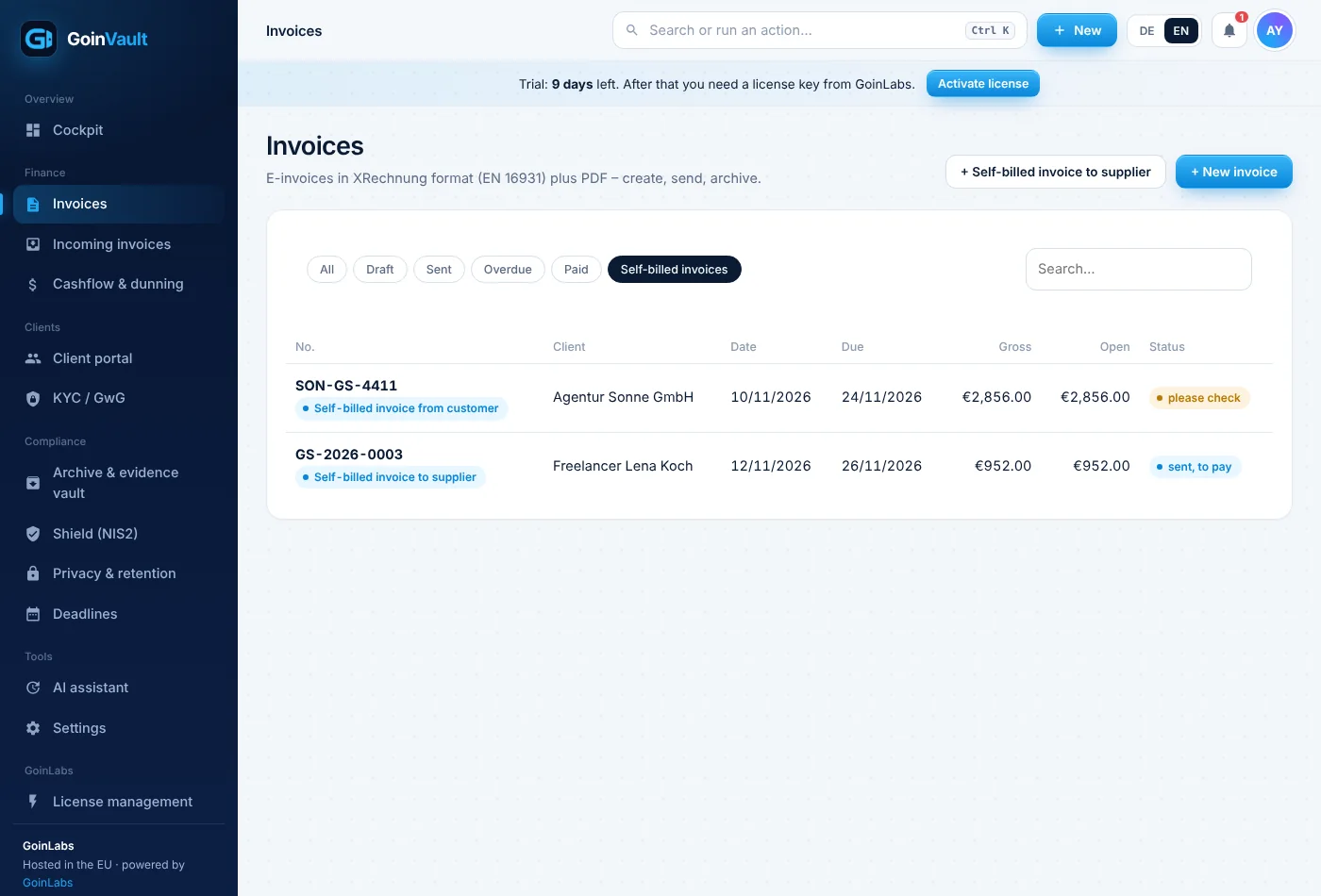
Invoice list with the self-billed invoices filter

Create a self-billed invoice to a supplier
Do you bill by self-billing yourself?
Commissions, freelancer fees or subcontractor services: GoinVault creates the self-billed invoice as e-invoice type 389 in a minute, with its own number range (GS-…), PDF and agreement register. If the agreement, the tax number or the IBAN is missing, GoinVault warns you first.
The mandatory details of a self-billed invoice at a glance
- The word "Gutschrift" on the document (§ 14(4) no. 10 German VAT Act)
- Tax number or VAT ID of the supplier
- A prior agreement on self-billing (a contract or an e-mail is enough)
- VAT shown correctly or correctly left out (small businesses under § 19 German VAT Act)
- All other invoice details under § 14(4) German VAT Act
Frequently asked questions about self-billing
What is a self-billed invoice (Gutschrift) under German VAT law?
An invoice issued not by the supplier but by the recipient of the service (self-billing, § 14(2) sentence 2 German VAT Act). It must be expressly called "Gutschrift" and requires a prior agreement.
What is the difference from an everyday credit note?
In everyday German a refund or correction is also called "Gutschrift". GoinVault tells them apart (EN 16931 type 389 = billing by the recipient, type 381 = credit note/correction from the supplier).
How do I book a self-billed invoice from my customer?
As your revenue with output VAT, not as an expense. GoinVault does this automatically; please agree the accounts with your tax adviser.
What if the self-billed invoice is wrong?
Object to it. It then no longer counts as an invoice and the customer must correct it. GoinVault creates the objection by e-mail and stores the proof.
Do I need an agreement?
Yes, in advance. A contract or an e-mail is enough. GoinVault keeps a register and warns you if it is missing.
Does this also apply to small businesses?
Yes, with special rules (§ 19 and § 14c German VAT Act). GoinVault warns you about VAT that should not have been shown.
General information, not tax advice. Please agree booking accounts and some legal details with your tax adviser. As of November 2026.

Self-billing without guesswork.
Try GoinVault with your own documents. No contract lock-in, hosted in the EU.