 HeardYa
Tap. Speak. Done.
HeardYa is the voice-first messaging app for companies. As simple as texting, built for teams: say what needs to happen, and HeardYa gets it to the right people, tracks it to done and keeps the proof. Managers speak, the right people get it, and every important message gets a "heard ya".

Voice in. Work done.
One tap replaces the text, the email, the call and the follow-up.
Important messages get lost
Updates get missed
In a 2026 Firstup survey of more than 6,200 employees, 61 to 76 percent said they miss critical updates.
Managers work around the system
The same research found 62 to 65 percent of managers fall back on personal text messages or email.
Nobody tracks it to done
Walkie-talkie, feed and newsletter tools pass messages along. HeardYa also finds the right person, follows up and keeps the record.
From one sentence to done
Tap and speak
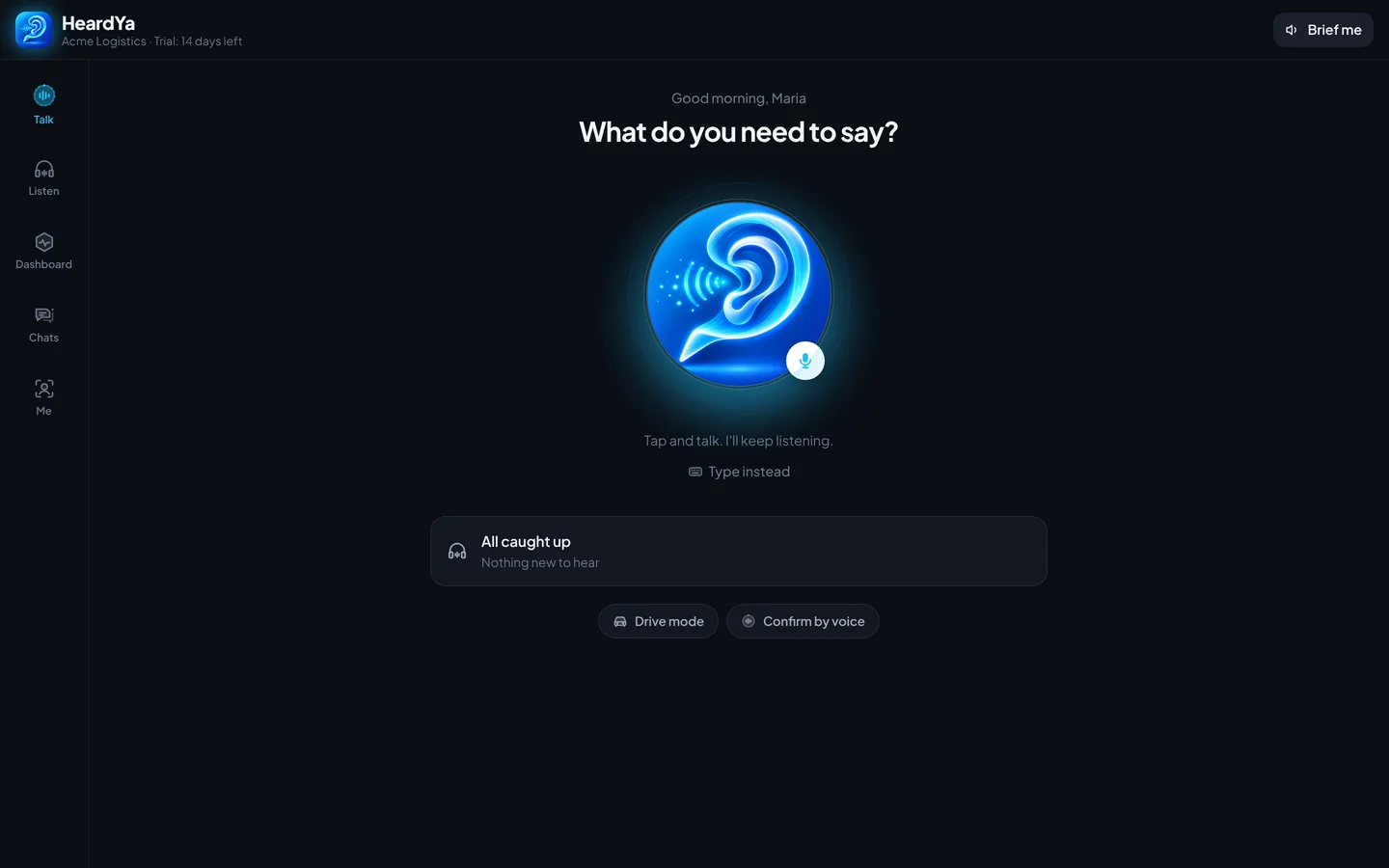
Tap the big HeardYa ear, say it, tap again. No menus, no typing.
HeardYa works it out
A message, a request, a question or a team announcement. HeardYa splits it into tasks and sets the urgency.
The right people hear it
Picked by team, location, shift and who takes care of what. Stand-ins cover when someone is away.
Heard ya
People confirm with a tap or by voice. Red messages escalate after 15 and 30 minutes until someone acts.
Everyone knows what needs attention
Green: just listen
Plain information. It plays like a walkie-talkie message, no reply needed.
Yellow: answer me
The sender needs a reply. HeardYa keeps it open until it gets one.
Red: act now
Act and confirm. Unconfirmed red messages escalate after 15 and 30 minutes, and only red breaks through quiet hours.
What HeardYa looks like
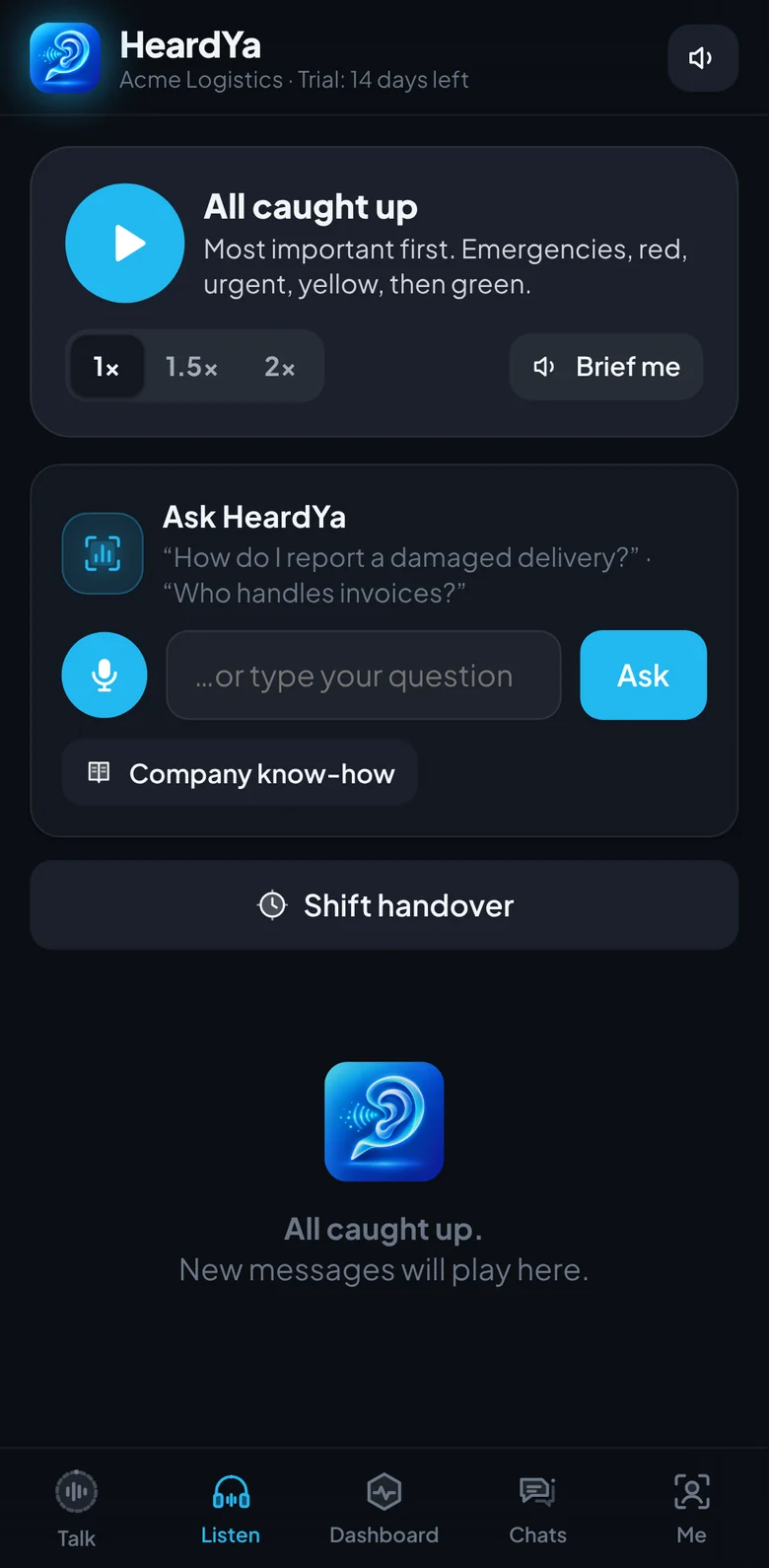
Tap any picture to open it full size.



It knows who takes care of what
"I need..." routing
Anyone says what they need: a coffee in meeting room 3, a broken printer, a day off. HeardYa picks the right colleague, shows their photo and why, and tracks it to Done. "Not me" passes it on and HeardYa learns.
Approvals by voice
Approve time off or purchases by saying "approved". The words, the name and the time are kept as the record. No voiceprints.
QR report spots
Print a code for any room, machine or vehicle. Anyone scans it and says what is wrong, with no app and no account. It goes straight to the person who takes care of it.
Machine alerts
Sensors, alarms and other software send alerts to a private address. HeardYa routes them to the right person, red when urgent.
Voice checklists
Opening, closing and safety rounds by voice, with timestamped proof. Problems are flagged to the manager.
Incident reports
Say what happened and get a draft with the OSHA Form 301 questions, sent to the manager and HR.
Meeting capture
Record a meeting and get the decisions and follow-up tasks, already matched to people and ready to send.
Decision record
Every decision searchable, with who decided and when, readable in every employee's language.
Less noise, more "heard ya"
Smart targeting
Messages reach only the people they matter to, by team, location and shift. HeardYa learns who handles what.
Drive mode
Hands-free with "Hey HeardYa" or "Hey you": play, next, reply, "tell Maria I'm 10 minutes late". Steering-wheel and Bluetooth buttons work.
Brief me and Ask HeardYa
A spoken summary of what you missed. Ask who handles invoices or what a colleague said, and hear the answer.
Auto-translation
Every message in each person's language, 18 in total, with read-aloud for typed messages.
Surveys and pulse checks
One-question surveys by tap or voice, an anonymous option, an AI summary of spoken answers and a weekly anonymous pulse check.
"Before you send" check
Flags harsh or legally risky wording and suggests a calmer version.
Handovers
A spoken shift handover, a holiday handover memo for the stand-in and a meeting mode with automatic replies.
Manager dashboard
Open tasks, who you are waiting on, team load and overload at a glance.
Talk back and forth
Tap once and just talk. HeardYa answers and keeps listening for the next thing you say, like talking to a colleague. Stay quiet or say "thanks" to end.
Car mode on Android
The Android app listens for "Hey HeardYa" with the screen off, works offline for the wake phrase and then talks back and forth while you drive.
Your company network, your rules
Closed network
Joining with the company code needs admin approval. Trusted email domains get straight in. Owners, admins and HR let people in, switch them off or remove them in one click.
External partners
Invite clients, suppliers or the outside plumber by email with a link and a 6-digit code. They are marked External, never get company-wide messages and lose access on a set date.
HR lock
Salary, contracts, warnings and health never go to the employee through the app. They go to HR to handle by hand.
Records and retention
CSV export for audits, a voice recording retention setting, and approvals kept as words, never voiceprints. Sensitive HR text stays on private AI engines.
Pay online
Owners choose Team or Business, monthly or yearly, right in the app. VAT or sales tax is added for your country, EU companies enter their VAT ID, invoices arrive by email and seats follow your team size.
Teams that can't wait for an email
Hotels
Front desk, housekeeping, maintenance and kitchen on one voice network, with QR report spots in every room.
Logistics and warehouses
Shift handovers, dock updates, machine alerts and Drive mode for drivers.
Clinics and practices
Urgent red messages with confirmation, HR lock for sensitive topics and checklists for opening and closing.
Offices and headquarters
"I need..." requests, voice approvals, meeting capture and a searchable decision record.
Simple pricing per person
14-day free trial with everything on. No card needed. Minimum 5 people. All prices plus VAT or sales tax. US and rest of world pay in US dollars, companies in Europe in euros.
On every device your team uses
One account, the same company network on phones, tablets and computers.
Android phones and tablets
Get HeardYa on Google Play, with car mode and "Hey HeardYa" with the screen off.

Any browser, any device
Open HeardYa on iPhone, iPad, Windows, Mac or Chromebook and add it to your home screen. On a computer, hold Space to talk.
Open HeardYaComing next
HeardYa for Windows in the Microsoft Store, a native iPhone app, Apple CarPlay and Android Auto, and a smartwatch walkie-talkie.
Questions companies ask
What is HeardYa?
HeardYa is a voice-first messaging app for companies. You tap and speak, HeardYa routes the message or request to the right people, tracks it to done and keeps the record.
How is HeardYa different from a walkie-talkie or push-to-talk app?
Walkie-talkie apps pass voice messages along. HeardYa also works out who should get each message, sets the urgency with three flags, follows up until someone confirms and keeps a searchable record.
How much does HeardYa cost?
Team is $5 per person per month ($4 billed yearly), Business is $9 per person per month ($7.50 billed yearly) and Enterprise is custom. Every plan starts with a 14-day free trial, no card needed. Minimum 5 people.
Do employees need to install anything?
On Android, install HeardYa from Google Play. On iPhone, iPad and computers it runs in the browser and can be added to the home screen. A Windows app for the Microsoft Store is on its way.
Can people outside the company join?
Yes. Admins invite external partners by email with a link and a 6-digit code. They are marked External, do not receive company-wide messages and lose access on a set date.
What happens with sensitive HR topics?
Salary, contracts, warnings and health never go to the employee through the app. HeardYa sends them to HR to handle by hand.
Does HeardYa store voiceprints?
No. Voice approvals keep the words, the name and the time as the record, not a voiceprint. Companies choose how long voice recordings are kept.
Which languages does HeardYa support?
Messages are translated automatically into 18 languages, and typed messages can be read aloud.
How do we pay?
The owner picks Team or Business, monthly or yearly, inside the app and pays online. VAT or sales tax is added for your country, and invoices come by email.
Made by GoinLabs
HeardYa is built by GoinLabs, a software company that builds apps and custom software for businesses, schools and universities.
Say it once. Get it done.
Start a free 14-day trial for your team. Everything is on and no card is needed.